Alarm Maintenance Windows
The Maintenance Window feature in the Alarm module defines a scheduled time period during which monitoring alerts are temporarily suppressed, muted, or deprioritized while planned work is performed on a system.
Purpose
Section titled “Purpose”- It prevents false or expected alerts during deployments, patches, upgrades, or infrastructure changes.
- This avoids unnecessary escalations or incident tickets.
- It also keeps monitoring reports clean and meaningful.
Overview Page
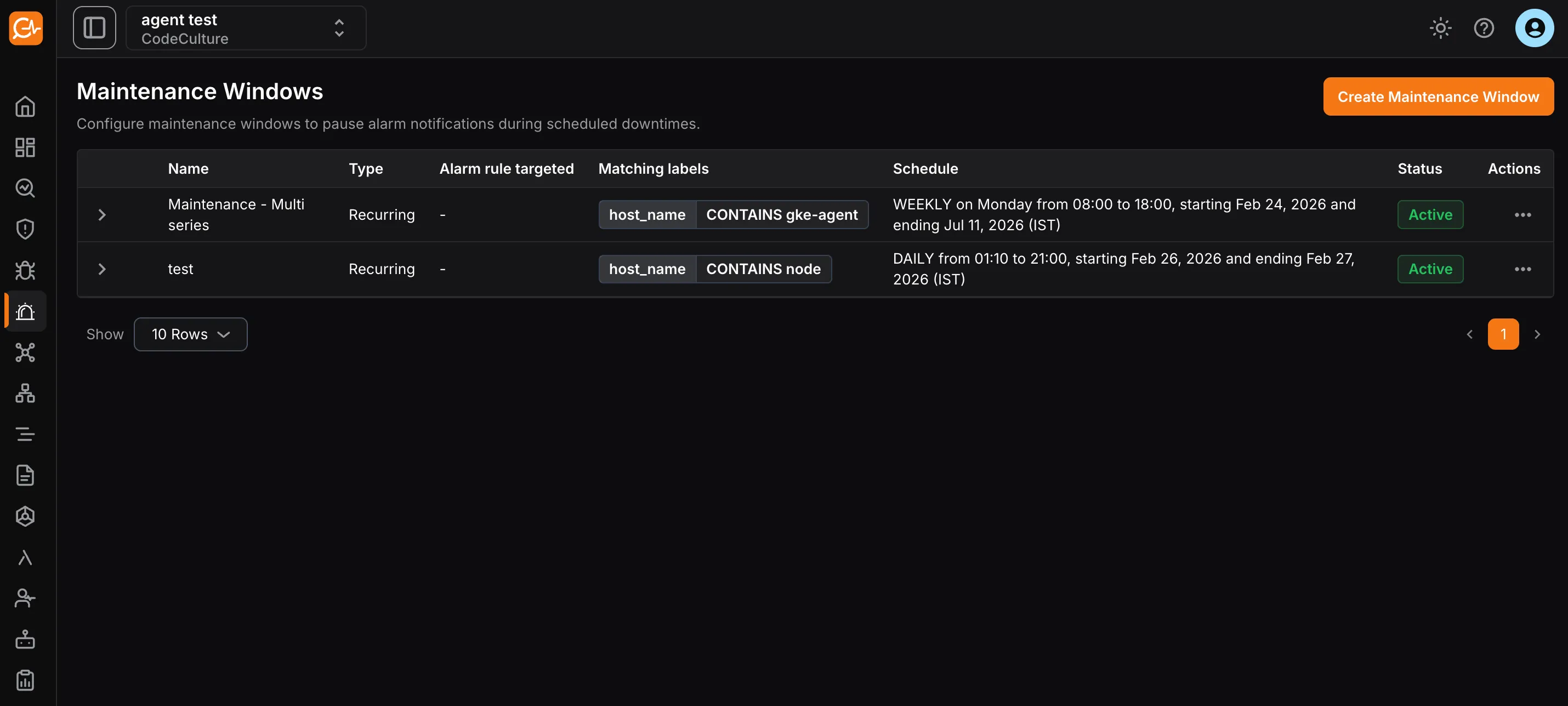
Section titled “Overview Page”The overview page displays all created maintenance windows with these details:
- Name: Name of the maintenance window.
- Description: Description of the maintenance window.
- Alarm rule targeted: Alarm rule to which the maintenance window applies.
- Matching label: Labels assigned to the maintenance window.
- Schedule: Start and end time period for the maintenance window.
- Status: Whether the maintenance window is active or paused.
Creating a Maintenance Window
Section titled “Creating a Maintenance Window”- Navigate to the Maintenance Windows page in the Alarm module.
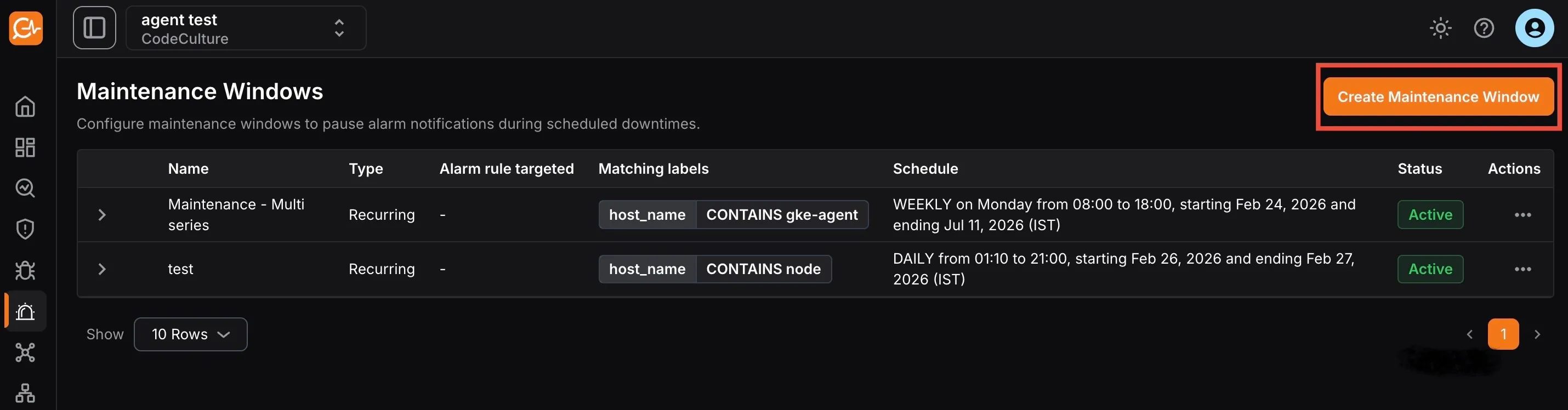
- Click Create Maintenance Window.
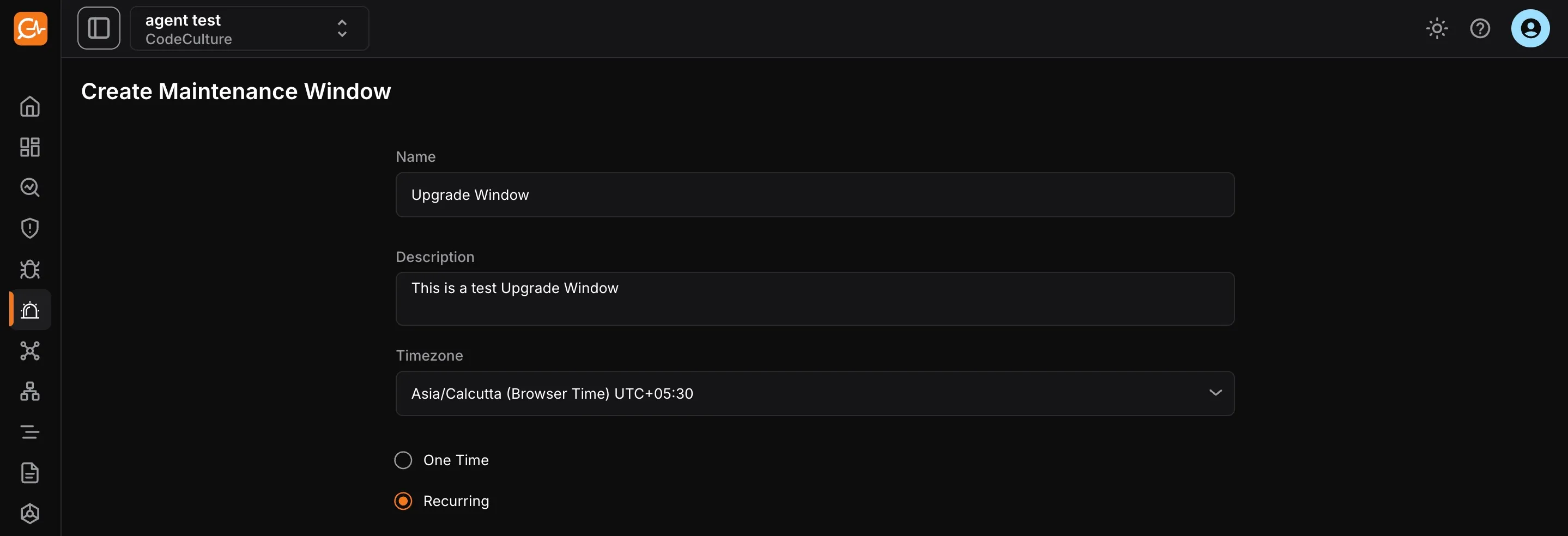
- Configure these details:
- Name: Name for the maintenance window.
- Description: Short description of the maintenance window.
- Timezone: Timezone for the scheduled maintenance window.
- One time: A one-time maintenance window schedules a maintenance period only once for a specific date and time.
- Recurring: A recurring maintenance window automatically repeats on a regular cycle, so you do not need to set it up each time.
Additional settings include:
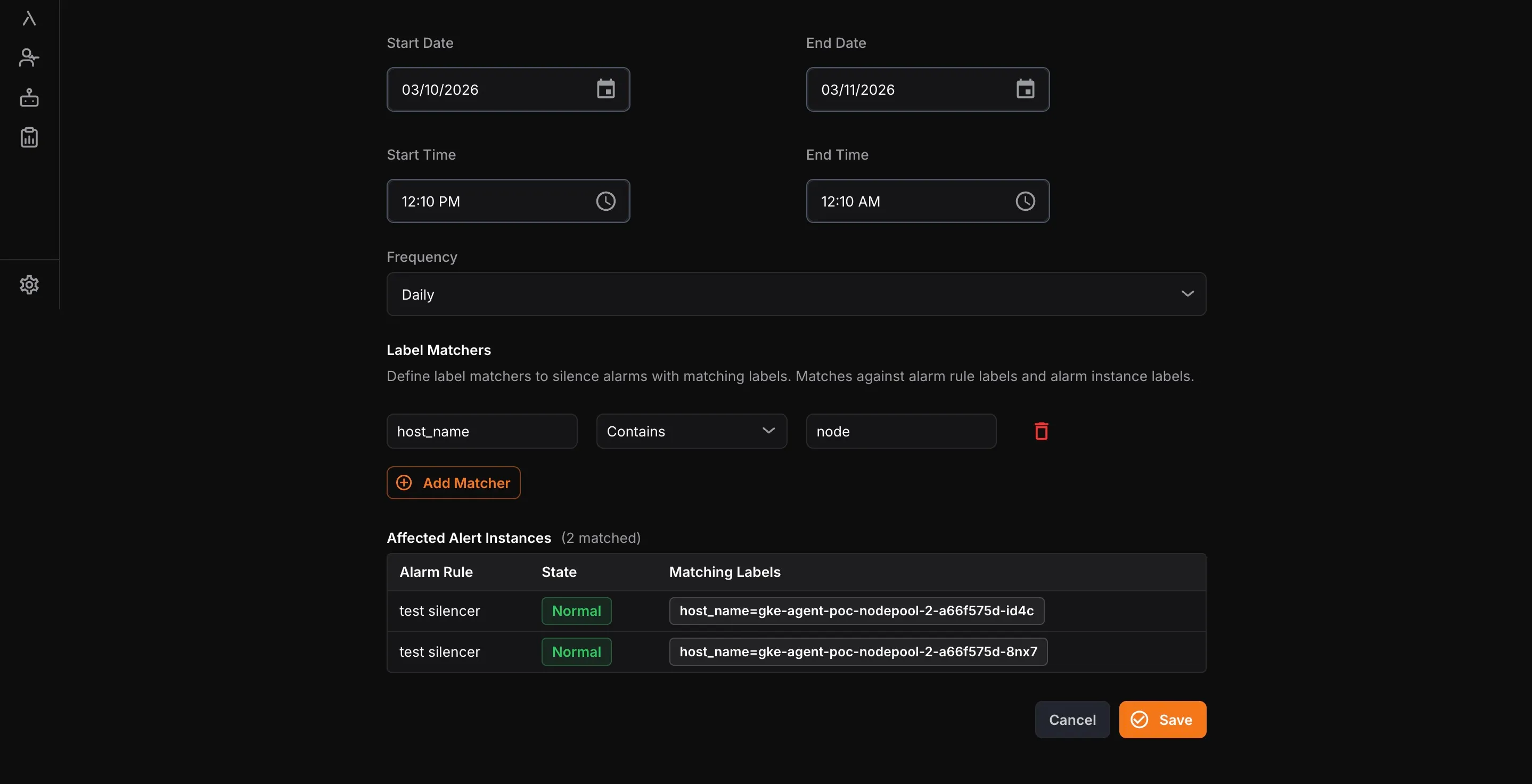
- Start time: Date and time when the maintenance window begins.
- End time: Date and time when the maintenance window ends.
- Frequency: Available only for recurring windows; select daily, weekly, or monthly schedules.
- Label Matchers: Use labels from alarms to target the maintenance window to specific services (e.g., instance name, service name).
- Click Save to create the new maintenance window.