

WebSocket Monitor
The WebSocket Monitor verifies the availability and performance of WebSocket endpoints by establishing persistent connections, sending messages, and validating responses.
Creating a New WebSocket Monitor
Section titled “Creating a New WebSocket Monitor”- Navigate to Synthetic monitoring > Monitors.
- Click Add new.
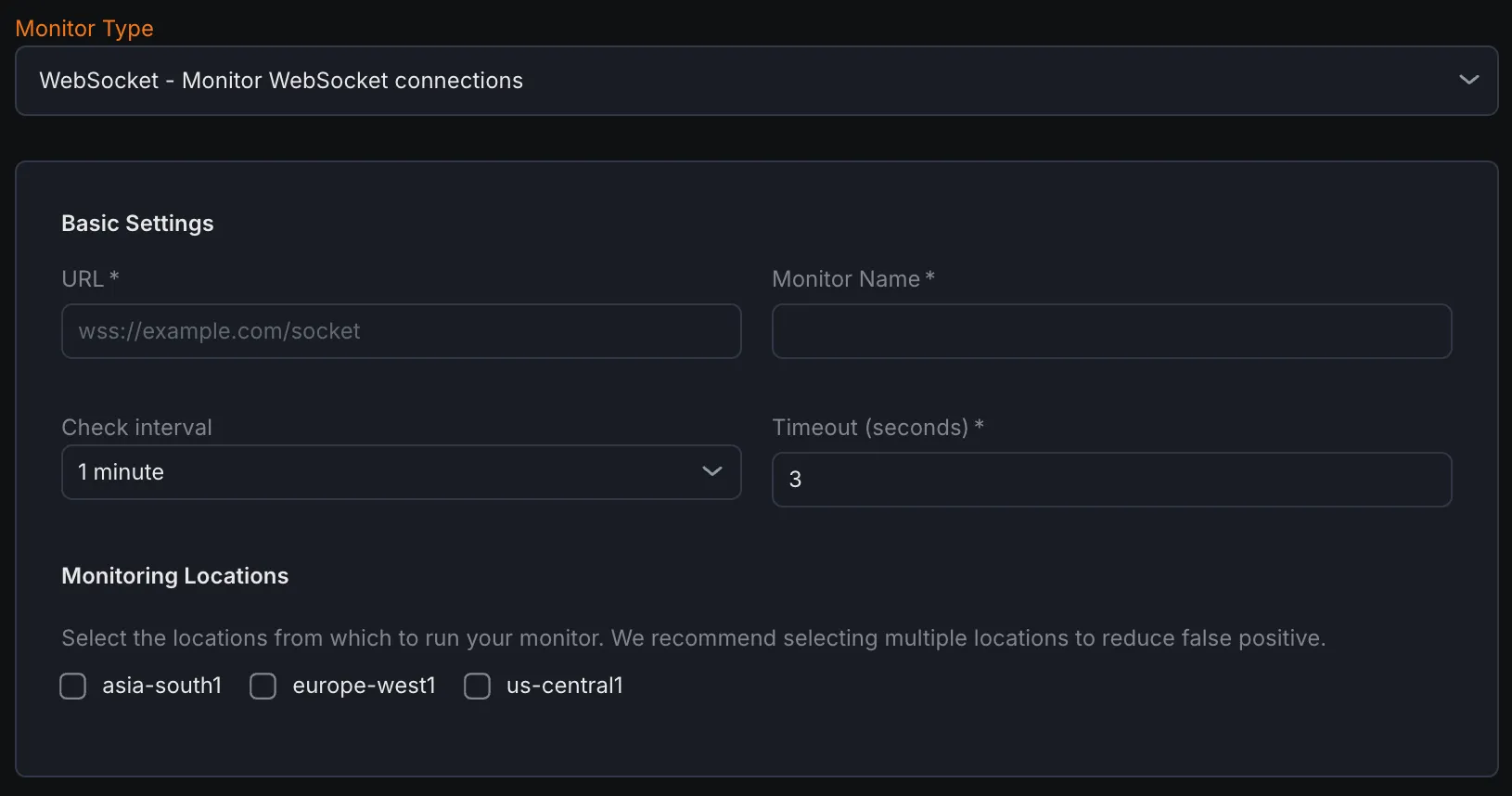
- Select WebSocket - Monitor WebSocket connections from the monitor type dropdown.
Basic Settings
Section titled “Basic Settings”- URL
Enter the full WebSocket URL (e.g.,
ws://example.com/socketorwss://example.com/socket) to monitor. - Monitor Name Provide a descriptive name for the WebSocket monitor.
- Check Interval Set the frequency at which the monitor attempts to establish and test the WebSocket connection.
- Timeout Define the maximum time allowed for the monitor to complete the connection and response validation.
- Monitoring Locations Choose one or more geographic locations from which the WebSocket checks will be executed.
Notification Settings
Section titled “Notification Settings”Select notification channels to receive alerts when the WebSocket monitor detects connection failures or downtime.
WebSocket Configuration
Section titled “WebSocket Configuration”- Path
Specify the URL path used during the WebSocket handshake (e.g.,
/ws/chat). - Header Add custom HTTP headers sent during the initial WebSocket handshake request.
- Subprotocols (comma-separated)
Define optional WebSocket subprotocols that establish higher-level communication rules (e.g.,
chat,superchat). - Messages to Send (one per line) List messages to transmit after connection establishment, with one message per line.
Assertions
Section titled “Assertions”Assertions validate key aspects of the WebSocket connection lifecycle:
- Handshake Status Confirms whether the initial WebSocket handshake succeeded or failed.
- Connect Time (ms) Measures the duration to complete the WebSocket handshake in milliseconds.
- Time to First Message (ms) Tracks the time from connection establishment to receiving the first incoming message.
- Response Message Validates the actual messages received from the WebSocket server.
- Message Count Counts the number of messages received during the monitoring session.
- Close Code Checks the WebSocket close code indicating the reason for connection closure.
- Close Message Examines the optional human-readable message accompanying the close code.
Metrics
Section titled “Metrics”Metrics available to be monitored in Dashboard section
| Metric Name | Type | Description | Labels |
|---|---|---|---|
| kloudmate_synthetic_check_websocket_time_to_first_message | Gauge | Time from connection until the first message is received. | check_id, check_name, check_type, target, workspace_id, location |
| kloudmate_synthetic_check_connect_time | Gauge | Time taken to establish a connection. Applicable to HTTP, TCP, UDP, WebSocket, and SSL checks. | check_id, check_name, check_type, target, workspace_id, location |
|---|