Maintenance Windows
A maintenance window is a scheduled period of time during which monitors continue to run normally, but their incidents are handled differently to avoid unnecessary noise.
During a maintenance window, the monitor:
- Does not send any notifications for incidents that are triggered.
- Does not count downtime that occurs during the window toward the monitor’s success rate percentage.
- Marks incidents that happen during the maintenance window so they can be distinguished from regular production incidents.

Maintenance Windows Overview List The overview page displays all created maintenance windows with key details for quick management:
- Name
The user-defined name of the maintenance window. - Description
Brief description explaining the purpose of the maintenance window. - Type
Indicates whether the window is recurring or one-time. - Schedule
Shows the configured start and end time period. - Targets
Number of monitors assigned to this maintenance window. - Status
Current status indicating if the window is active or paused.

Creating a Maintenance Window
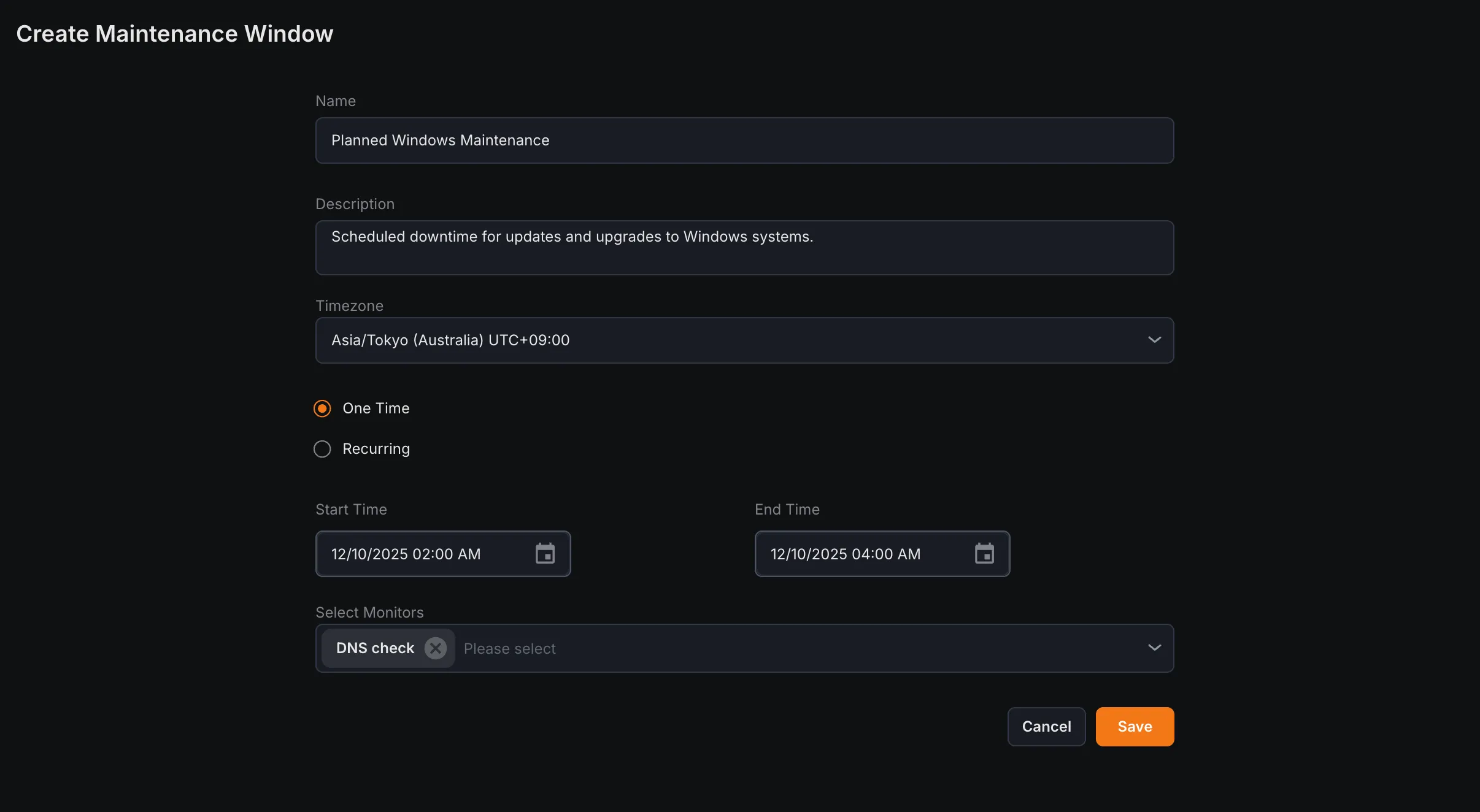
Section titled “Creating a Maintenance Window”1. Navigate to the Maintenance Window Overview page in the Synthetic monitoring module.
2. Click on Create Maintenance Window.
3. Configure the following settings:
- Name
Enter a name for the maintenance window. - Description
Provide a short description of the maintenance purpose. - Timezone
Select the timezone for the scheduled maintenance period. - One-time Schedule a single maintenance period for a specific date and time.
- Recurring
Set up automatically repeating maintenance on a regular cycle. - Start Time Define the date and time when the maintenance window begins.
- End Time
Specify the date and time when the maintenance window ends. - Frequency (Recurring only) Choose daily, weekly, or monthly recurrence schedule.
- Select Monitors Assign one or more monitors to apply the maintenance window to.
4. Click Save to create the new maintenance window.