Create a Dashboard
Creating a dashboard lets you build a personalized view of the metrics that matter most to your application. You can start from a pre-built template for common services or build one from scratch with custom queries.
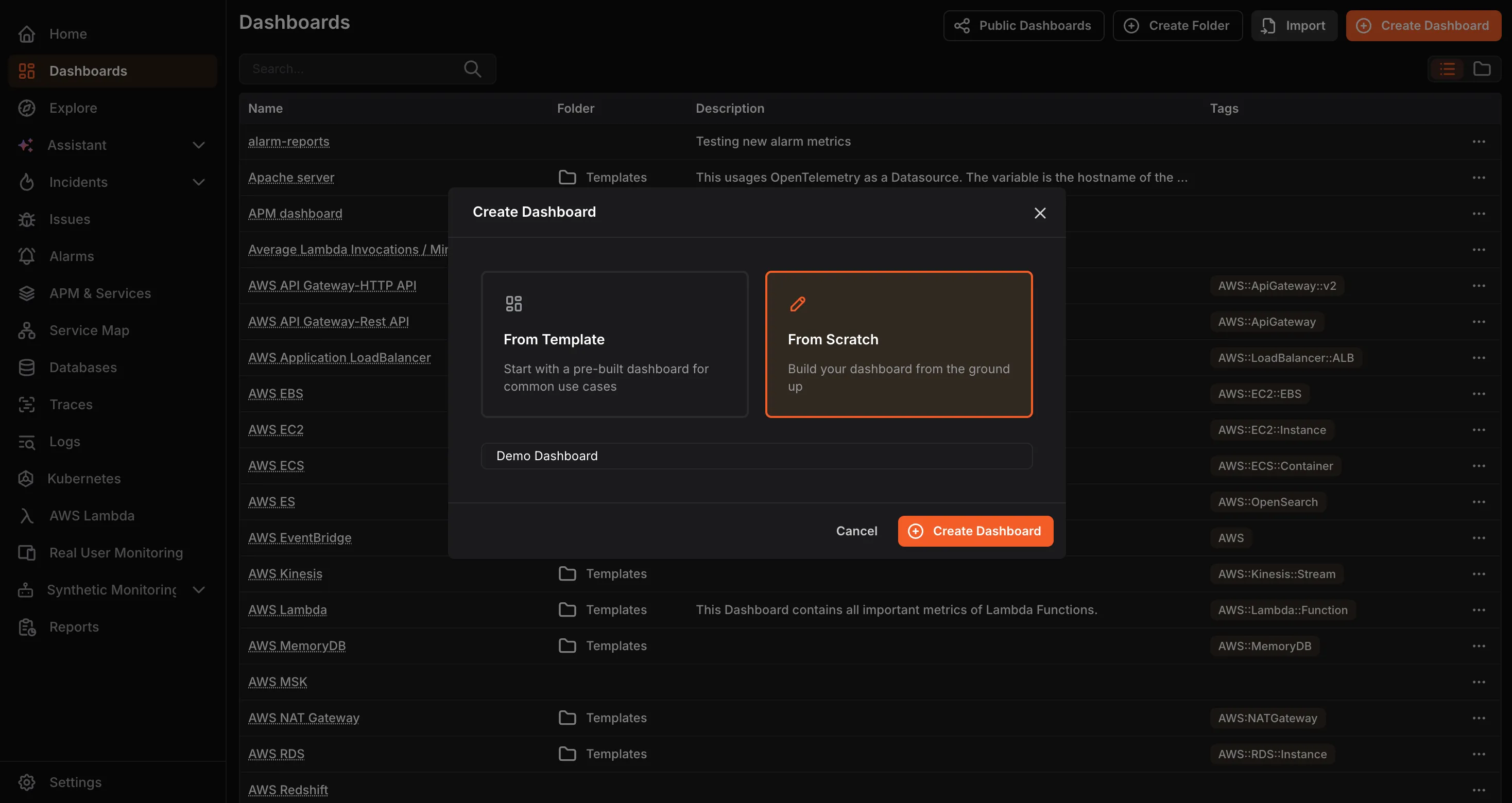
- From the Dashboards screen, click Create Dashboard.
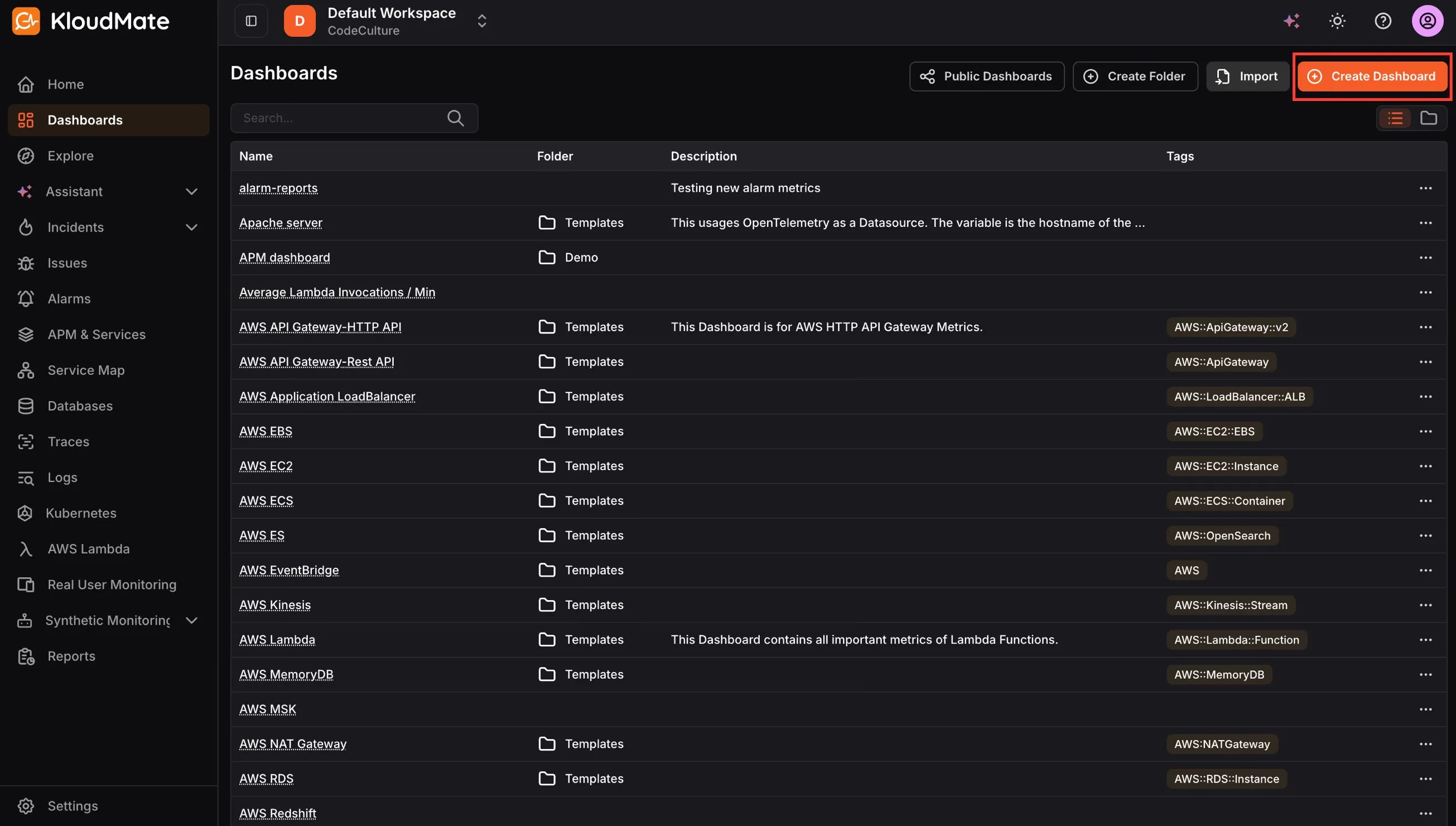
- Choose how you want to create the dashboard:
From Template
Section titled “From Template”Use a pre-built dashboard for common use cases. This is the fastest way to get started if you are monitoring a known service.
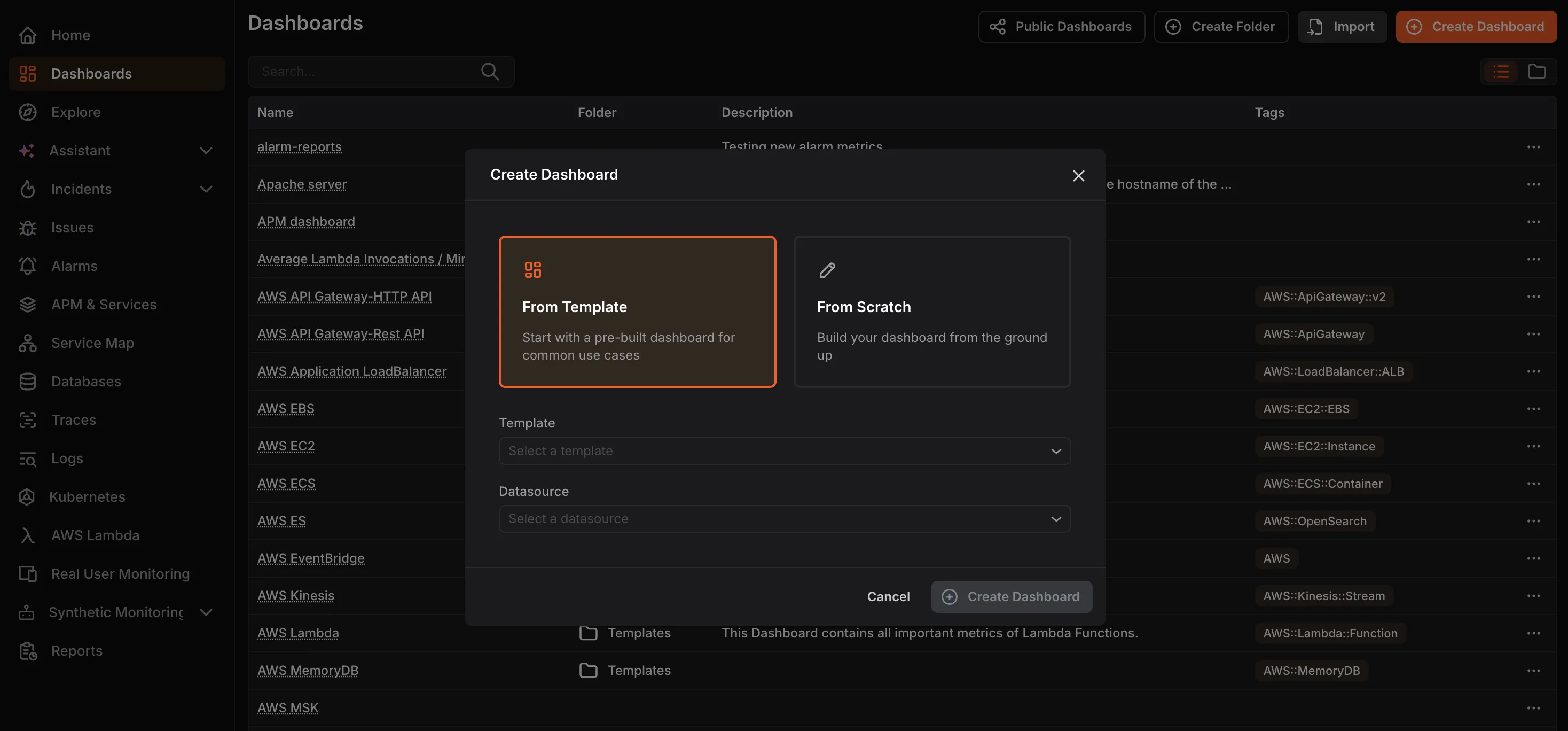
Select a Template from the dropdown. Then select a Datasource and click Create Dashboard.
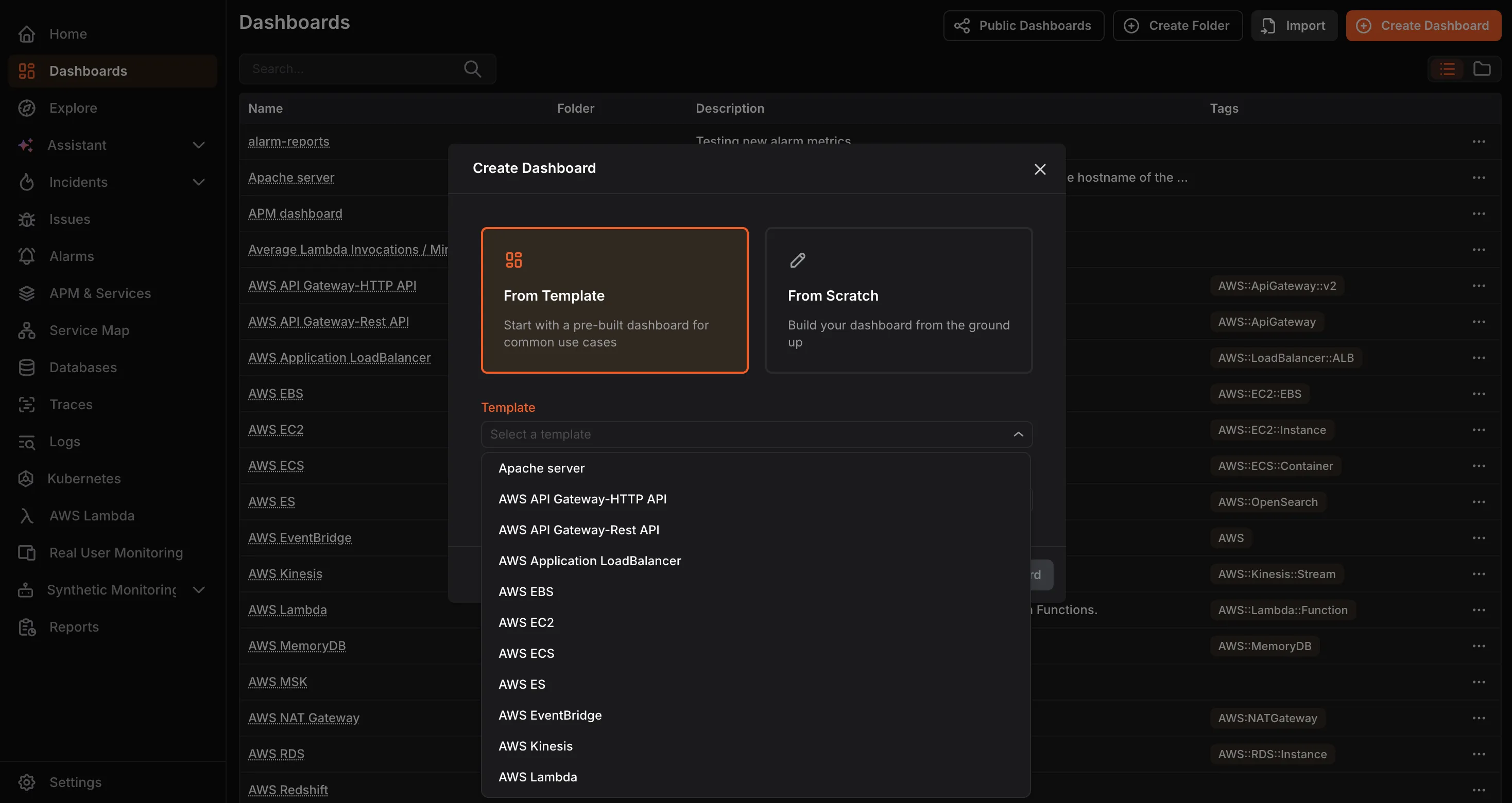
From Scratch
Section titled “From Scratch”Build a fully custom dashboard. Enter a Dashboard Name and click Create Dashboard. You will be taken to an empty dashboard where you can start adding panels.