

Incident Details
Open any incident from the incident list to view its detail page.
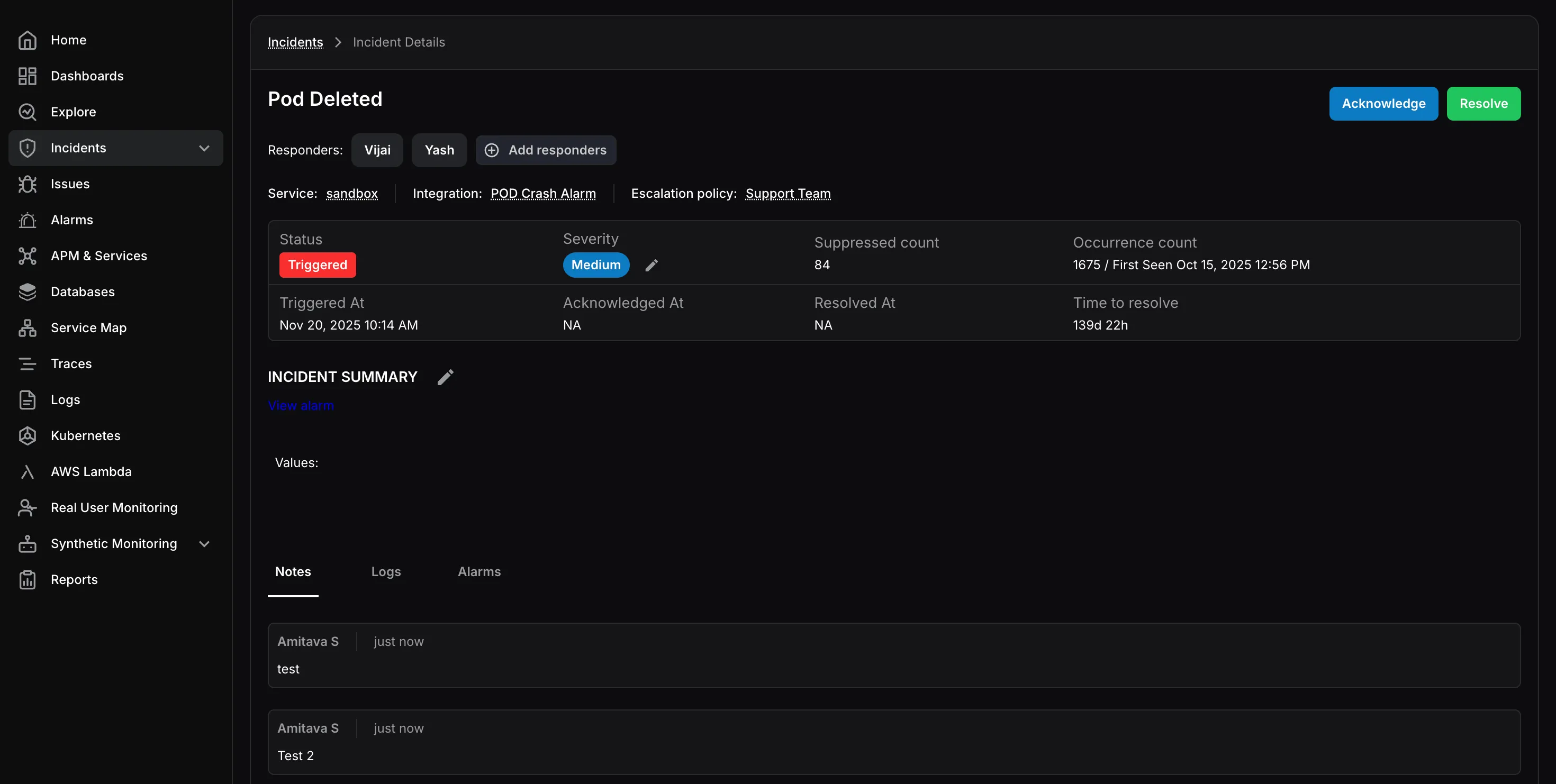
The header shows:
- Assigned responders
- Related service
- Source integration
- Applied escalation policy
You can also add or remove responders from this screen.
Incident Metrics
Section titled “Incident Metrics”The detail page shows key incident fields such as:
- Status
- Severity
- Suppressed Count
- Occurrence Count
- Triggered At
- Acknowledged At
- Resolved At
- Time to Resolve
Incident Summary
Section titled “Incident Summary”The summary section contains the incident description and a link to the related alarm for deeper investigation.
Activity Tabs
Section titled “Activity Tabs”At the bottom of the page, you can review:
- Notes: Team notes and investigation context
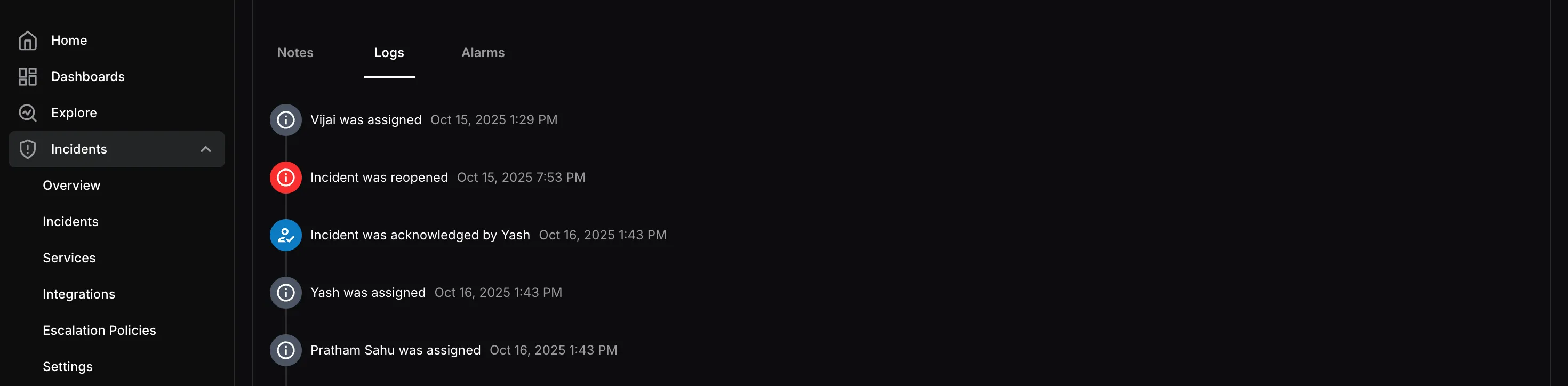
- Logs: A timeline of assignments, acknowledgements, and other actions
- Alarms: The alarms attached to the incident
Use Acknowledge or Resolve from the top-right corner to update the incident status.