

Alarm Report
An Alarm Report provides detailed statistics about a single alarm or a group of alarms, helping you track their performance and state changes over a selected time range.
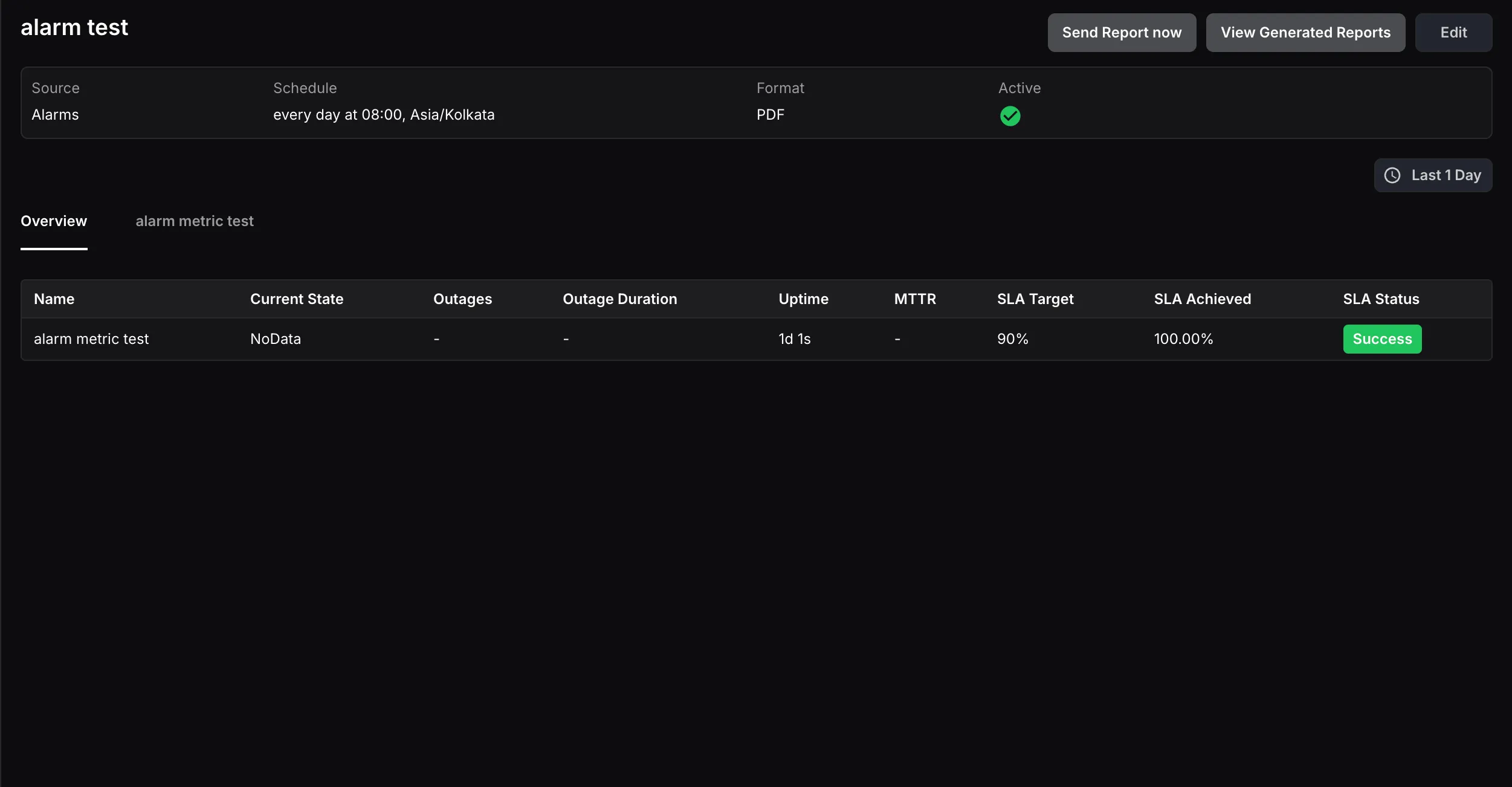
The report displays the following details for each alarm:
- Name: The name of the alarm.
- Current State: The state of the alarm at the time of report generation.
- Outages: The total number of times the alarm was triggered during the selected time range.
- Outage Duration: The cumulative duration the alarm remained in an alerting state within the selected time range.
- Uptime: The total time the alarm remained in a normal state within the selected time range.
- MTTR (Mean Time to Resolution): The average time taken to resolve the alarm from an alerting state back to normal.
- SLA Target: The SLA percentage target set by the user.
- SLA Achieved: The percentage of time the alarm was in a normal state during the selected time range.
- SLA Status: Shows Success if SLA achieved meets or exceeds the target, or Failed if it falls below.
SLA targets for alarms can be configured on the Alarm Configuration page.