

ICMP Monitor
The ICMP Monitor performs ping tests to verify basic network connectivity to hosts by sending ICMP Echo Request packets and measuring responses.
Creating a New ICMP Monitor
Section titled “Creating a New ICMP Monitor”- Navigate to Synthetic monitoring > Monitors.
- Click Add new.
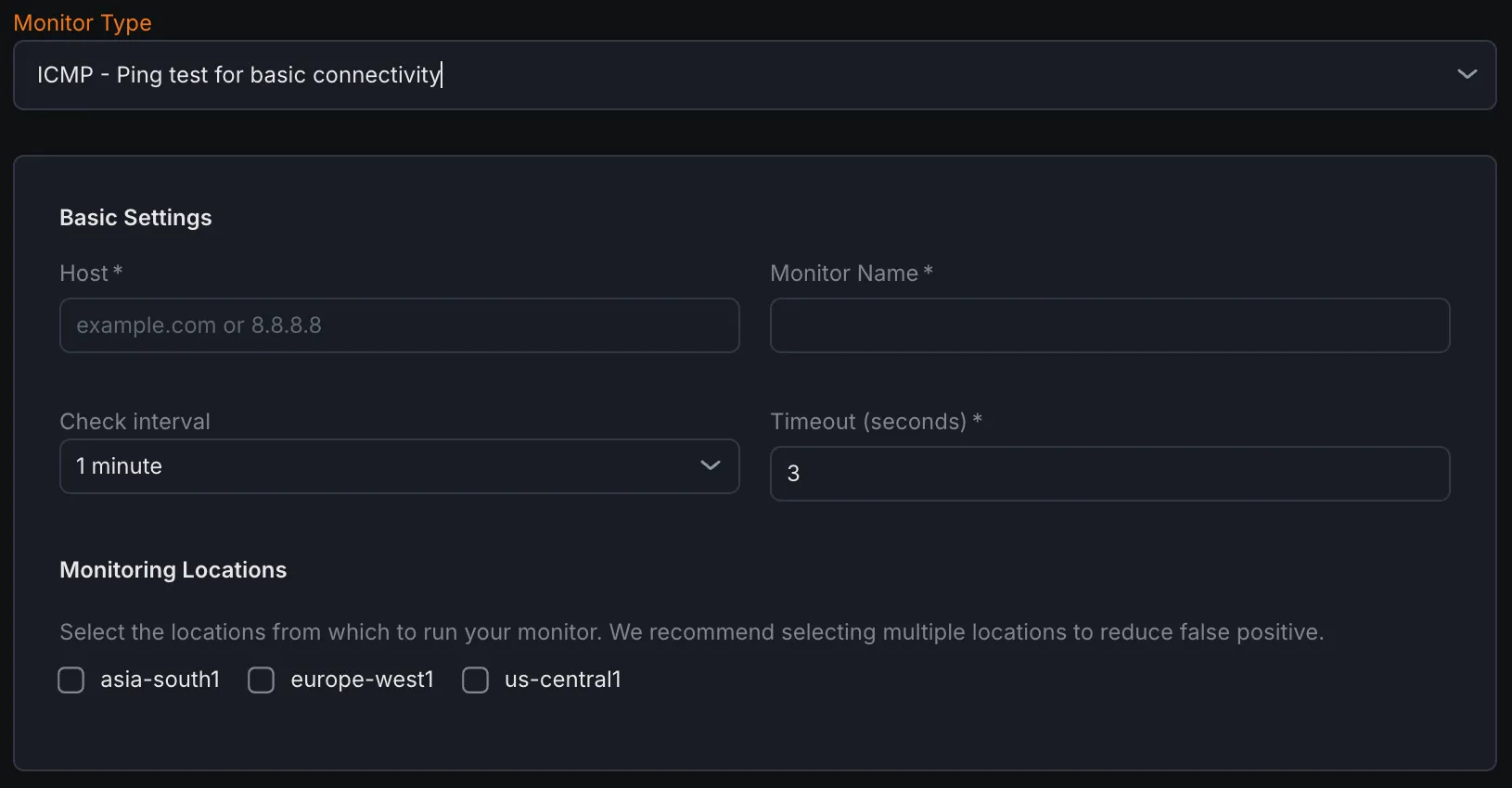
- Select ICMP - Ping test for basic connectivity from the monitor type dropdown.
Basic Settings
Section titled “Basic Settings”- Host Enter the hostname or IP address of the target site to ping. the hostname or IP address of the target site to ping.
- Monitor Name Provide a descriptive name for the ICMP monitor.
- Check Interval Define how frequently ping tests should be executed.
- Timeout Set the maximum time to wait for ping responses before marking the check as failed.
- Monitoring Locations Select one or more geographic locations from which ping tests will originate.
Notification Settings
Section titled “Notification Settings”Configure notification channels to receive alerts when the ICMP monitor detects host unreachability.
ICMP (Ping) Configuration
Section titled “ICMP (Ping) Configuration”- Ping Count Specify the number of ICMP Echo Request packets to send in each test cycle.
- Interval (ms) Set the time interval between individual ping packets, measured in milliseconds.
- Packet Size (bytes) Define the size of the ICMP payload in each ping packet.
- TTL (Time To Live) Configure the maximum number of router hops a ping packet can traverse before being discarded.
Assertions
Section titled “Assertions”Assertions validate ping test results and network performance metrics:
- Avg RTT (ms) Calculates the average Round Trip Time for ping packets from sender to target and back.
- Packet Loss (%) Measures the percentage of ping packets that received no reply.
- Packets Received Counts the number of successful ICMP Echo Reply responses.
- Min RTT (ms) Records the shortest Round Trip Time among all pings sent.
- Max RTT (ms) Records the longest Round Trip Time among all pings sent.
Metrics
Section titled “Metrics”Metrics available to be monitored in Dashboard section
| Metric Name | Type | Description | Labels |
|---|---|---|---|
| kloudmate_synthetic_check_network_round_trip_time | Gauge | Round trip time for a packet (for ICMP) | check_id, check_name, check_type, target, workspace_id, location |
| kloudmate_synthetic_check_network_min_rtt | Gauge | Minimum round trip time for a packet (for ICMP) | check_id, check_name, check_type, target, workspace_id, location |
| kloudmate_synthetic_check_network_max_rtt | Gauge | Maximum round trip time for a packet (for ICMP) | check_id, check_name, check_type, target, workspace_id, location |
| kloudmate_synthetic_check_network_packets_sent | Gauge | Number of packets sent (for ICMP) | check_id, check_name, check_type, target, workspace_id, location |
| kloudmate_synthetic_check_network_packets_received | Gauge | Number of packets received (for ICMP) | check_id, check_name, check_type, target, workspace_id, location |
| kloudmate_synthetic_check_network_packets_lost | Gauge | Number of packets lost (for ICMP) | check_id, check_name, check_type, target, workspace_id, location |
| kloudmate_synthetic_check_network_packets_lost_percent | Gauge | Percentage of packets lost (for ICMP). | check_id, check_name, check_type, target, workspace_id, location |