

Instrumentation Guide
This guide helps you set up Real User Monitoring (RUM) with KloudMate for your websites.
Setting Up Real User Monitoring with KloudMate
Section titled “Setting Up Real User Monitoring with KloudMate”Step 1: Navigate to RUM Module
Section titled “Step 1: Navigate to RUM Module”- Log in to your KloudMate account.
- Navigate to the Real User Monitoring page.
Step 2: Add the Host Website
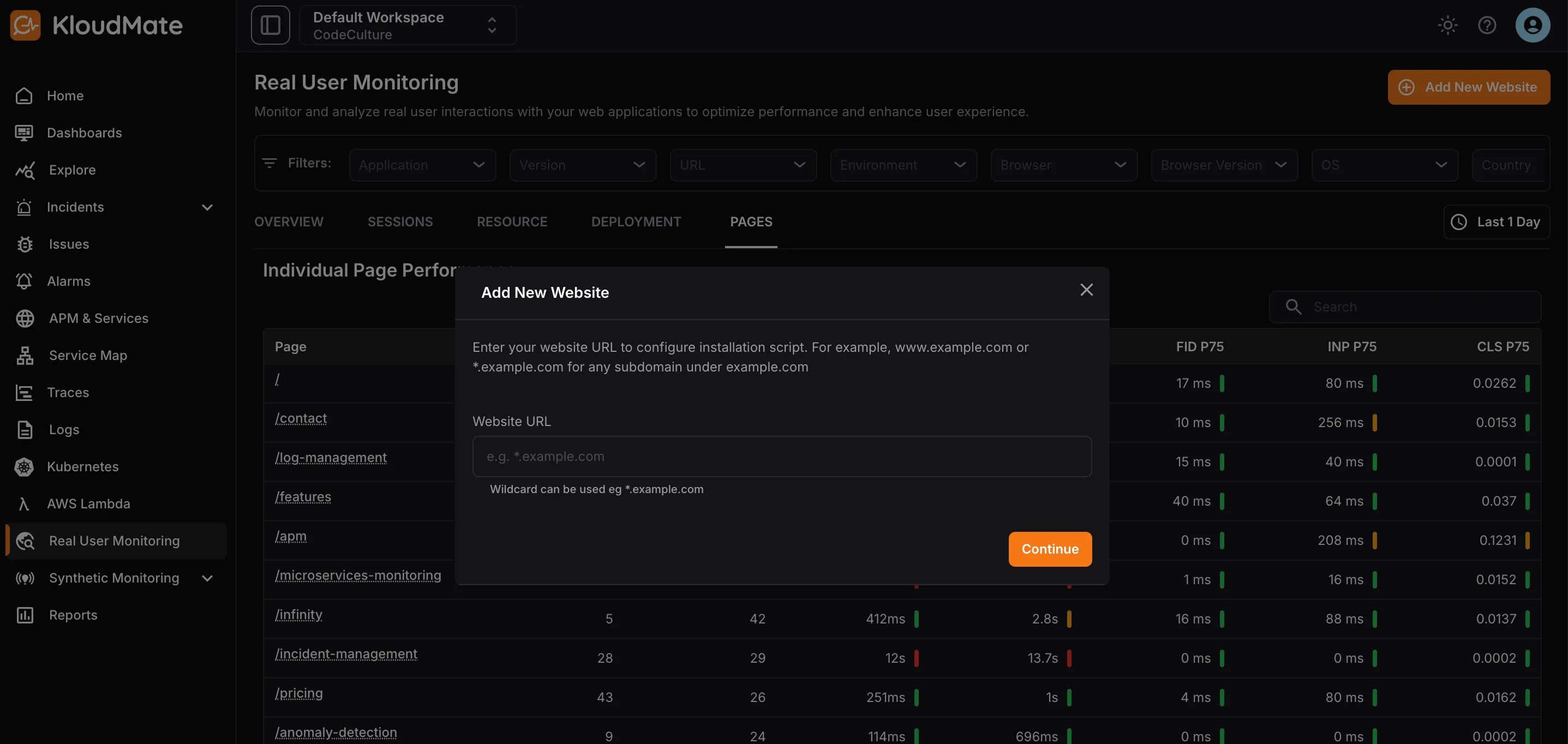
Section titled “Step 2: Add the Host Website”- Click Add New Website in the top-right corner of the RUM module.
- Enter the URL of the website you want to integrate.
- Click Continue.
Step 3: Configure the Settings
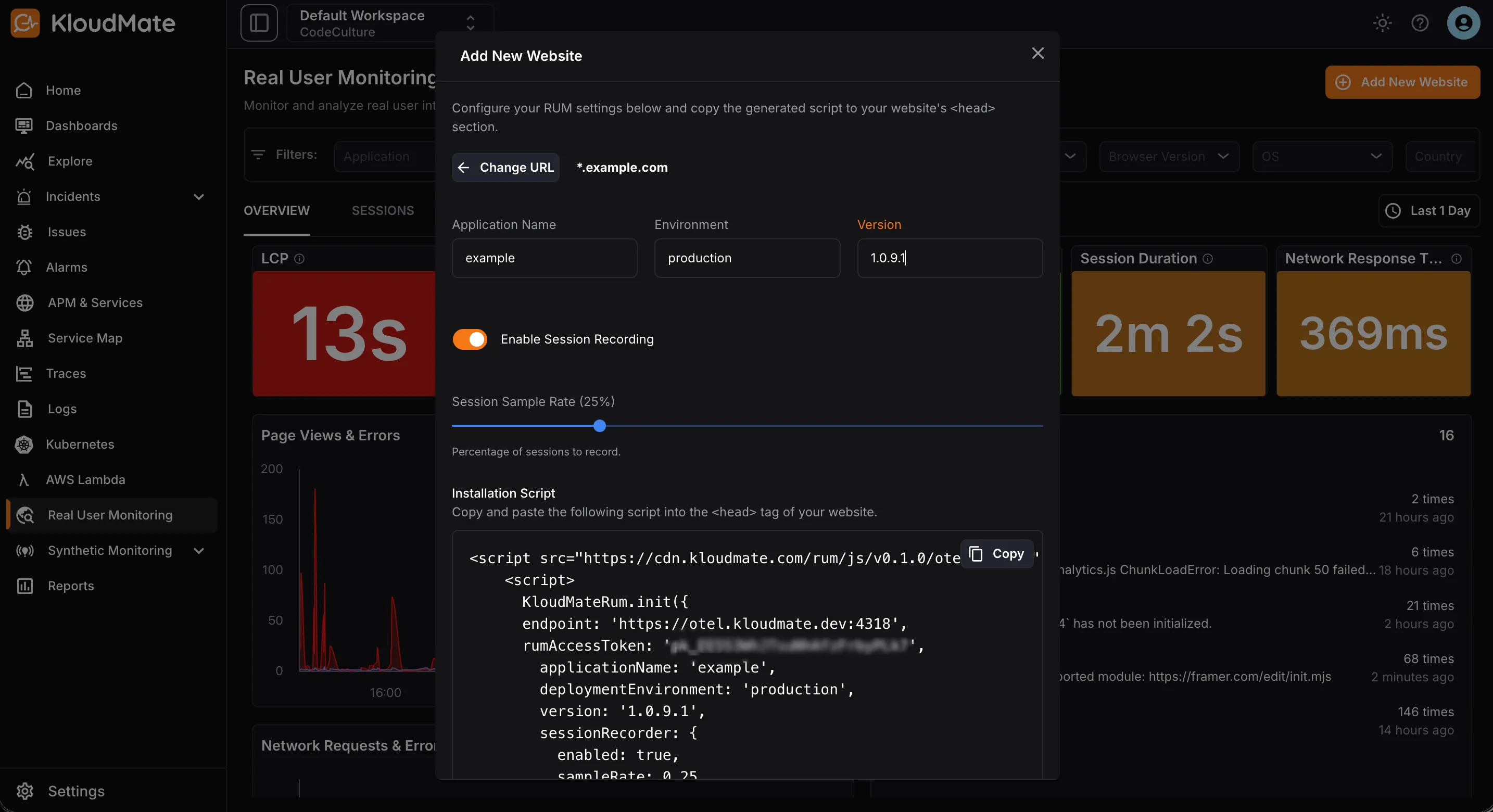
Section titled “Step 3: Configure the Settings”- Add an Application Name, Environment, and Version to identify the integration.
- Enable or disable Session Recording using the toggle, enabling it records user sessions.
- Set the Session Sample Rate to decide what percentage of total sessions get recorded.
Step 4: Install the Script
Section titled “Step 4: Install the Script”- Copy the generated script.
- Paste it into the
<head>section of your website.
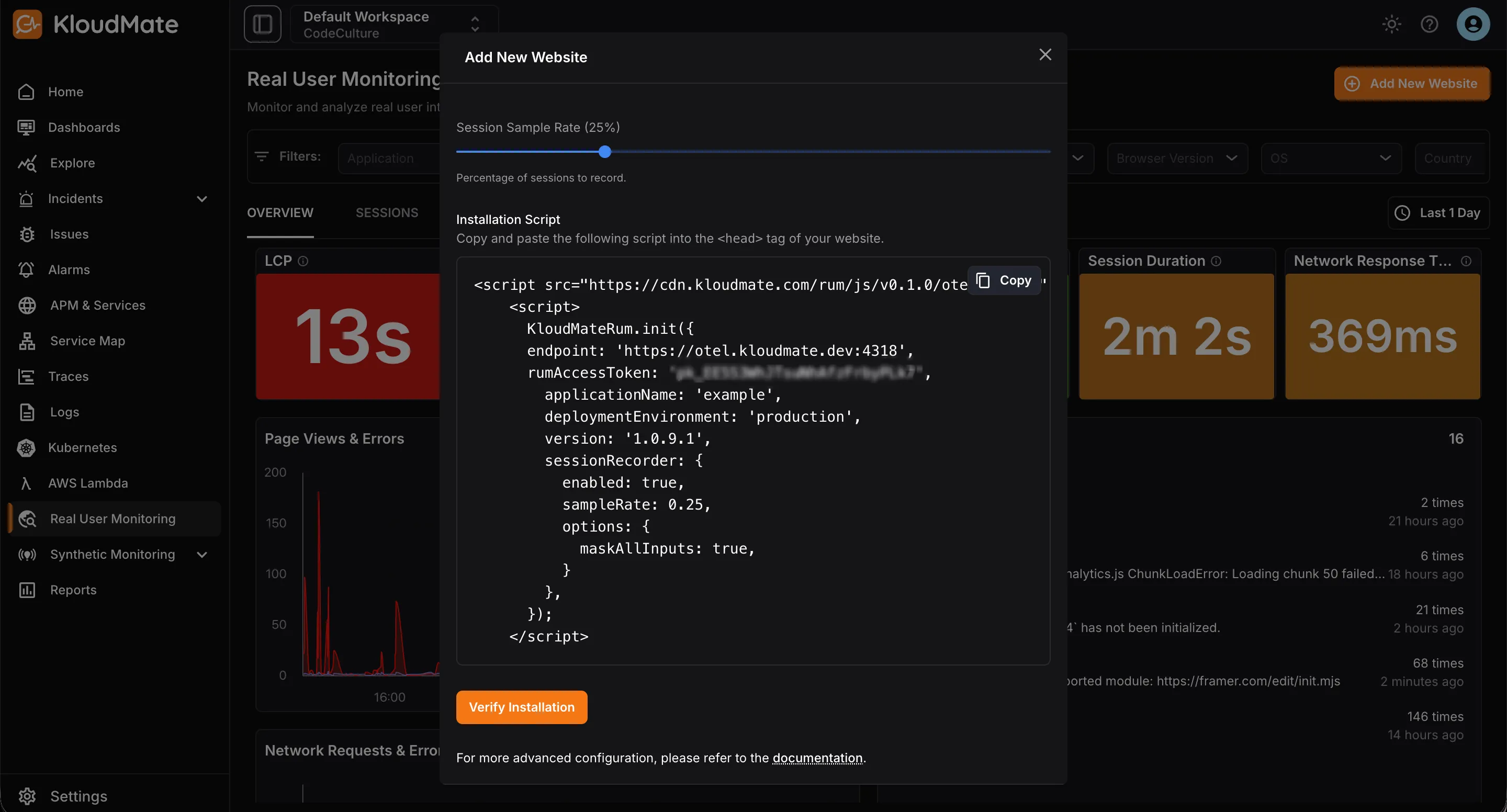
- To verify installation, click the Verify Installation button, which shows the integration status.
Managing User Details
Section titled “Managing User Details”- To capture the current user’s ID and email, if available, add the following code:
- To clear out the user details, for example on user logout, use the following code:
SDK Methods
Section titled “SDK Methods”1. init(options)
Section titled “1. init(options)”Initializes the RUM SDK.
options is an object that accepts the following properties:
| Property | Type | Description |
|---|---|---|
| applicationName | string | The application’s name. |
| endpoint | string (required) | KloudMate’s collector endpoint: https://otel.kloudmate.com:4318 |
| rumAccessToken | string (required) | KloudMate workspace’s Public API key |
| deploymentEnvironment | string | The application’s environment. Example: dev, prod, staging |
| version | string | The applications’ version. Example: 0.0.1, 1 |
| globalAttributes | object | Key value pairs. These attributes will be added to every span |
| sessionRecorder | object { enabled: boolean, options: RRWebRecordConfig } | Configure session recording. Set enabled to true to record the session. By default session recording is disabled. |
| ignoreUrls | (string | RegExp)[] | URLs to ignore |
2. setGlobalAttributes(attributes)
Section titled “2. setGlobalAttributes(attributes)”| Parameter | Type | Description |
|---|---|---|
| attributes | object | Key value pairs. |
3. getGlobalAttributes()
Section titled “3. getGlobalAttributes()”Returns the global attributes.
Data Attributes
Section titled “Data Attributes”Some of the important attributes collected by the RUM SDK
| Attributes | Description |
|---|---|
| serviceName | The RUM application name. |
| rumSessionId | The RUM session’s id |
| origin | Origin of the app instrumented. Eg., https://example.com |
| route | Part of the app’s URL excluding origin and search |
| search | Search params of the app’s URL |
| component | The instrumentation name that produced the span |
| eventType | The type of user interaction. eg. click, submit etc |
| userId | User’s synthetic id |
| userEmail | User’s email |
| browser | User’s browser name |
| browserVersion | User’s browser version |
| country | User’s country |
| city | User’s city |
| os | User’s operating system |
| osVersion | User’s operating system’s version |
| device | User’s device |
| deviceType | User’s device type |