

Create a Service
Use the steps below to create a new service.
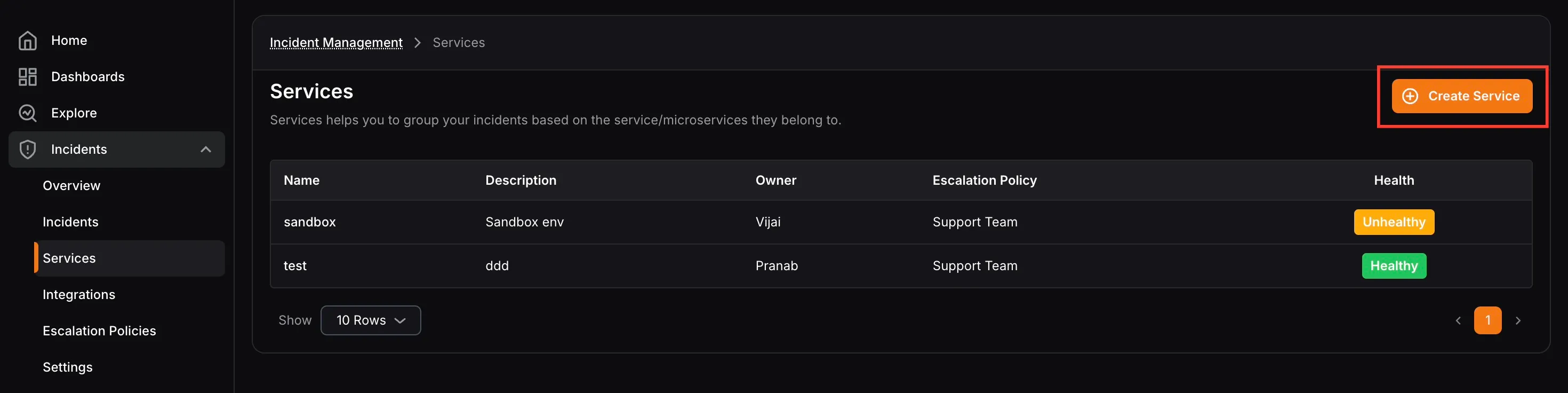
- Click Create Service from the Services page.
- Enter the Service Name and Description.
- Select the Service Owner.
- Select the default Escalation Policy for the service.
- Set the SLA Target percentage.
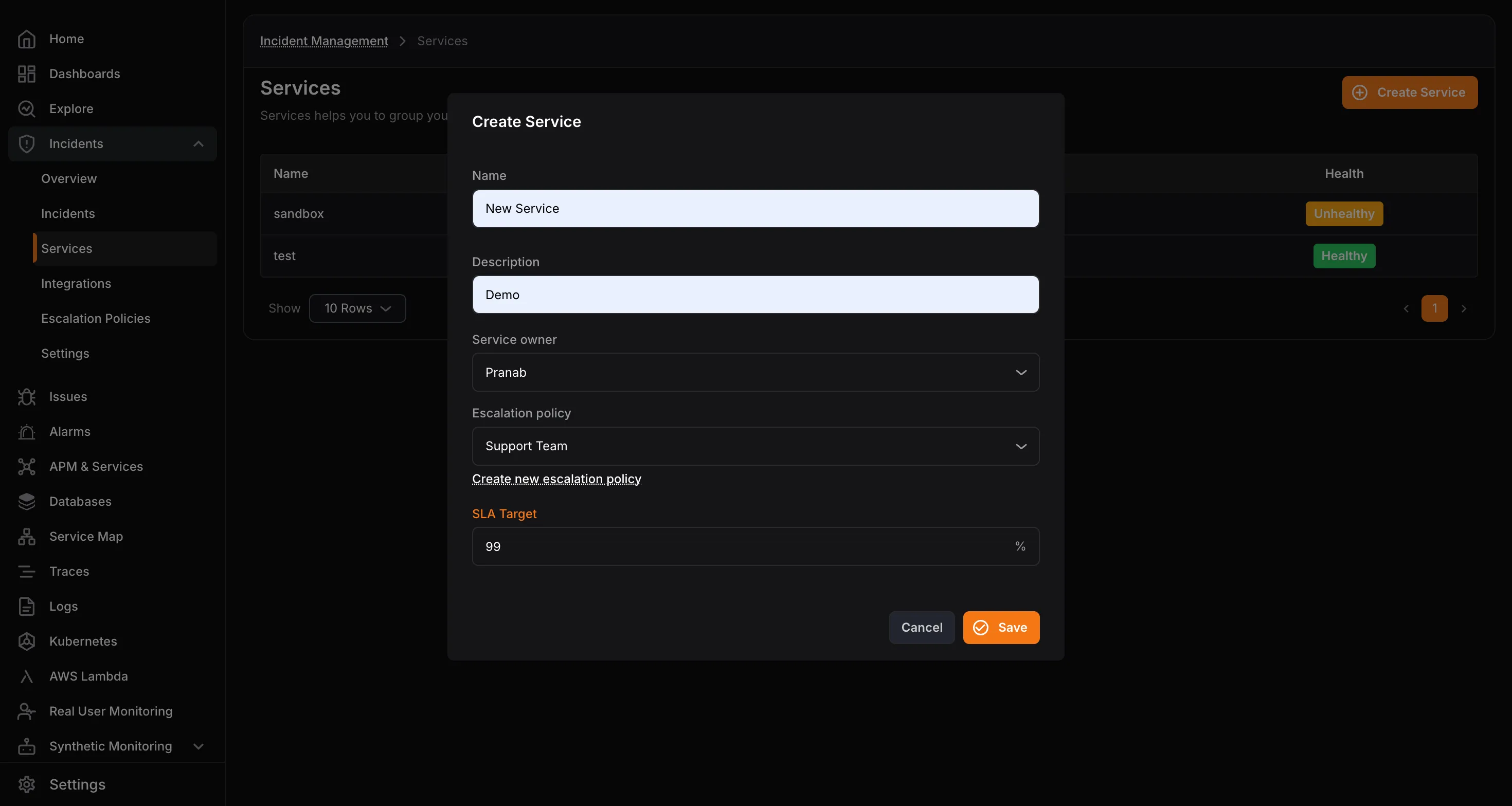
- Click Save.