Instrument Python Apps with OpenLLMetry
In this guide, we will walk you through the process of setting up and using OpenLLMetry in Python. You can use the following steps to instrument a Python program with OpenLLMetry and then emit and visualize its traces within KloudMate.
The instrumentation demonstrated in this guide lets OpenLLMetry capture and send OpenAI model KPIs to KloudMate, where there is a dedicated ‘Traces ’ section to visualize the captured data. In addition to this OpenLLMetry also has instrumentations for vector databases such as Pinecone , and LLM frameworks such as LangChain. Feel free to adapt the instructions to your preferred framework.
1. Prerequisites
Section titled “1. Prerequisites”- Ensure that you have Python 3 installed on your local machine
- Create an OpenAI account and get your OpenAI API key (here’s how)
- Create a KloudMate account and generate your KloudMate API Key
The KloudMate API Key can be obtained by logging into your KloudMate account and navigating to Settings >> API Keys.
2. Example Application
Section titled “2. Example Application”For this setup, we will be using a basic Python program that uses OpenAI API. Adhere to the steps outlined below to set up the environment for the program.
3. Installation
Section titled “3. Installation”- Create a new directory and activate a virtual environment:
- Next, install the
traceloop-sdkandopenai.
4. Instrumentation
Section titled “4. Instrumentation”- Create a file named
app.pyand add the following code to it:
Ensure you replace <your-openai-api-key> and <your-kloudmate-api-key> with your actual API keys.
5. Run the Instrumented Program
Section titled “5. Run the Instrumented Program”- Use the following command to run the program
6. Visualize Traces
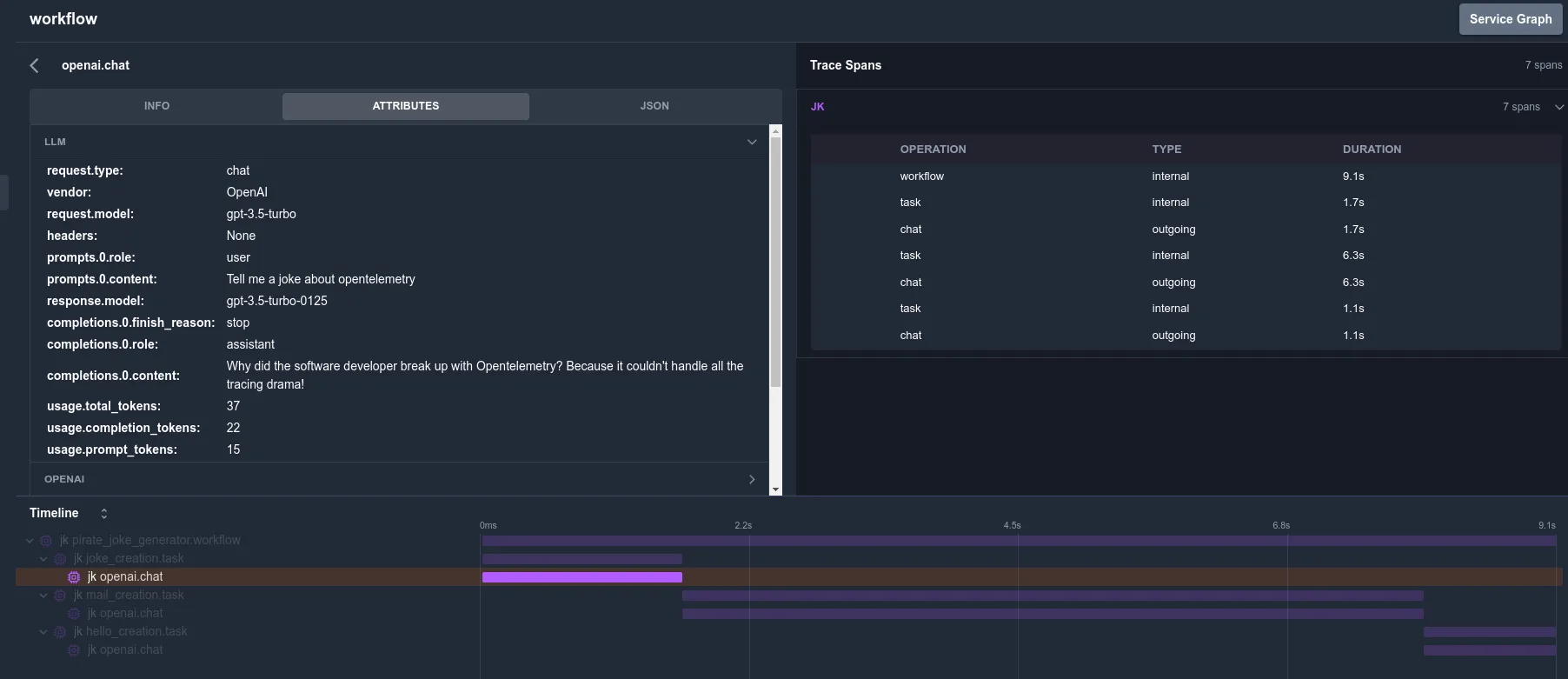
Section titled “6. Visualize Traces”- Login to KloudMate and navigate to the ‘Traces ’ section.
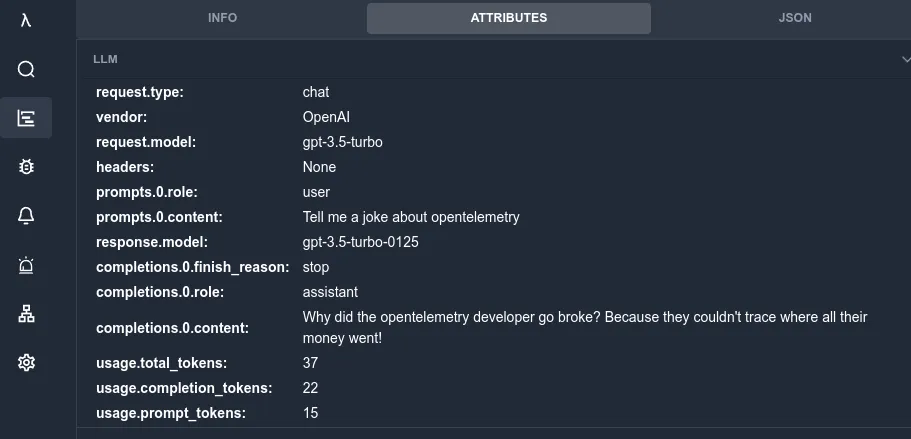
- You will be able to view the LLM attributes as shown below:
- You will also be able to visualize the traces and spans: