

APM and Services
The Services view in APM is where you compare application and service performance at a glance.
Services Overview
Section titled “Services Overview”The Services Overview page lists all instrumented applications and services in a tabular view, making it easy to compare their health across the selected time range.
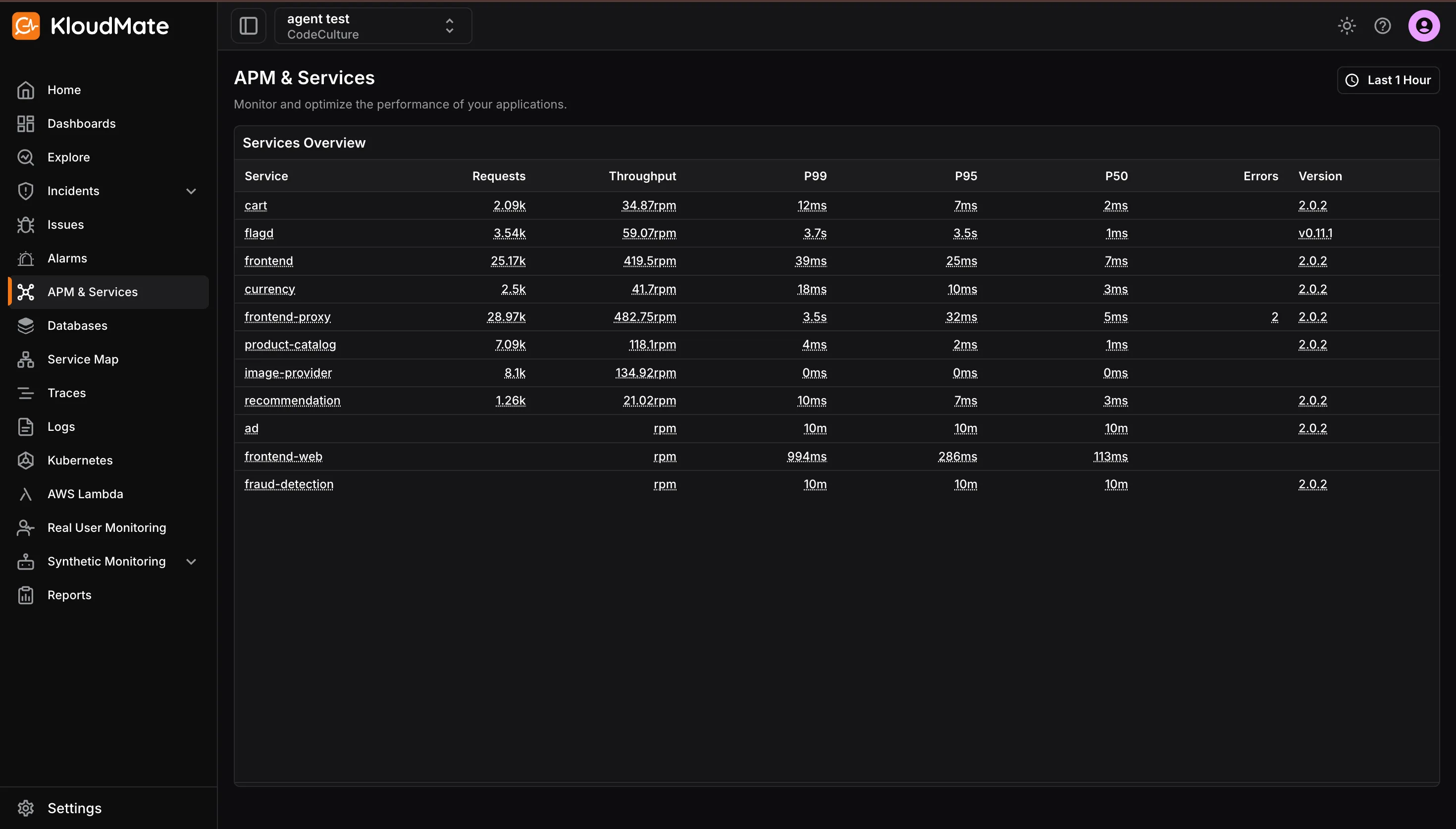
Each row represents one service and includes:
- Service: the application or service name
- Requests: total requests handled during the selected time range
- Throughput: request rate, such as requests per minute
- P99, P95, and P50 latency: percentile-based latency views for worst-case, upper-percentile, and median performance
- Error rate: percentage of failed requests
- Version: reported deployment version for release correlation
Service APM Dashboard
Section titled “Service APM Dashboard”Clicking any service in the Services Overview opens its APM dashboard, which is a preconfigured view focused on that specific service.
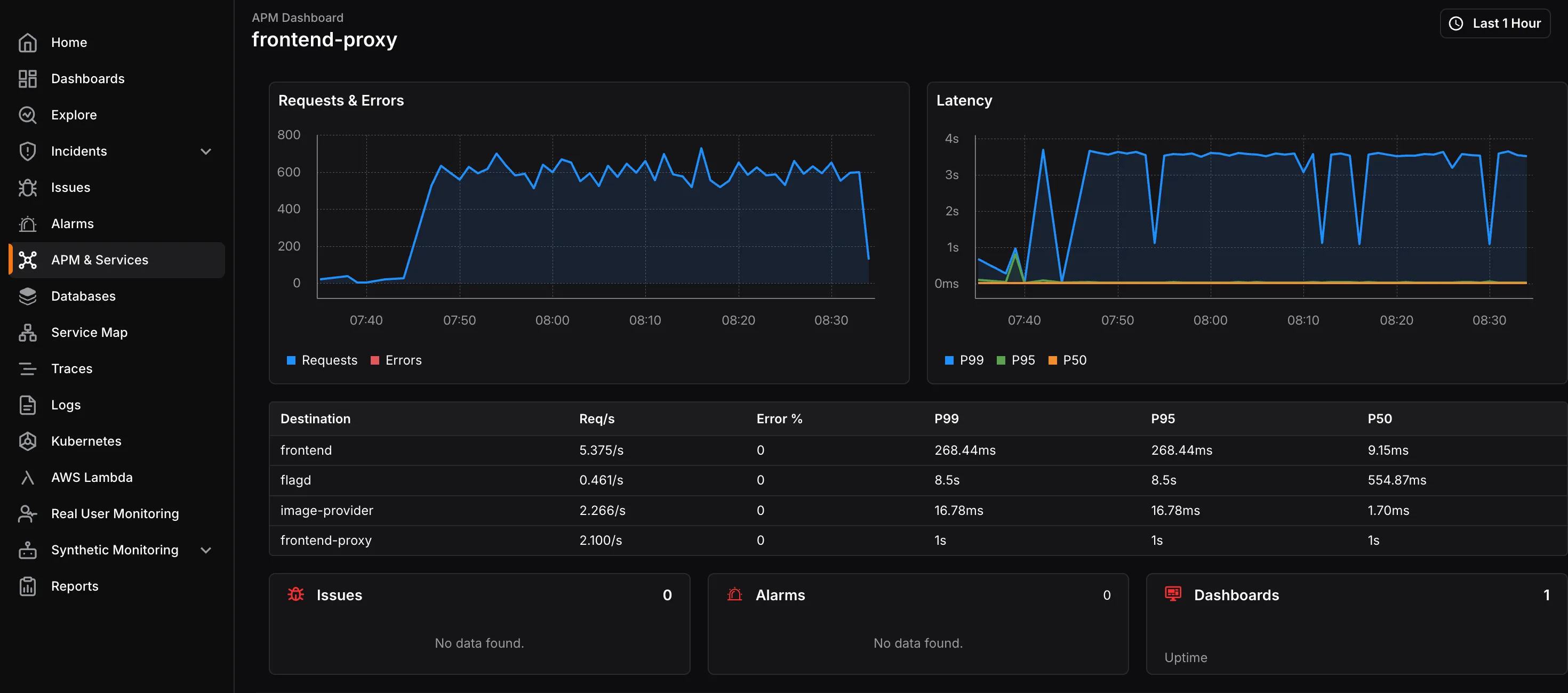
The dashboard includes:
- Requests, errors, and latency over time: timeline charts that help identify traffic spikes, error bursts, and latency regressions
- Destinations table: a breakdown of downstream dependencies, including request rate, error percentage, and dependency latency
- Related issues, alarms, and dashboards: links to broader operational context for that service
Traces and Logs
Section titled “Traces and Logs”From the APM dashboard, you can inspect related traces and logs for a selected service.
The Traces table shows recent traces with details such as start time, span name, kind, duration, and a link to the full trace for end-to-end request analysis.
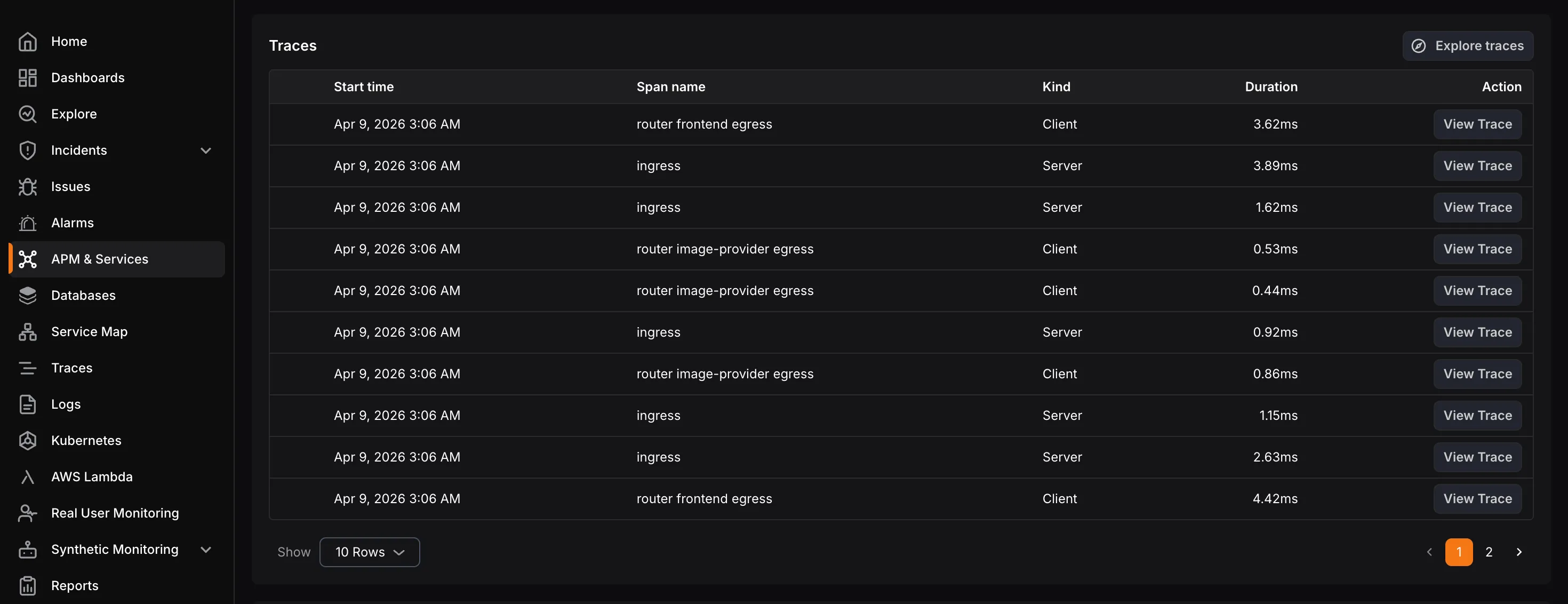
The Logs table lists recent logs with time, severity, and message, along with actions to explore logs in detail and correlate them with traces and issues for faster root-cause investigation.