Remove an AWS Account
Use this workflow when you want to disconnect an AWS account from KloudMate and clean up the integration resources in AWS.
Only users with Owner permissions can remove connected AWS accounts.
Remove the AWS Account from KloudMate
Section titled “Remove the AWS Account from KloudMate”- Open Settings -> Data Sources.
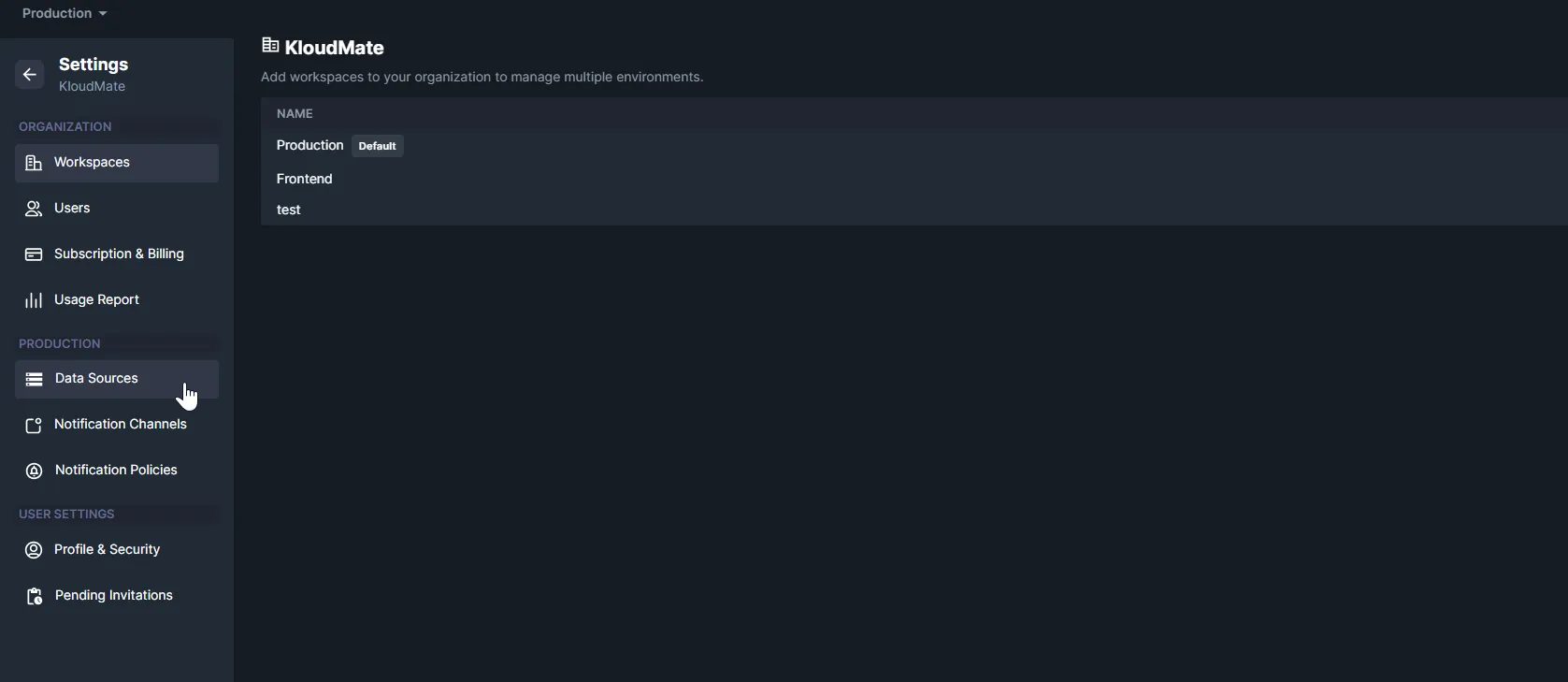
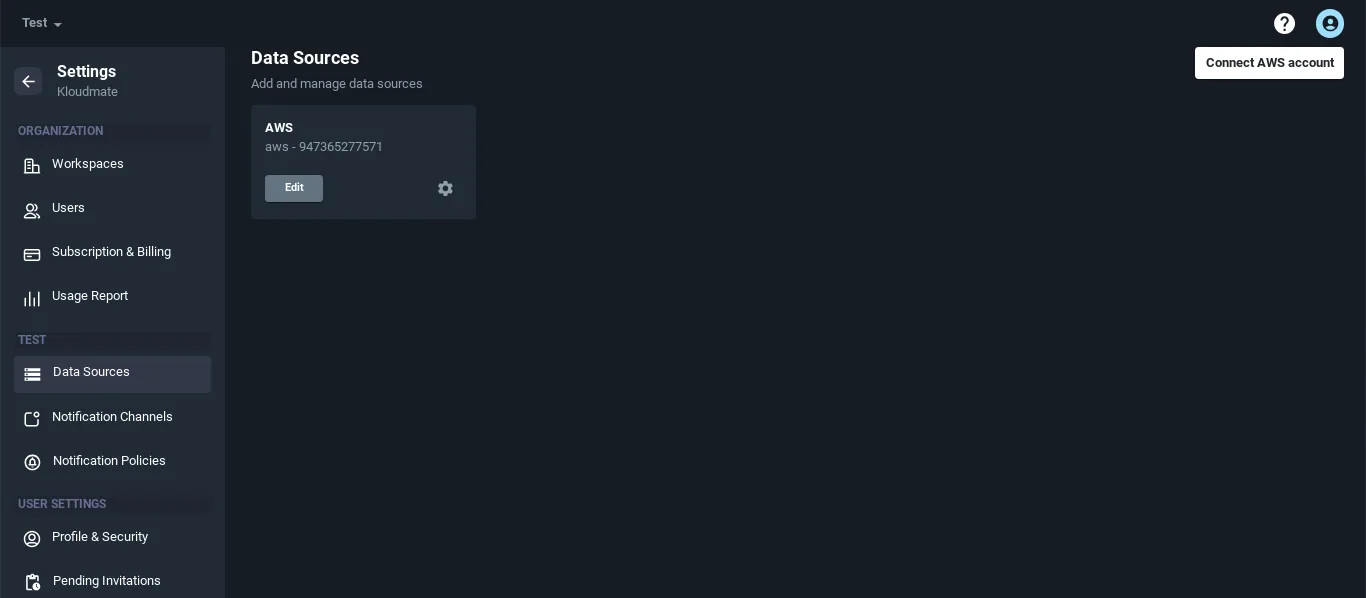
- Select the connected AWS account you want to remove.
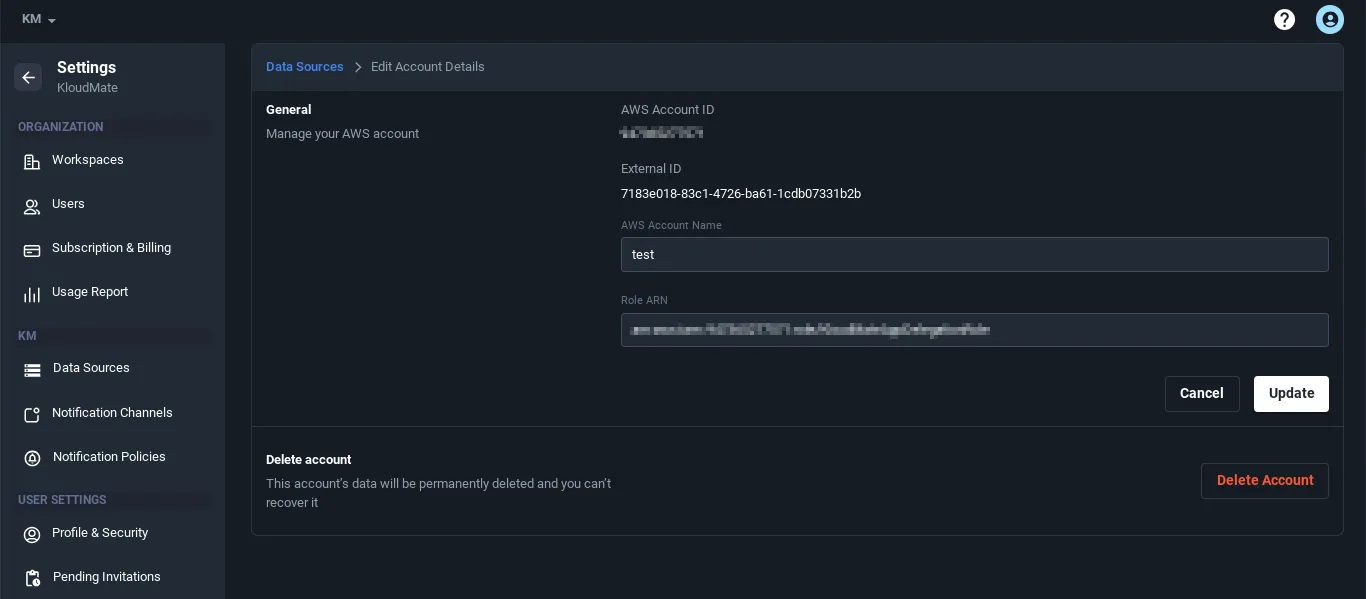
- Open the account details screen.
- Click Delete Account.
Remove the CloudFormation Stack in AWS
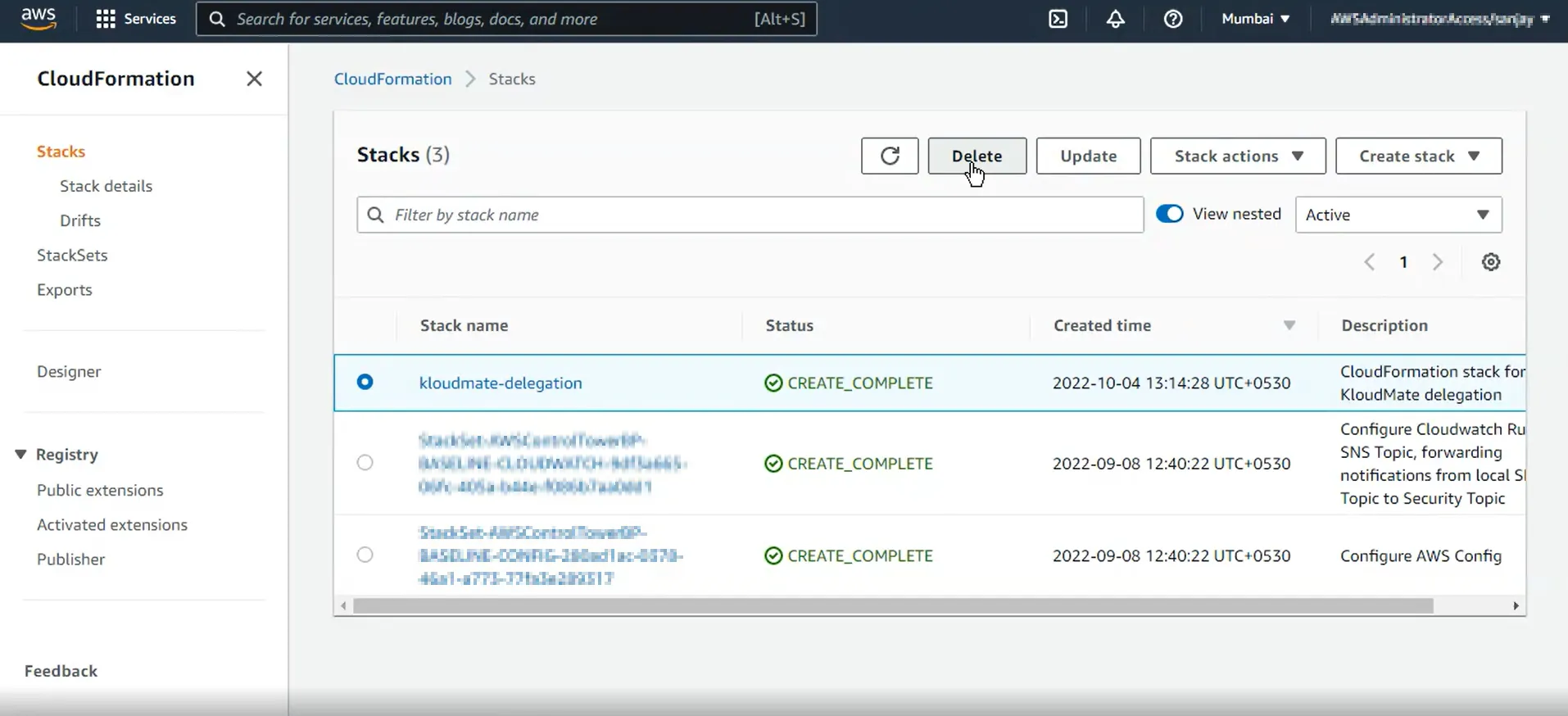
Section titled “Remove the CloudFormation Stack in AWS”- Sign in to the AWS Console.
- Open the same region where the KloudMate stack was created.
- Go to CloudFormation -> Stacks.
- Select the stack named
kloudmate-delegation. - Click Delete.