

Create an Escalation Policy
This page walks through building a policy from scratch — the policy-level settings first, then the steps that do the paging.
Create the policy
Section titled “Create the policy”-
Open Incidents → Escalation policies and click Add Escalation Policy.
-
Enter a name and description.
-
Set the wait time — minutes before the first step fires. Leave it at
0to page immediately. -
Set the repeat count — how many extra times to run the whole policy from step 1 if nobody acknowledges.
0runs the policy once.
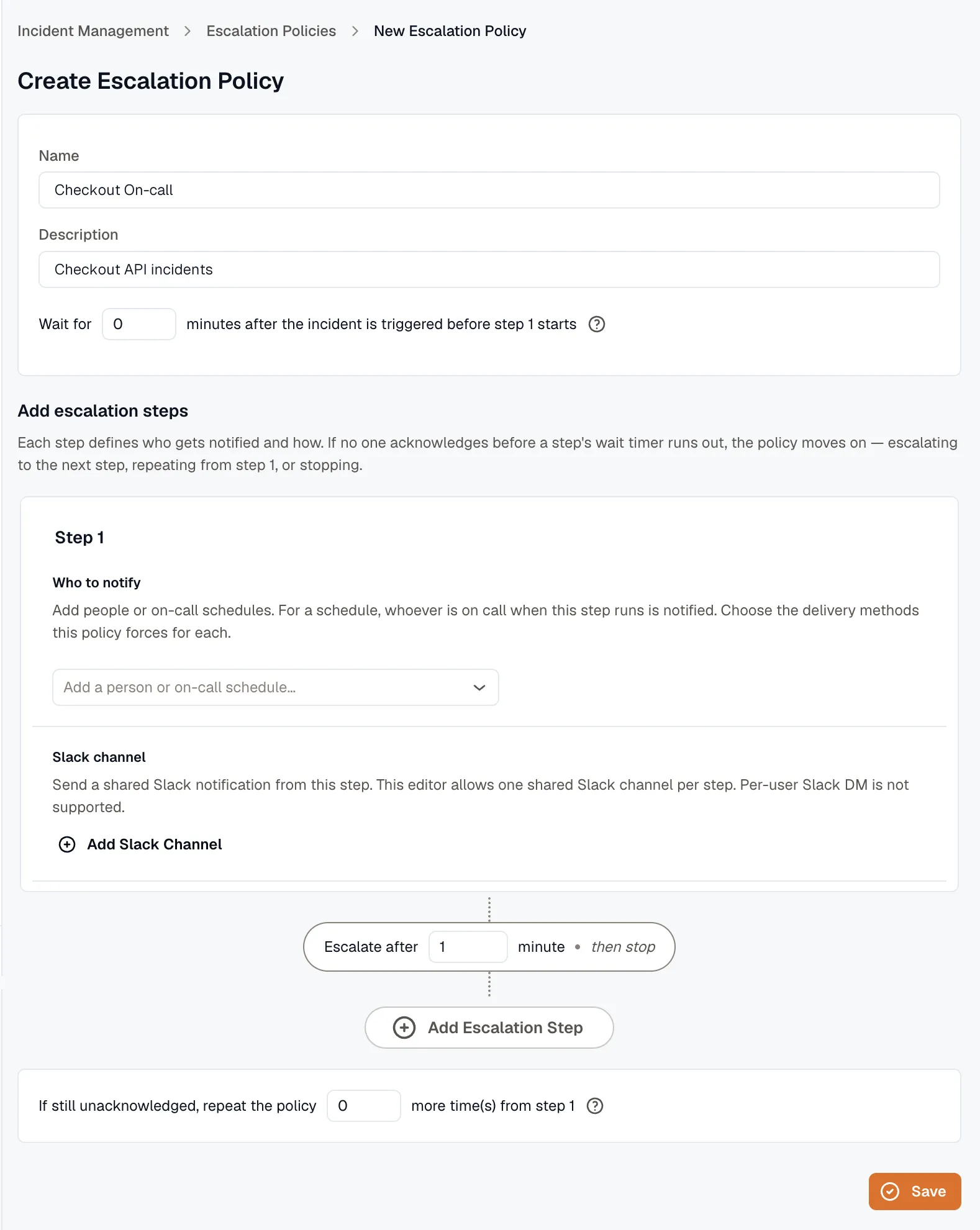
Add steps
Section titled “Add steps”Each step names its recipients and how long to wait before escalating.
-
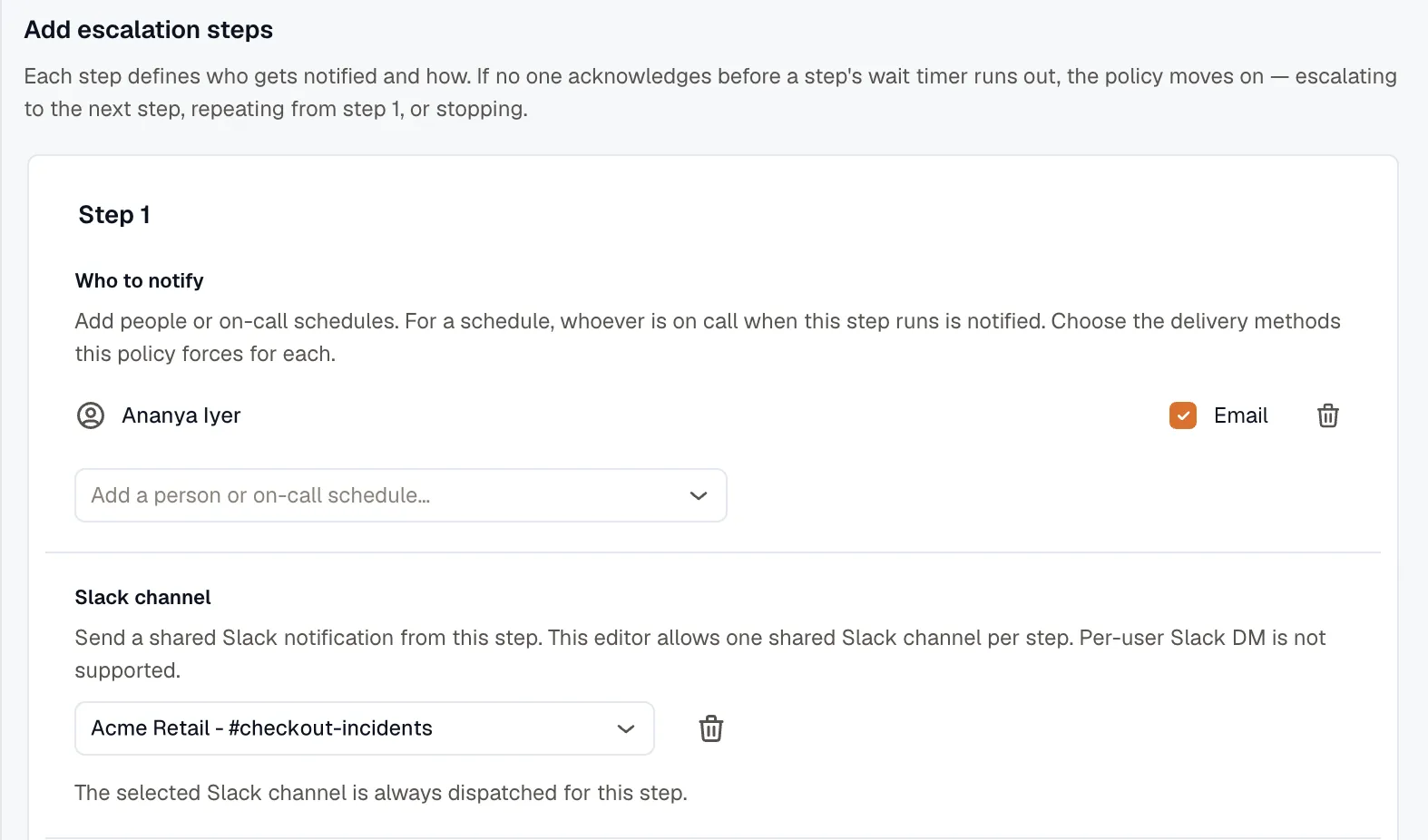
In a step, add one or more recipients:
- Users — pick a user, then choose how to notify them. Select at least one method. Email is always available. SMS and voice appear only when your plan includes them, and they need a verified phone number for the user.
- On-call schedule — pick a schedule; the step notifies whoever is on call when it fires — possibly several people. Requires the Pro plan.
- Slack channel — click Add Slack Channel and pick a connected channel. A step can post to one shared channel, and it posts there every time the step runs. Per-user Slack DMs aren’t supported. Connect Slack first under Slack Integration.
-
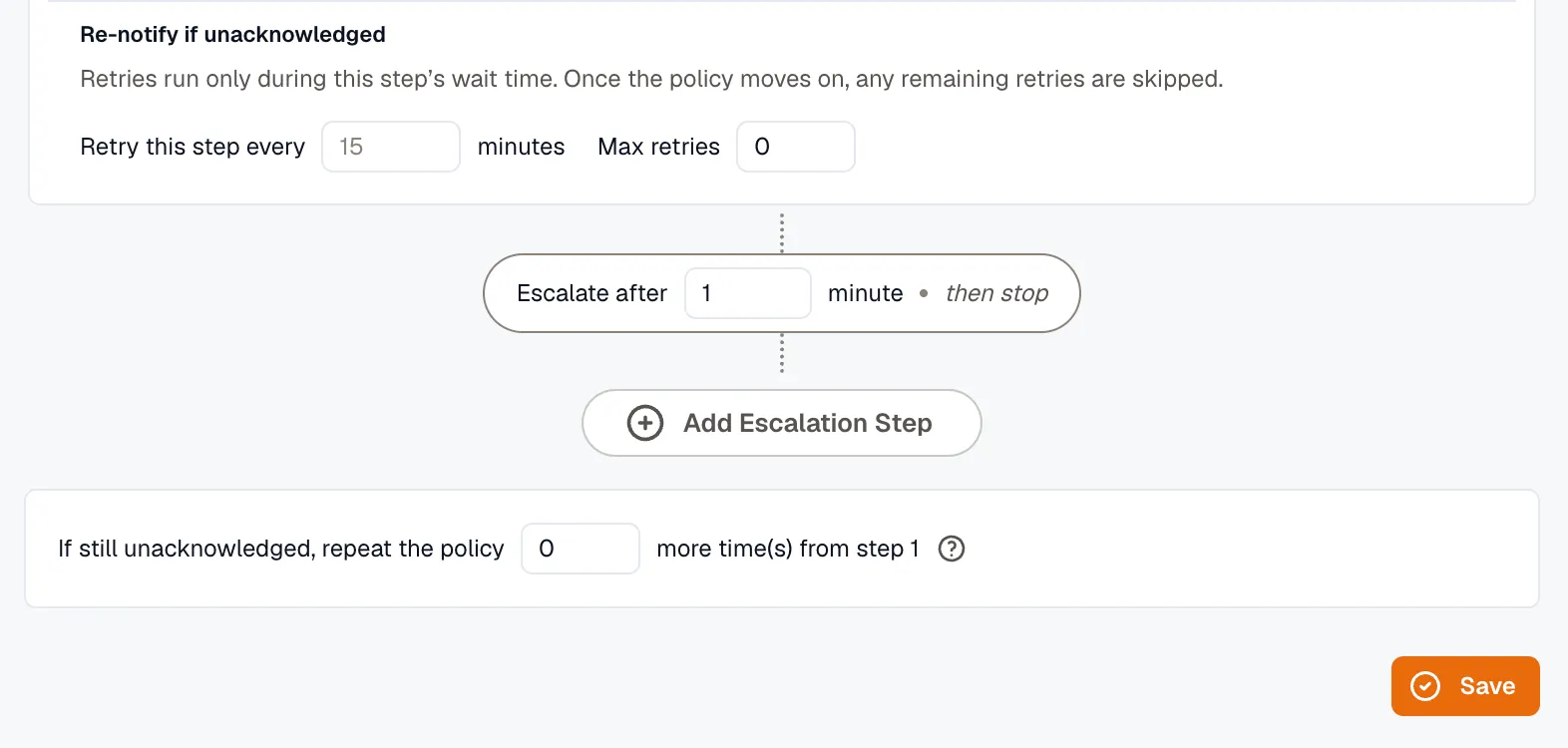
Set Escalate after — minutes to wait for an acknowledgement before the next step fires.
-
(Optional) Turn on retries for the step: set a retry interval and a max retries count to re-page the same recipients until someone acknowledges.
-
Add more steps as needed. The connector between steps spells out what happens next — “Escalate after 10 minutes • then escalate to step 2”, or “then repeat the policy from step 1”, or “then stop”.
-
Click Save.
A worked example
Section titled “A worked example”A policy that pages on-call first, then widens if no one answers:
- Wait 0 min — step 1 fires as soon as the incident opens.
- Step 1 pages the on-call schedule plus a backup user by email and SMS. Escalate after 5 min.
- No ack in 5 minutes → Step 2 posts to a Slack channel and pages the manager by voice. Escalate after 10 min.
- Still no ack → with repeat count 1, the policy runs from step 1 once more.
As soon as anyone acknowledges, the policy stops.
Related
Section titled “Related”- Escalation Policies overview — the model and timing.
- On-Call Schedules — what a schedule recipient resolves to.
- Slack Integration — required for channel recipients.