

Organization
Organization settings apply org-wide: the display name, default timezone, overage policy, and MFA requirement.
Open Settings → Organization to view or edit these settings.
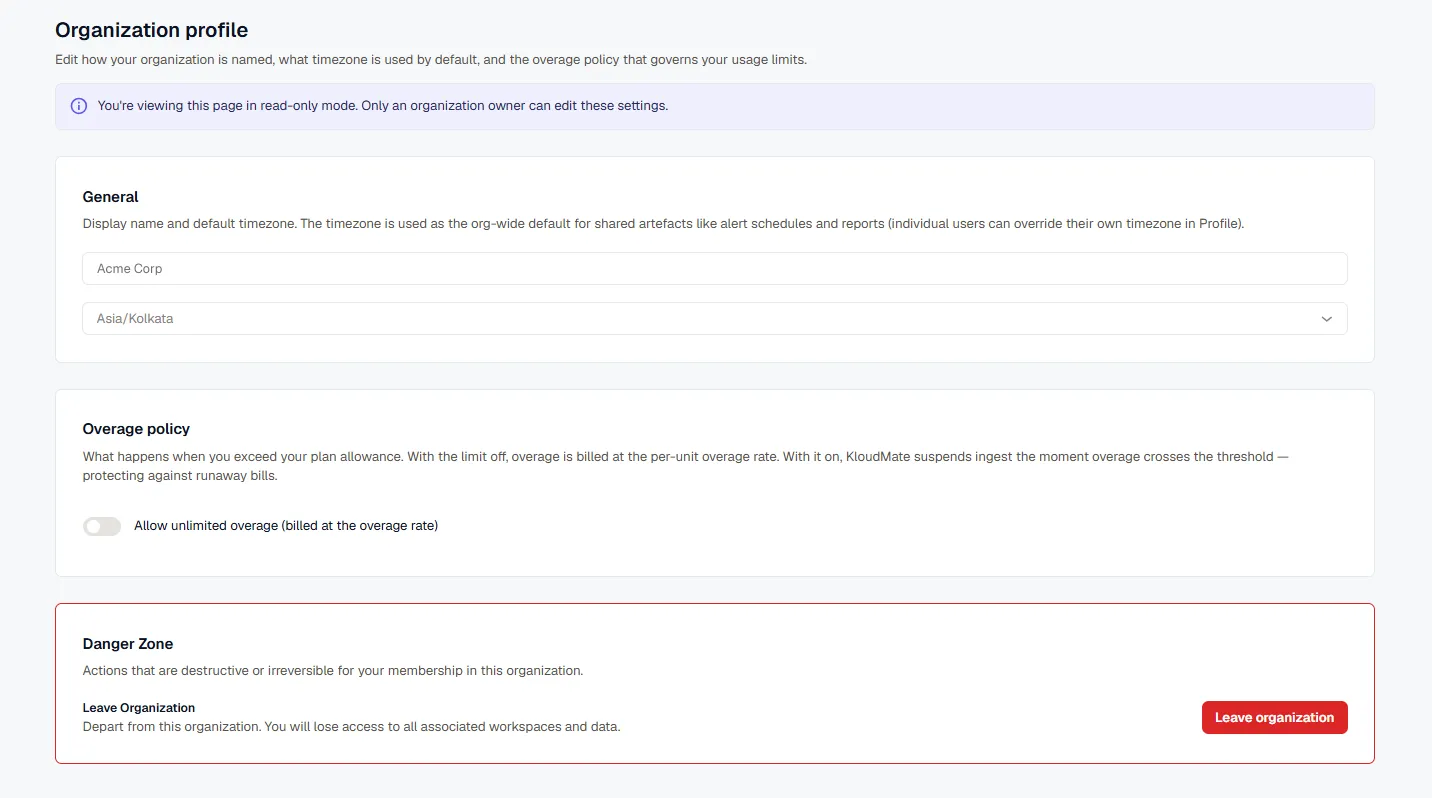
General
Section titled “General”Set the organization’s display name and default timezone. The timezone is the org-wide default for shared artifacts like alert schedules and reports; individual users can override it for themselves in their own Profile & Security settings.
Overage Policy
Section titled “Overage Policy”Controls what happens when usage exceeds your plan’s allowance:
- Off (default): overage is billed at the per-unit overage rate.
- On: KloudMate suspends ingest the moment usage crosses the threshold, protecting against runaway bills.
Toggle Allow unlimited overage to switch between the two.
Require MFA for All Members
Section titled “Require MFA for All Members”Owners can require every member of the organization to use multi-factor authentication (MFA). This is available on all plans.
- Make sure you’ve set up MFA yourself in Profile & Security. You can’t turn the requirement on without it.
- Open Settings → Organization → Profile.
- In the Security card, turn on Require multi-factor authentication.
- Confirm. Members without MFA must set it up before they can sign in to this organization with a password, switch to it, or accept an invite to it.
Turn the switch off to remove the requirement. Turning it off needs only that you’re an owner. You don’t need MFA on your own account, so an owner who signs in with SSO can still remove it.
Only a signed-in owner can change the requirement. API keys can’t turn it on or off.
What Members See
Section titled “What Members See”The requirement applies when a member’s session enters this organization: at sign-in, when switching to it, and when accepting an invite to it. Other organizations the member belongs to that don’t require MFA still let them in with a password alone.
- A member without MFA whose password sign-in opens this organization sets MFA up right after the password: scan a QR code, enter a 6-digit code, and copy the recovery code, which is shown only once.
- Opening this organization from another one is refused until the member sets up MFA. The organization switcher shows “Organization requires MFA. Set it up in Profile & Security.” with a link to Profile & Security. A link or saved workspace in this organization opens a page with buttons to go back to the member’s other organization, retry, or open Profile & Security. If there’s no workspace to go back to, that page offers the MFA setup itself.
- Accepting an invite to this organization offers MFA setup on the invite page. After the member sets it up and copies the recovery code, the invite is accepted.
- Sessions already open in this organization keep working.
- Members who already use MFA notice no change.
- Members can’t turn MFA off while this organization, or any other organization they belong to, requires it.
The MFA column in the Users list shows whether MFA is on for each member. Off means the member hasn’t set up an authenticator app. It doesn’t mean they’re out of compliance if they sign in with SSO, which doesn’t ask for one.
Leave an Organization
Section titled “Leave an Organization”Instead of asking an owner to remove you, you can leave an organization yourself — useful cleanup if you’ve accumulated memberships in organizations or workspaces you no longer use.
- Non-owners can leave at any time.
- Owners must transfer ownership to another member first. An organization always needs at least one owner, so the leave action stays unavailable until ownership is transferred.
Use Leave organization in the Danger Zone. Leaving removes your access to the organization and every workspace and data set associated with it.