

Usage
Open Assistant → Usage to see how many AI credits your workspace spent in the time range you pick, the last 7 days by default.
A chat message costs 1 AI credit, an investigation costs 5, and an Ask KloudMate Assistant step in a workflow costs 1 each time it answers. They all use the same AI credits.
If your organization prepays for AI credits, the page also shows the credits available, and someone with the Owner role can click Buy credits.
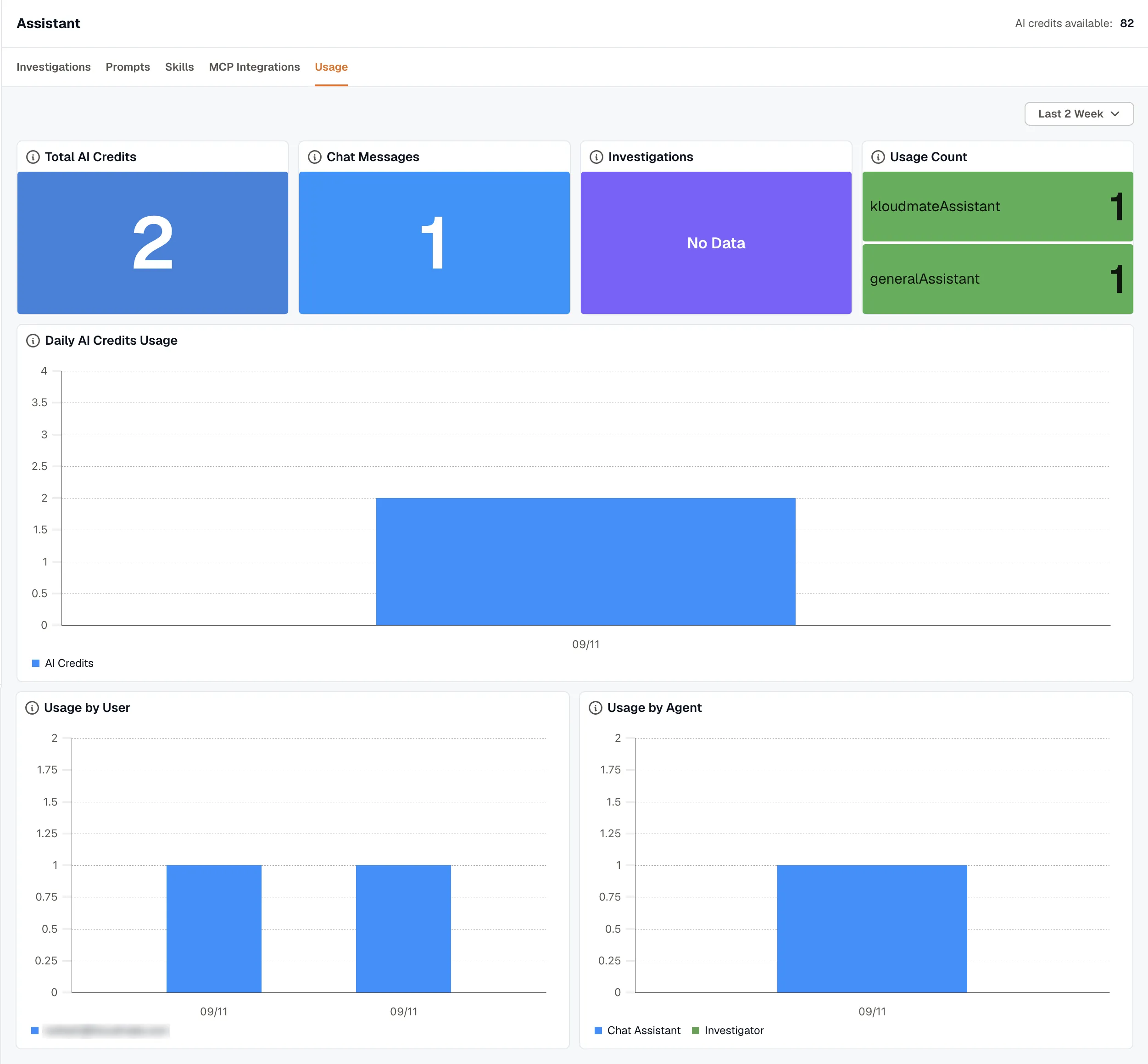
Summary tiles
Section titled “Summary tiles”- Total AI Credits: every credit spent in the range.
- Chat Messages: credits spent on chat with the Assistant, not counting workflow steps.
- Investigations: credits spent on investigations, at 5 credits each.
- Usage Count: the number of Messages Sent, Investigations, and Workflow Steps in the range.
Daily charts
Section titled “Daily charts”- Daily AI Credits Usage shows the credits spent each day.
- Usage by User splits the daily credits by person, listed by email address. Credits from workflow steps aren’t tied to a person.
- Usage by Agent splits the daily credits between the Chat Assistant, the Investigator, and Workflows. Chat Assistant counts chat only, and Workflows counts Ask KloudMate Assistant steps.
- Usage by Type splits the daily credits between Chat, Investigations, and Workflows.