

Monitor Sites Without SNMP
Not every site has a device you can poll. A branch office might sit behind a consumer router or a cheap gateway that doesn’t support SNMP. For those sites, add a reachability check: a pair of ping probes that tell you whether the local network is up and whether the internet connection is working.
How the two probes split the problem
Section titled “How the two probes split the problem”A reachability check runs two probes from the agent:
- Gateway probe: an ICMP ping to the site’s LAN gateway. It answers “is the local network up?” The agent pings its own default gateway — you don’t enter an address — so the check only makes sense when the agent runs on the site’s network.
- Internet probe: a TCP connection to a public host. It answers “is the ISP link working?”
Read together, the two probes tell you where a fault is. Gateway up and internet down points at the ISP or the WAN link, not the local network. Both down points at the site itself: power, the gateway, or the agent’s own connectivity.
Before you start
Section titled “Before you start”- A Linux or Docker KloudMate Agent running at the site — on the same local network as the gateway. The gateway probe pings the agent’s own gateway, so a central or remote agent has no site gateway to check and skips that probe.
- For the gateway probe, ICMP permission on the agent host. ICMP needs
CAP_NET_RAWor root, so add--cap-add=NET_RAWwhen running the agent in Docker. The internet probe uses TCP and works without extra privileges.
Add a reachability check
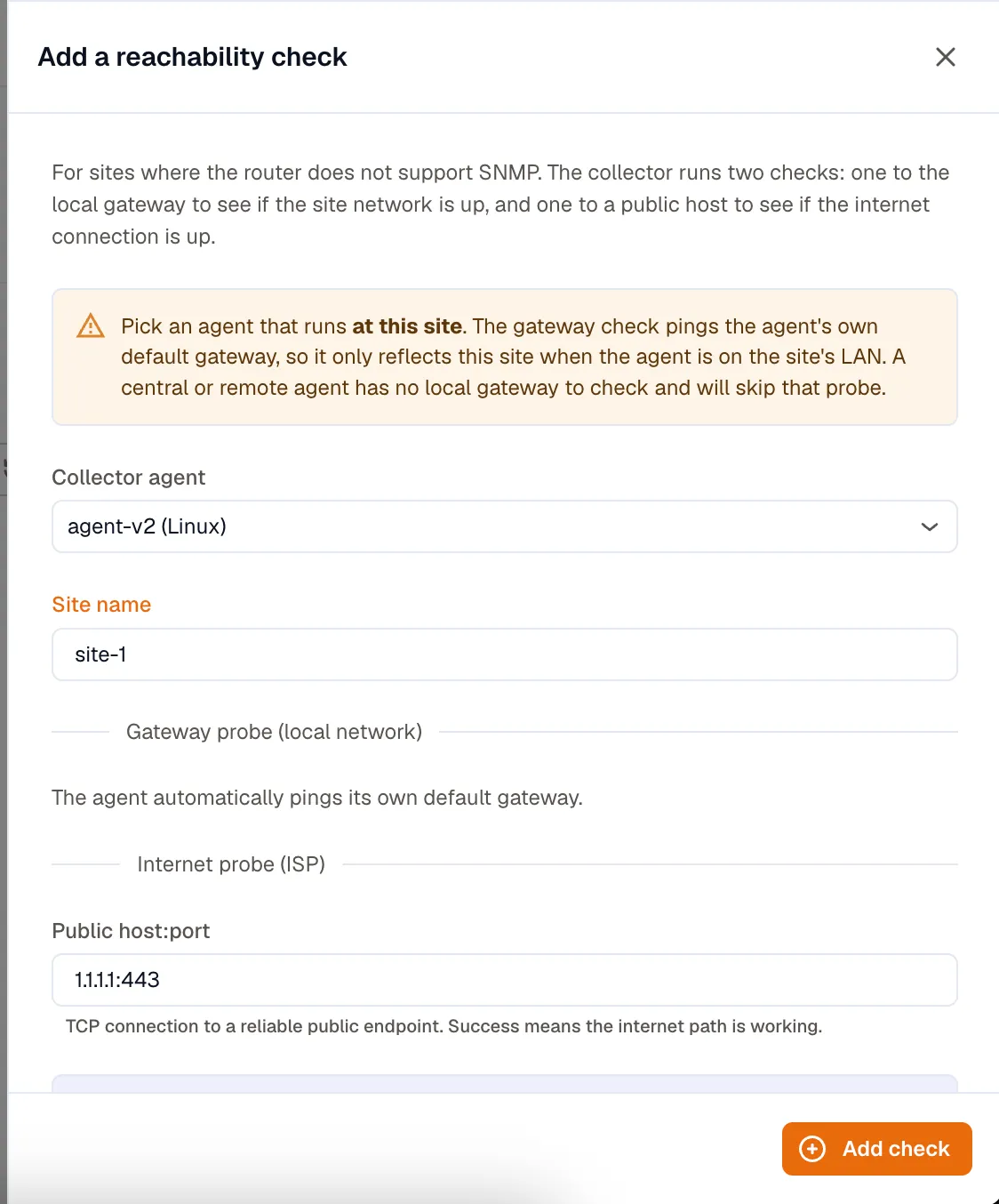
Section titled “Add a reachability check”In Network Monitoring, open the Add menu and choose Reachability check:
- Agent: pick the agent running at this site. The gateway probe uses this agent’s own gateway.
- Site name: a label such as
hotel-blr-01. It applies to both probes so they group under one site. - Public host:port: a reliable public endpoint to connect to, for example
1.1.1.1:443. A successful connection means the internet path is working.
The agent discovers and pings its own default gateway. Saving adds both probes and briefly restarts data collection on the agent.
Where results show up
Section titled “Where results show up”Open Network Monitoring → Reachability. Each probe is a row with its endpoint, site, role (gateway or internet), protocol, round-trip time, packet loss, status, and when it was last seen. Summary tiles at the top count how many checks are up, down, and not reporting.
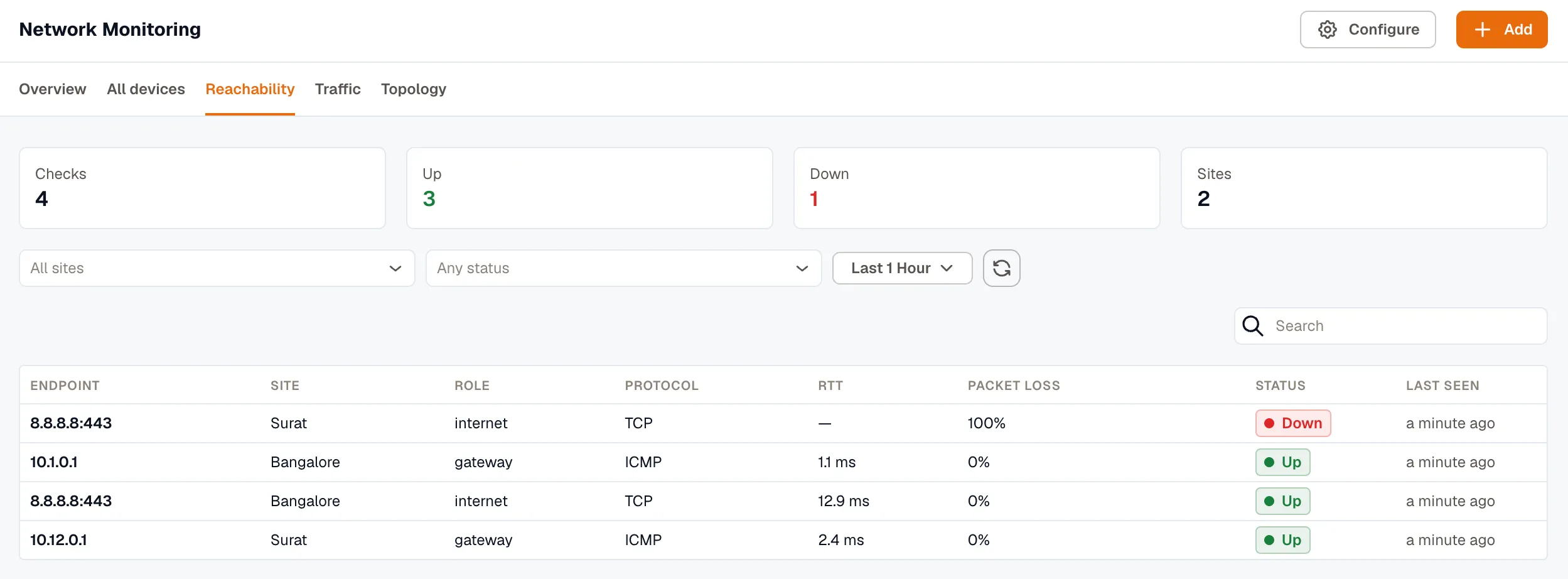
The agent emits three metrics per probe:
km_ping_up:1when the target is reachable,0when it isn’tkm_ping_rtt: round-trip time in millisecondskm_ping_packet_loss: percentage lost (ICMP probes only)
Each carries the site and role tags you set, so you can build Dashboards and Alerts that group by site or fire only when an internet probe drops.