

Services
Services group incidents by application area, microservice, or operational ownership, so your team manages related incidents together. Each service has an owner and a default escalation policy.
To track a service against a reliability target, define a Service Level Objective (SLO) for it.
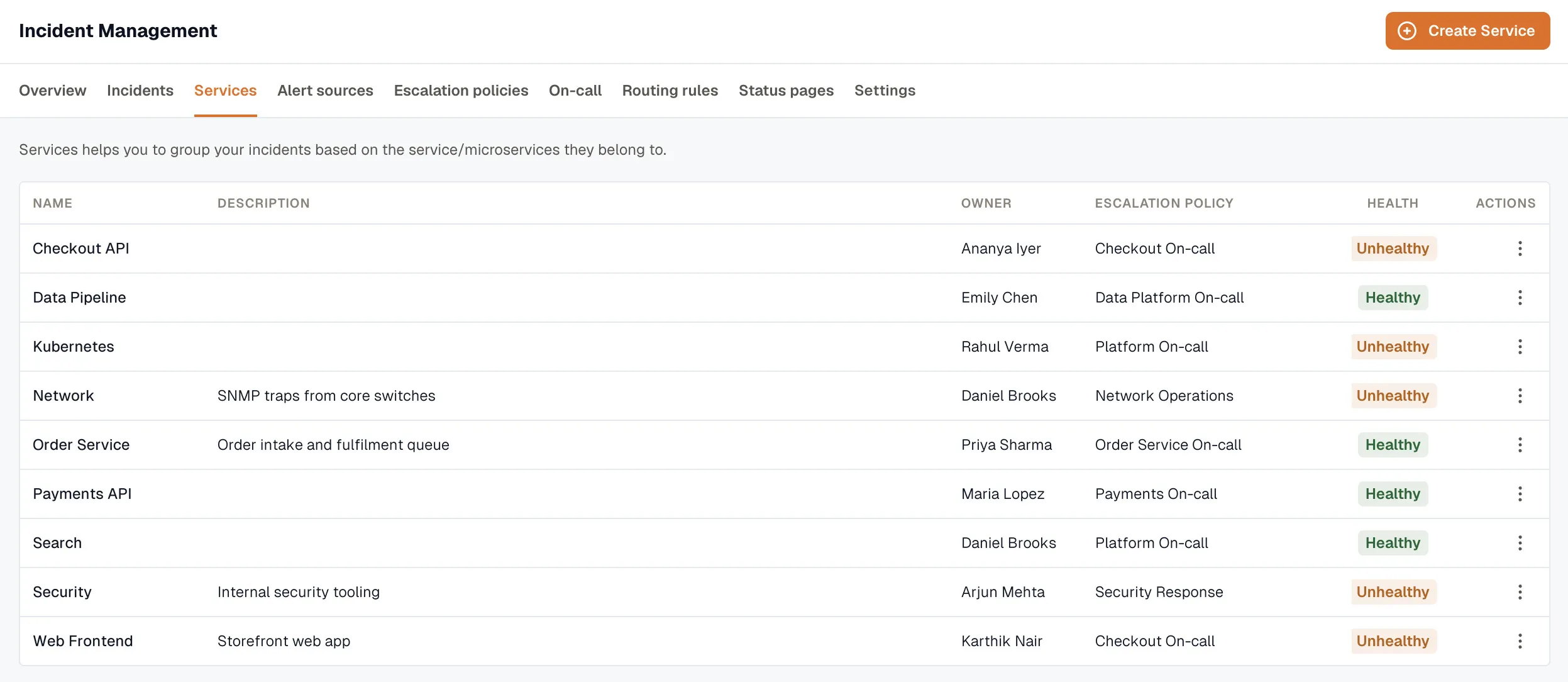
Incidents → Services lists each service with its name, description, owner, default escalation policy, and current health.
Service details
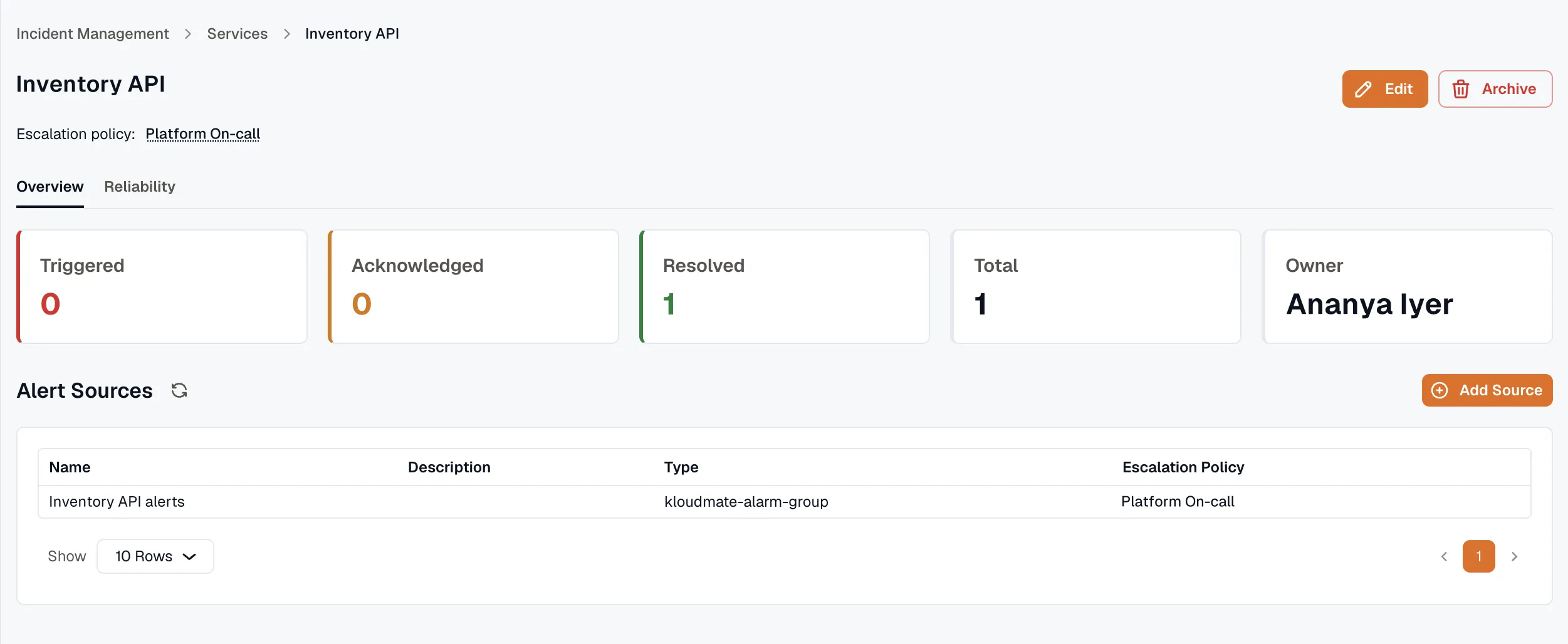
Section titled “Service details”Open a service to review:
- Triggered, acknowledged, and resolved incident counts
- The service owner
- The default escalation policy (linked)
- The service’s alert sources, listed with their name, description, type, and escalation policy
You can add an alert source directly from the service page with Add Source, and click Edit or Archive to update or archive the service.
- Create a service — set its owner and escalation policy.
- Alert Sources — what feeds incidents into a service.
- SLOs — track a service against a reliability target.