

SQL Server Agent jobs and Oracle AWR
SQL Server and Oracle instances each have one extra tab: Agent jobs for SQL Server and AWR for Oracle.
SQL Server Agent jobs
Section titled “SQL Server Agent jobs”The Agent jobs tab lists the SQL Server Agent job runs in the time range, so you can catch a failed backup or maintenance job without logging in to the server. The tiles at the top count the runs, and how many succeeded, failed, and are still running.
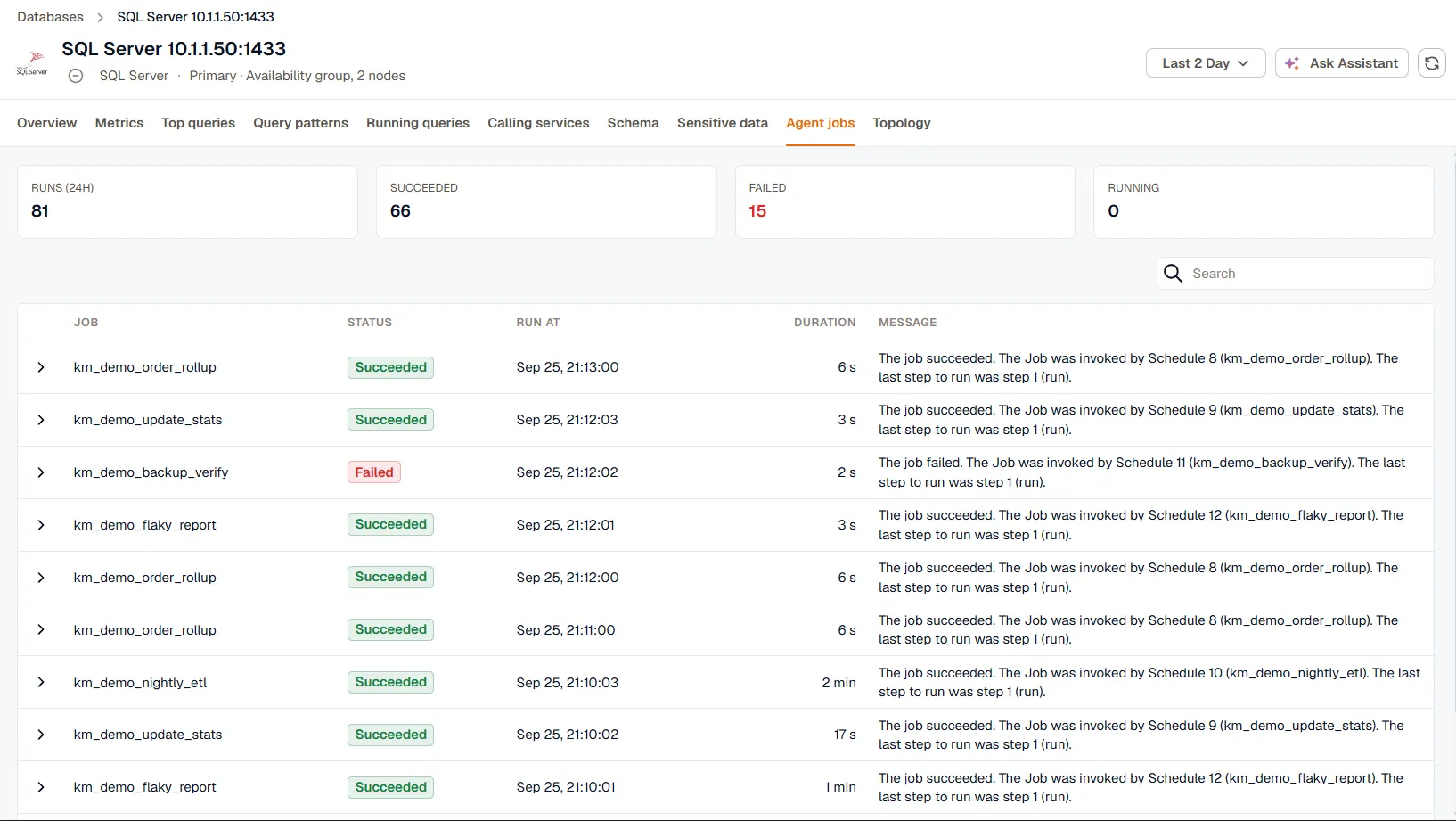
Each run shows the job name, its status, when it ran, how long it took, and the message it logged. Expand a run to read the full message.
To collect job runs, turn on the Agent jobs coverage for the instance in the agent’s database monitoring settings. The monitoring login needs the SQLAgentReaderRole role in the msdb database:
Replace kloudmate with your monitoring login. Skip the CREATE USER line if the login already has a user in msdb.
Oracle AWR
Section titled “Oracle AWR”The AWR tab shows the sections of Oracle’s Automatic Workload Repository report as panels:
- Report Summary, with the load profile and instance efficiency percentages
- Time Model and Wait Class Statistics
- Foreground Wait Events, Enqueues, and Services
- Load Profile Trends
- SQL Statistics, such as SQL ordered by elapsed time
- I/O Stats and Segment Statistics
- Active Session History
Each row needs its AWR coverage turned on for the instance in the agent’s database monitoring settings. The values change once per AWR snapshot, which Oracle takes every hour by default.