

Process Monitoring
Monitor the processes that matter most on each host — enable it from Settings and view them in a new Processes tab.
What it collects
Section titled “What it collects”Process monitoring tracks CPU and memory usage for well-known processes on a host, plus any additional processes you add. It is off by default.
Turn it on
Section titled “Turn it on”- Open Settings → Agents & Pipelines and select a host.
- Go to the Processes tab.
- Turn on Enable process monitoring.
- Click Apply.
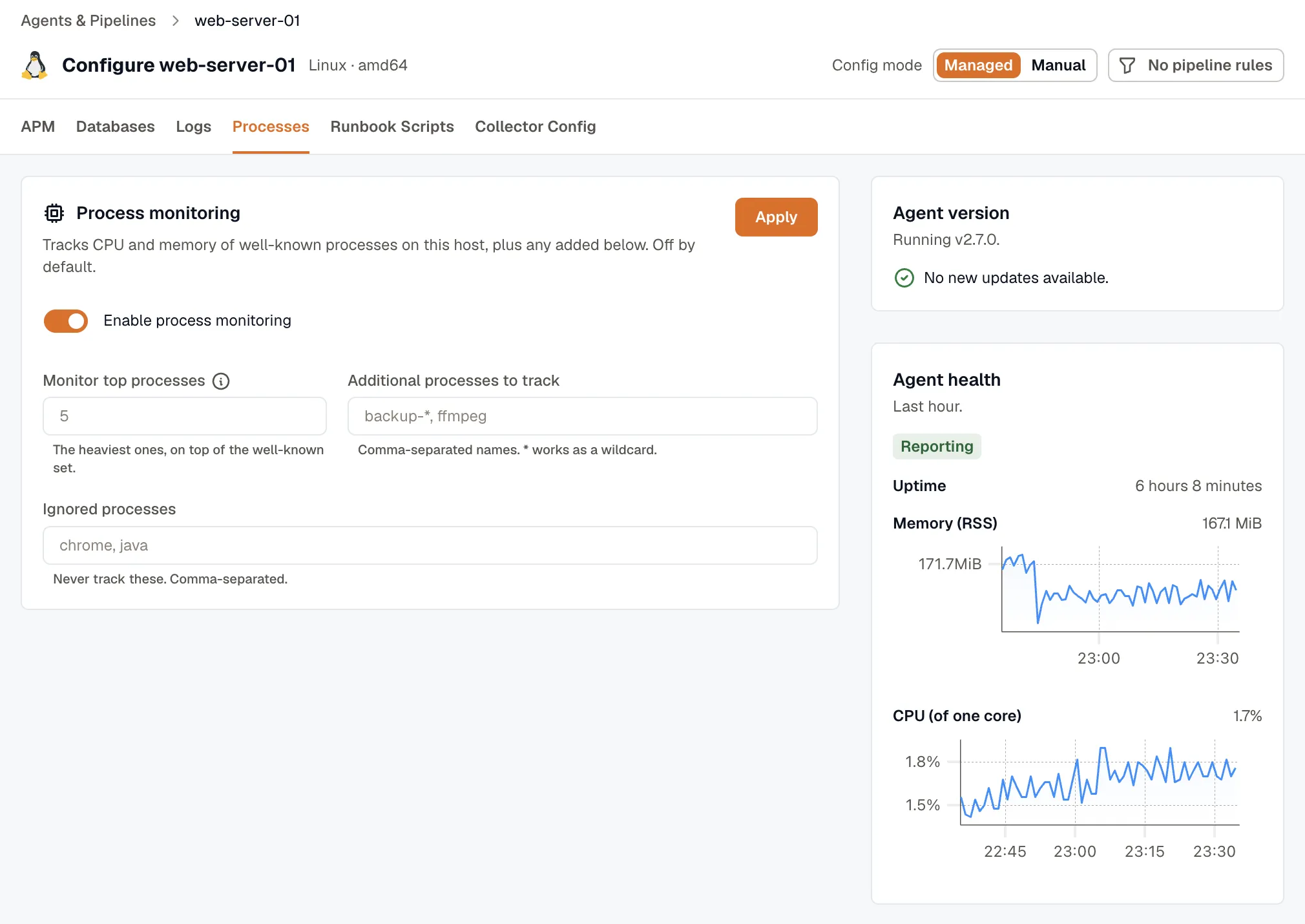
- Monitor top processes: The number of heaviest processes to track, on top of the well-known set.
- Additional processes to track: Comma-separated process names to always track.
*works as a wildcard, for examplebackup-*, ffmpeg. - Ignored processes: Comma-separated process names to never track, for example
chrome, java.