

Schema and indexes
The Schema tab lists the tables in the database with their size and structure. Check a table’s indexes and constraints here while you investigate a slow query. On MongoDB, the same tab is called Collections.
Tables
Section titled “Tables”The Schema tab is available for PostgreSQL, MySQL, MariaDB, SQL Server, and Oracle. It shows the newest schema scan from the last 24 hours, and needs the Schema catalog coverage turned on for the instance in the agent’s database monitoring settings.
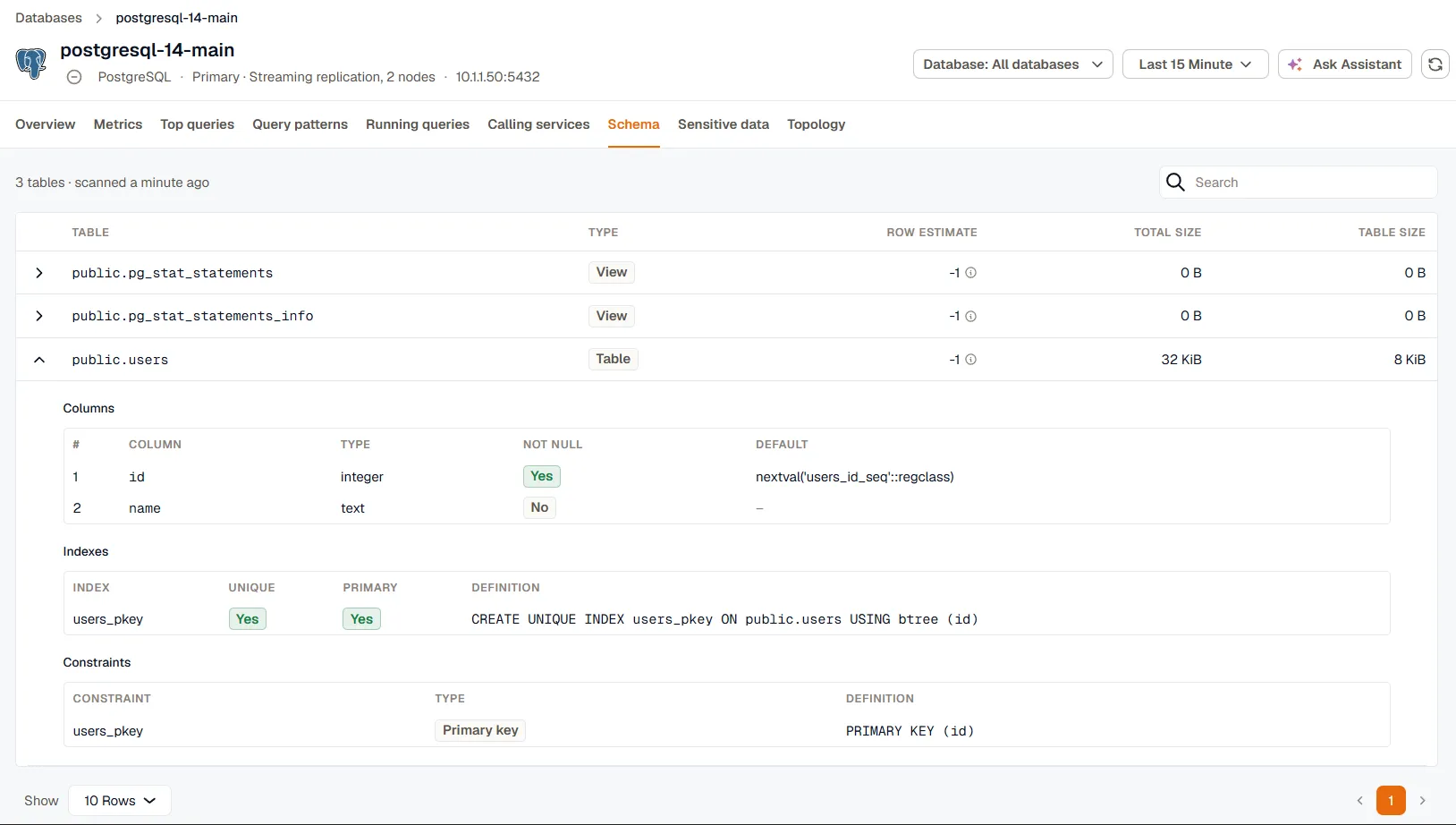
Each table shows its type, an estimated row count, its total size including indexes, and its table size. The row estimate comes from the database’s optimizer statistics, so it can lag behind the real count until the statistics are refreshed. On PostgreSQL, an estimate of -1 means the table hasn’t been analyzed yet. Run ANALYZE on the table to fill it in.
Expand a table to see its columns, indexes, and constraints, including primary keys, foreign keys, unique, and check constraints. A scan lists up to 5,000 tables.
On an Oracle container database, tables live in the pluggable databases. Select a PDB in the Database menu to see its tables.
MongoDB collections
Section titled “MongoDB collections”MongoDB has no fixed schema, so the Collections tab lists collections instead of tables, with the number of index accesses for each. A collection appears once a query uses one of its indexes. It doesn’t need a separate coverage.
Missing index suggestions
Section titled “Missing index suggestions”On SQL Server, the Missing index suggestions card below the tables lists the indexes SQL Server’s own optimizer recommends, with the estimated improvement and how often the index would have been used for seeks and scans. The card only appears when there are suggestions.
For other engines, use the Index recommendations filter in Query patterns to find queries that scan large tables without an index.