

Instrumentation Guide
KloudMate has a RUM SDK for the browser, for native Android and iOS, and for React Native. They all send to the same collector and appear in the same RUM interface, so one workspace can hold a website and its mobile apps side by side.
Supported platforms
Section titled “Supported platforms”| Platform | SDK | Installed with | Setup |
|---|---|---|---|
| Web | @kloudmate/rum-web | A script tag, or npm | Web |
| Android | com.kloudmate.rum:rum-core | Gradle | Android |
| iOS | KloudMateRum | Swift Package Manager. Requires iOS 12 or later | iOS |
| React Native, including Expo | @kloudmate/rum-react-native | npm, with autolinking | React Native |
The browser SDK works on current versions of Chrome, Edge, Firefox, Safari, and other Chromium-based browsers.
Add an application
Section titled “Add an application”Open Real User Monitoring and click Add application.
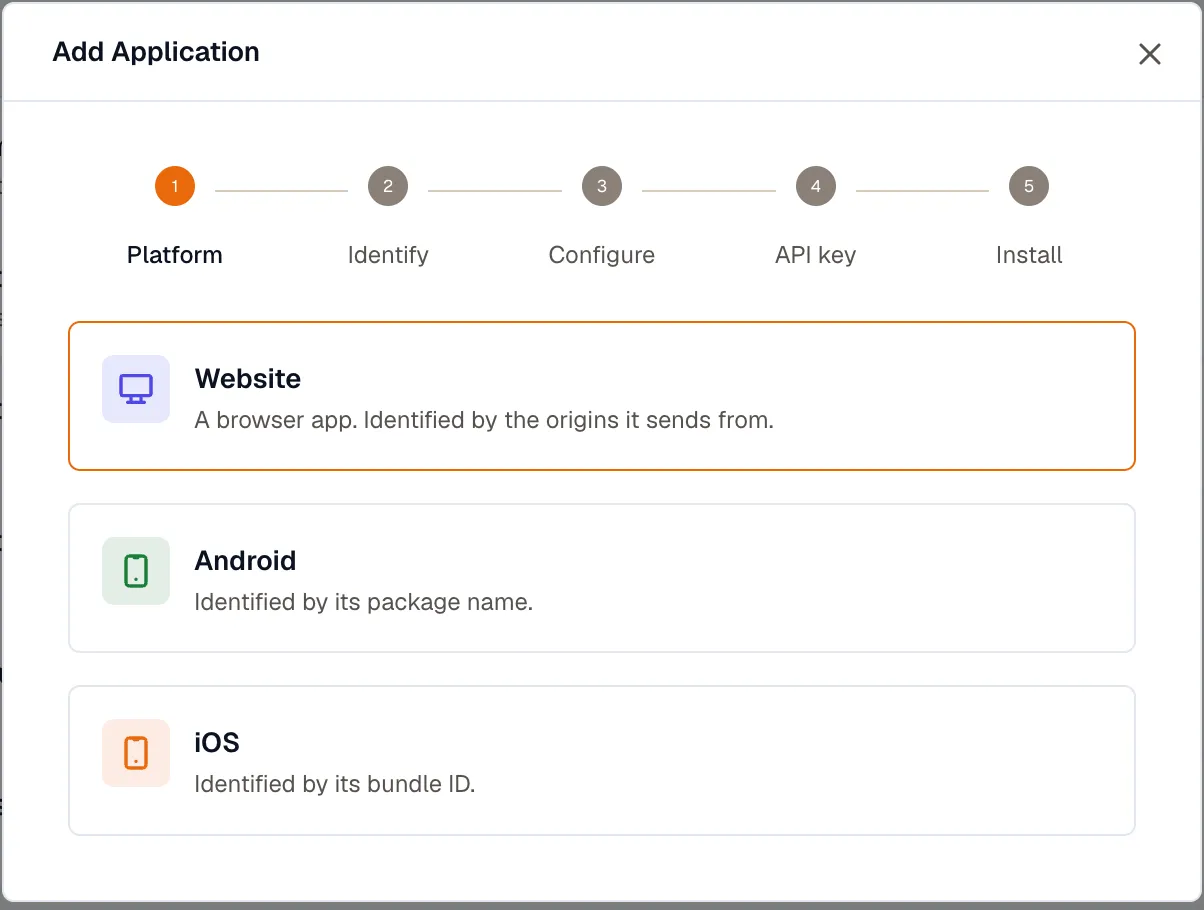
The last step generates a snippet with your key and the current SDK version already in it. Copy that snippet rather than the examples on these pages, which use placeholders.
The name is permanent
Section titled “The name is permanent”Use only letters, digits, and ., _, or -. Any other character is rewritten during ingest, and the rewritten name no longer matches the one you configured, which shows up as panels with no data in them.
Set Version here too, or the Releases tab has nothing to compare.
Sampling
Section titled “Sampling”Telemetry sampling is the share of sessions that send data at all. A session that isn’t sampled registers no listeners and makes no requests, so this is what controls your ingest volume. Replay sampling then decides which of those sessions are also recorded.
The two multiply: 25% telemetry and 10% replay records one session in forty.
The ingest key
Section titled “The ingest key”RUM sends with a Frontend ingest key, which ships in client code where anyone can read it. Because of that, a frontend key carries a list of allowed hosts, and data sent from any other origin is rejected. If an application is installed correctly and still reports nothing, check that list first.
Keys live under Settings → Ingest Keys, where you can add one, edit its allowed hosts, or delete a key that has leaked. A key is shown once when it’s created and can’t be retrieved later, so rotating one means creating a replacement, swapping it into your app, and then deleting the old key. See API Keys.
- Install and configure the SDK: Web, Android, iOS, or React Native.
- Record what a visitor accomplished, not only how the app behaved: Send custom events.
- Show your original code in browser error stacks instead of minified bundles: Source maps.
- Look up an option or an attribute: SDK reference.