

Agent Traces
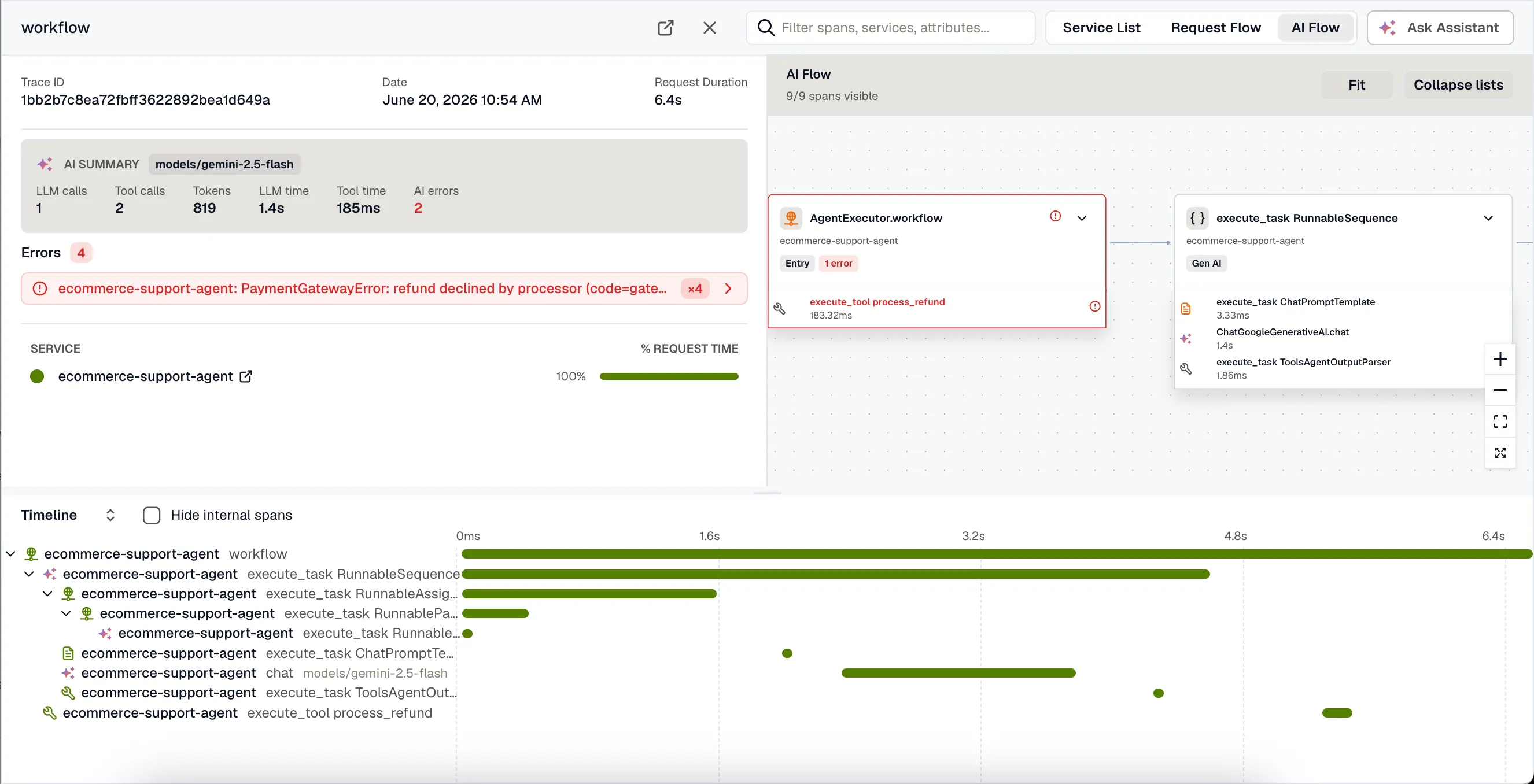
When a trace contains GenAI spans, trace detail adds views for reading the agent run: the prompts it sent, the tools it called, the tokens each call spent, and the step where it went wrong. Open a run from AI Observability → Traces, or select any trace with GenAI spans in Traces.
AI summary
Section titled “AI summary”The AI summary at the top of the trace shows the models the run used, the number of model and tool calls, total tokens (with cached input called out), how the time split between model calls and tool calls, and how many AI spans failed.
Conversation
Section titled “Conversation”Select a model or agent span to open the Conversation tab. It shows the prompt and response as a transcript, with each message labeled by role (system, user, assistant, or tool) in the order the model saw them.
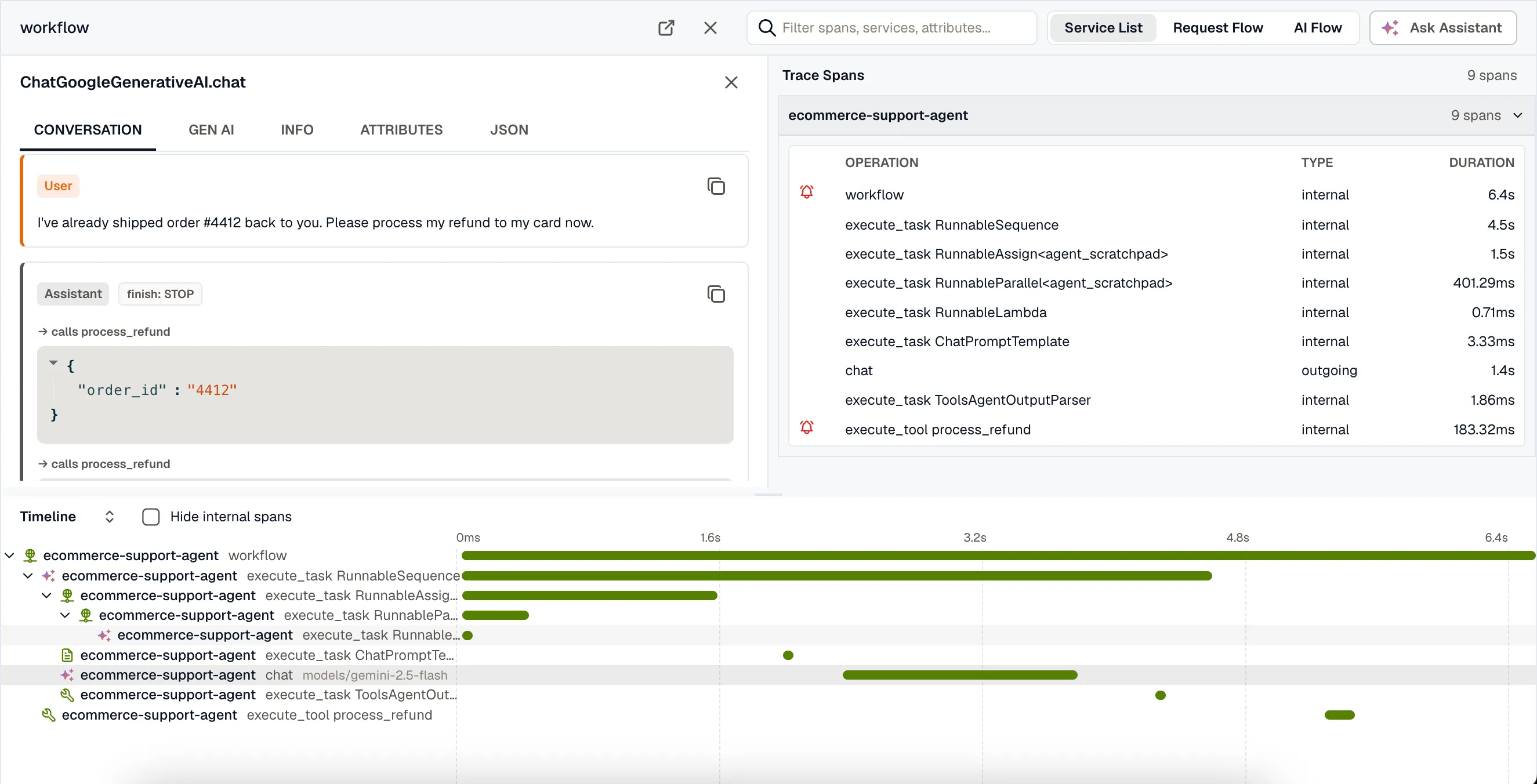
- Tool calls the assistant made appear inline, with the tool name and the arguments the model passed.
- Tool results show what each tool returned to the model.
- The finish reason appears next to the role, so a truncated or filtered response stands out.
- The system prompt is collapsed at the top.
The Conversation tab appears only when your instrumentation captures message content. Each framework guide shows how to turn it on.
Gen AI details
Section titled “Gen AI details”The Gen AI tab holds the structured details of a model or tool span:
- Tokens: total, input (with cached input called out), and output. Cached tokens are part of the input count, not added to it.
- Finish reason. Abnormal reasons such as
length(the answer was truncated) andcontent_filterare highlighted. - Request parameters such as temperature, top-p, and max tokens.
- Tool definitions offered to the model on that call, collapsed by default.
For a tool span, the tab shows the tool call’s arguments and result as JSON. All raw gen_ai.* attributes stay available on the Attributes tab.
AI Flow
Section titled “AI Flow”Select AI Flow (next to Service List and Request Flow) to see the run’s GenAI spans as a graph beside the waterfall, laid out by how the agent’s steps connect.
Each node shows the step’s kind (LLM, tool, agent, and so on), the span name, and token usage, with a badge when the call failed or finished abnormally. Leaf steps such as tool calls are collapsed into their parent node until you expand it. Select a node to open its Conversation and Gen AI tabs.
AI cues in the waterfall
Section titled “AI cues in the waterfall”In the waterfall, each GenAI span has an icon for its kind: model call, tool call, agent, or retrieval.