

Alert Sources
Alert sources bring alerts into Incident Management. Each one accepts alerts from an external system, maps the incoming payload to incident fields, and opens incidents on a service.
Every alert source belongs to a service (required) and can set a default escalation policy (optional). Leave the policy unset and the source inherits the service’s default.
Alert source types
Section titled “Alert source types”| Type | Use it for |
|---|---|
| KloudMate Alert group | Opening incidents from KloudMate alerts. |
| CloudWatch Alarm | Receiving AWS CloudWatch alarms, delivered through SNS. |
| Webhook | Any system that can POST JSON, with your own templates mapping the payload to incident fields. |
KloudMate Alert group and CloudWatch Alarm sources use built-in templates. To integrate them, see Integrate with KloudMate Alerts and Integrate with AWS CloudWatch Alarms. For custom webhooks, see Add an alert source.
The alert sources list
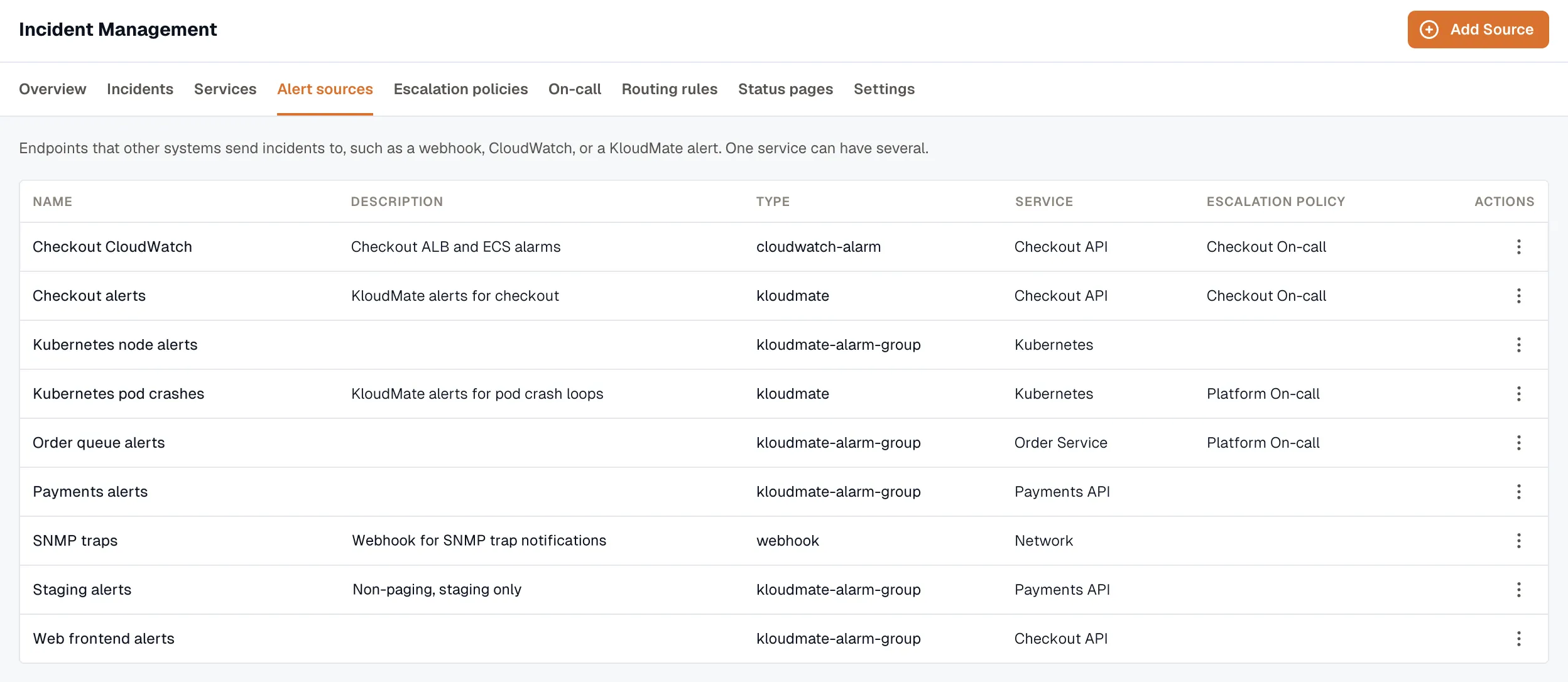
Section titled “The alert sources list”Open Incidents → Alert sources to see every source with its name, description, type, service, and escalation policy.
Alert source details
Section titled “Alert source details”Open a source to:
- Enable or disable it
- Copy its inbound source URL — a unique, hashed endpoint
- Edit its configuration
- Archive it