

Service Reliability tab
Reliability isn’t only a top-level area. KloudMate surfaces SLO context where you’re already working — on the service detail page, on incident detail, and on alert detail.
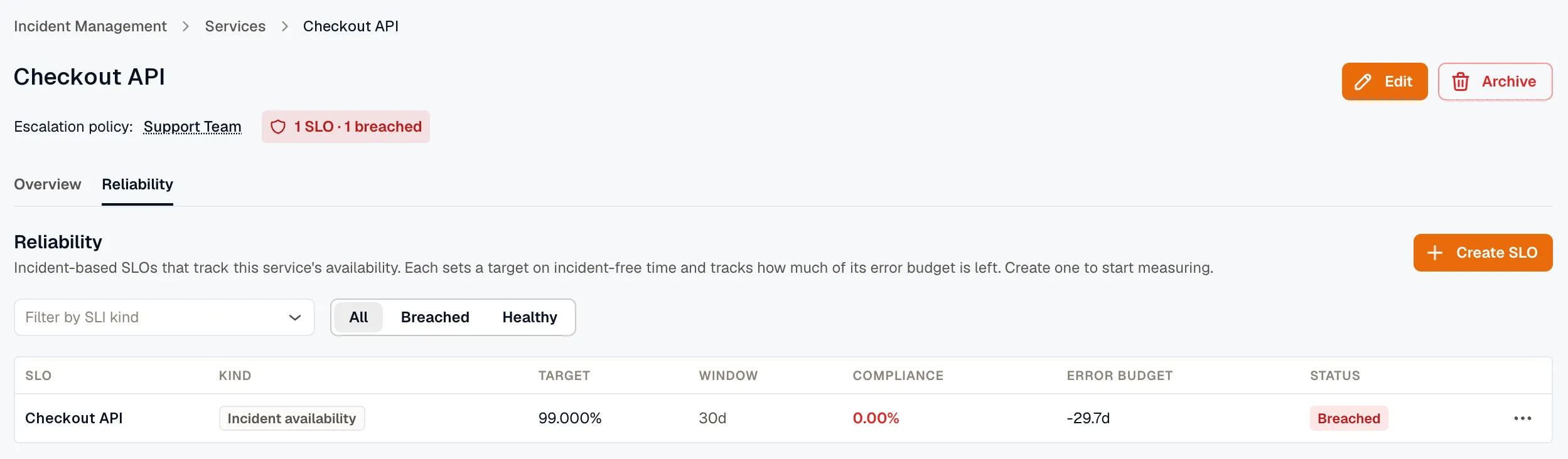
Service detail — Reliability tab
Section titled “Service detail — Reliability tab”Every IM service detail page (/<workspaceId>/im/services/<id>) now has tabs:
- Overview (default): the stat cards and the Alert Sources table.
- Reliability (new): a service-scoped Create SLO button and a table of the service’s Incident availability SLOs. Those are the only SLOs tied to a service; metric- and APM-based SLOs are workspace-level and don’t appear here. Same row shape as Reliability → SLOs. The Create SLO button deep-links into the wizard with the service prefilled (it pre-selects the Incident availability kind). Empty state with explanatory copy when the service has no incident-based SLOs yet.
Tab is URL-synced — ?tab=overview or ?tab=reliability. Refreshing or sharing the link preserves the active tab.
SLO summary chip in the service header
Section titled “SLO summary chip in the service header”When the service has at least one Incident availability SLO, a small chip appears in the page header next to the existing labels:
- e.g.
N SLOs · Y% min compliance— healthy (the lowest compliance across the service’s evaluated SLOs). N SLOs · M breached— red, when at least one is breached.
Clicking the chip jumps to the Reliability tab. The chip is only rendered when the service has incident-based SLOs — services without any keep the header clean.
Incident detail — Linked SLOs panel
Section titled “Incident detail — Linked SLOs panel”On incident detail (/<workspaceId>/im/incidents/<id>), a Linked SLOs panel appears below the Service, Alert source, and Escalation policy labels, but only when the affected service has at least one Incident availability SLO.
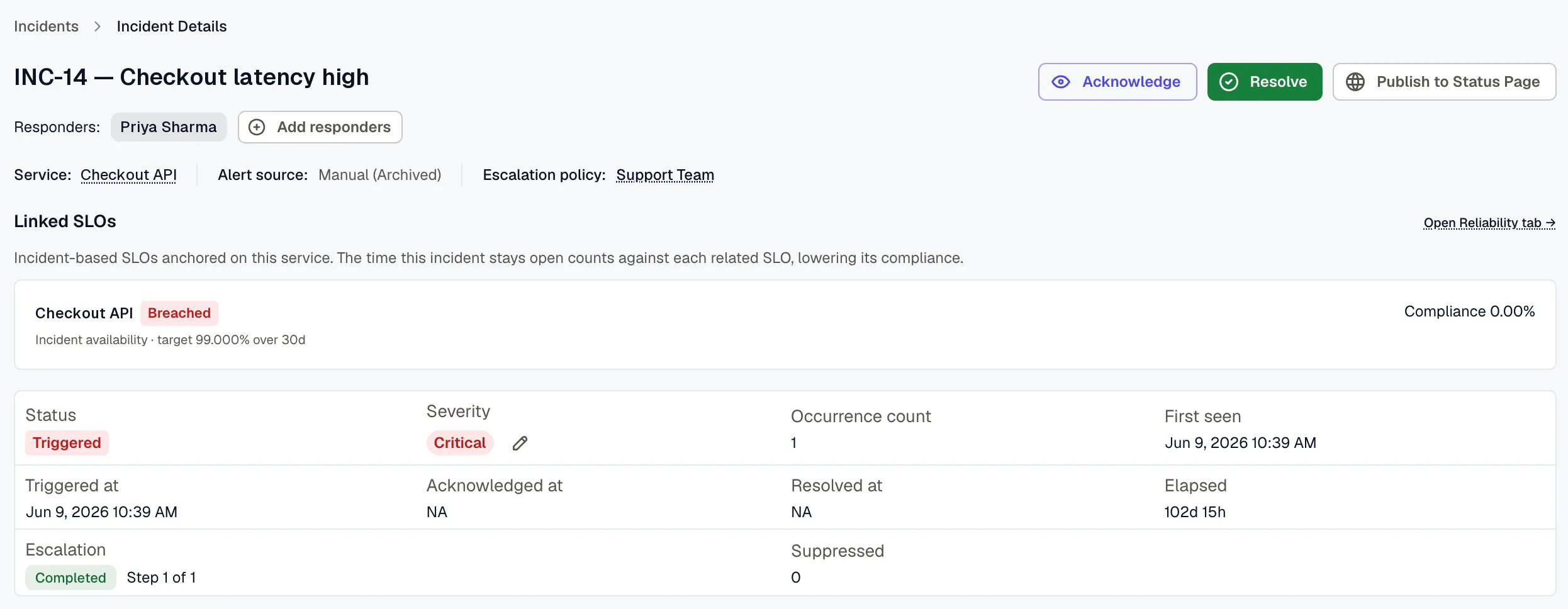
Each linked SLO shows as a card:
- SLO name with Breached / Disabled chips as applicable.
- Kind + target + window.
- Current compliance %.
Clicking a card opens the SLO detail page.
Matching is service-only in v1 — every incident-based SLO on the affected service appears, even if the SLO’s severity / metadata filters might exclude this specific incident. Slight over-reporting is the deliberate trade-off; re-evaluating SLO logic in the browser would be fragile.
Related
Section titled “Related”- Reliability Overview — workspace-wide hub.
- SLO detail — where the cards link to.
- Create an SLO — what Define an SLO opens.