Maintenance Windows
A maintenance window is a scheduled period of time during which monitors continue to run normally, but their incidents are handled differently to avoid unnecessary noise.
During a maintenance window, the monitor:
- Does not send any notifications for incidents that are triggered.
- Does not count downtime that occurs during the window toward the monitor’s success rate percentage.
- Marks incidents that happen during the maintenance window so they can be distinguished from regular production incidents.

The Maintenance tab
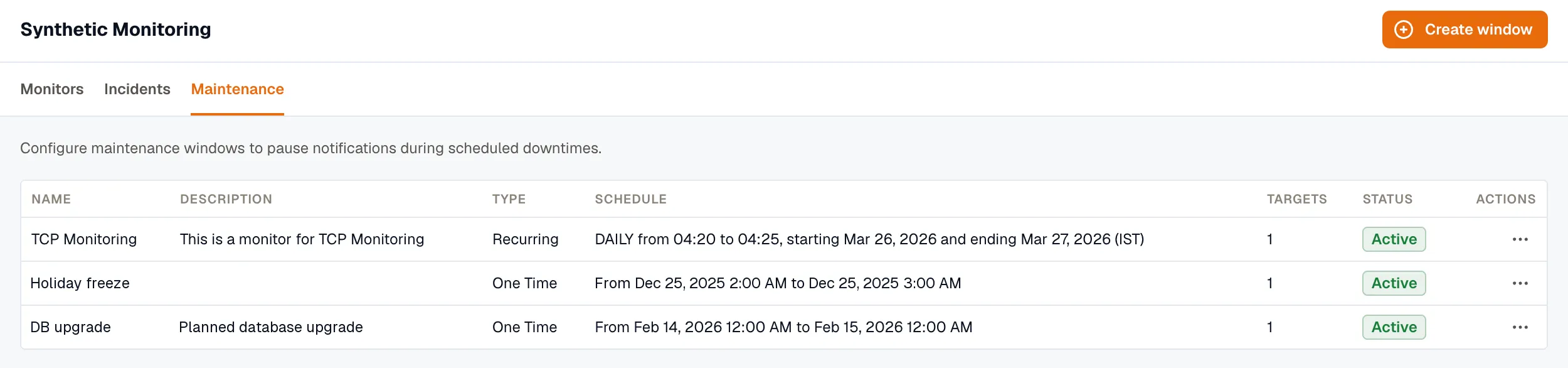
Section titled “The Maintenance tab”Open Synthetic Monitoring → Maintenance to see all of your maintenance windows. Each row shows:
- Name
The user-defined name of the maintenance window. - Description
Brief description explaining the purpose of the maintenance window. - Type
Indicates whether the window is recurring or one-time. - Schedule
Shows the configured start and end time period. - Targets
Number of monitors assigned to this maintenance window. - Status
Current status indicating if the window is active or paused.
Creating a Maintenance Window
Section titled “Creating a Maintenance Window”1. Open Synthetic Monitoring → Maintenance.
2. Click Create window.
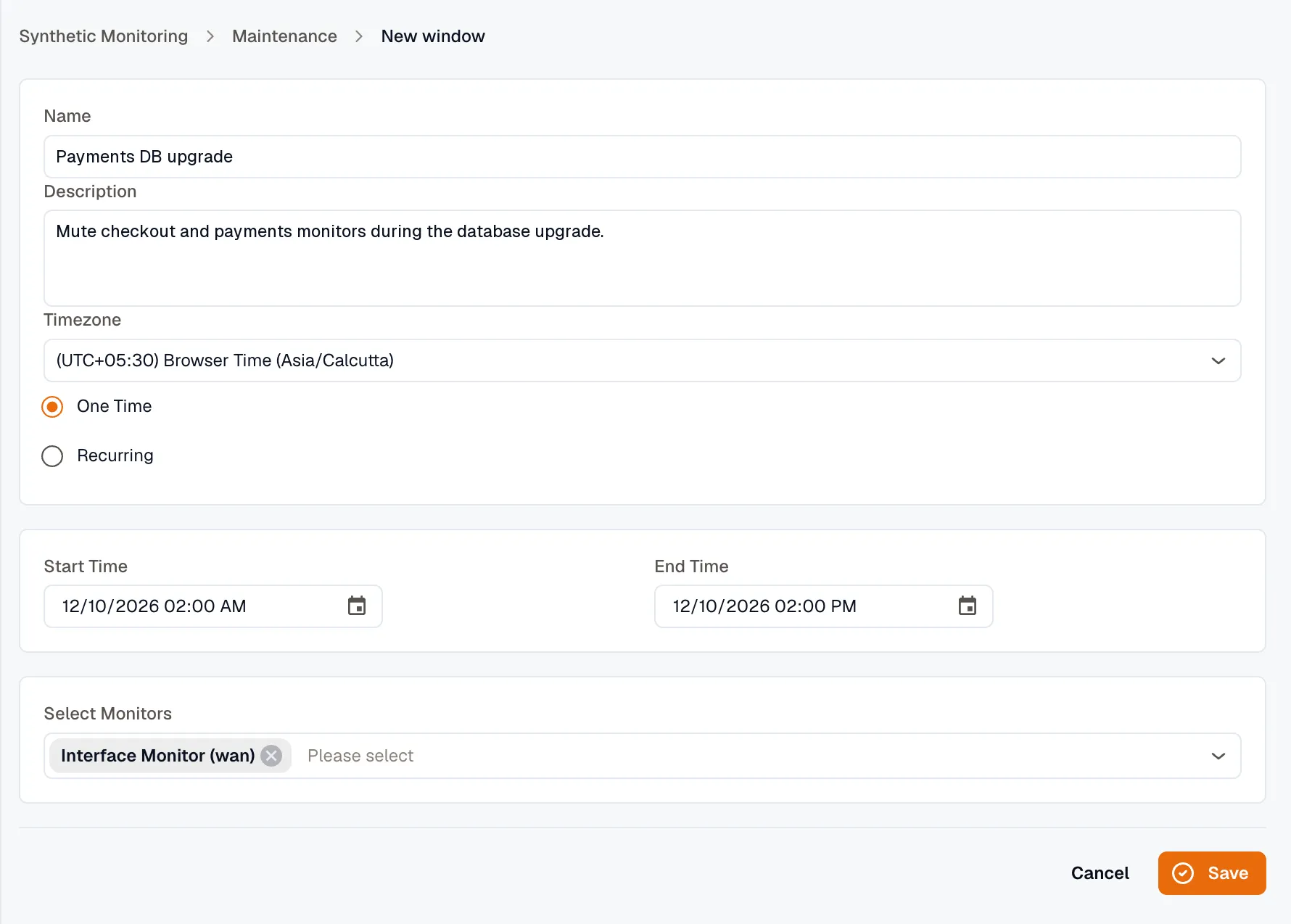
3. Configure the following settings:
- Name
Enter a name for the maintenance window. - Description
Provide a short description of the maintenance purpose. - Timezone
Select the timezone for the scheduled maintenance period. - One Time Schedule a single maintenance period for a specific date and time.
- Recurring
Set up automatically repeating maintenance on a regular cycle. - Start Time Define the date and time when the maintenance window begins.
- End Time
Specify the date and time when the maintenance window ends. - Frequency (Recurring only) Choose daily, weekly, or monthly recurrence schedule.
- Select Monitors Assign one or more monitors to apply the maintenance window to.
4. Click Save to create the new maintenance window.