

What Is Incident Management?
An incident is any event or issue that negatively affects your services, application workflows, end users, or customers.
KloudMate Incident Management gives your team one place to detect, route, assign, escalate, and resolve those incidents — from the moment an alert fires to the update you post for customers.
What the module covers
Section titled “What the module covers”Incident Management helps your team:
- Detect and track active incidents in one view.
- Route incoming alerts to the right service, severity, and escalation policy automatically.
- Notify the people on call through on-call schedules.
- Escalate step by step until someone acknowledges.
- Keep customers informed with a public status page.
How a signal becomes a resolved incident
Section titled “How a signal becomes a resolved incident”A monitored condition trips an alert, and from there it follows a predictable path:
- An alert source receives the alert — from KloudMate alerts, CloudWatch, or a generic webhook.
- A routing rule decides which service the incident opens against, which escalation policy pages, and what severity it carries. A rule can also suppress noise before it becomes an incident at all.
- The incident opens on its service.
- The service’s escalation policy notifies responders step by step until someone acknowledges.
- When a step targets an on-call schedule, KloudMate resolves it to whoever is on call at that moment — possibly several people — and notifies each of them.
- Once you’re responding, you can publish the incident to a status page to keep customers in the loop.
Routing rules and status pages are optional, but this is the backbone every incident moves along.
Key components
Section titled “Key components”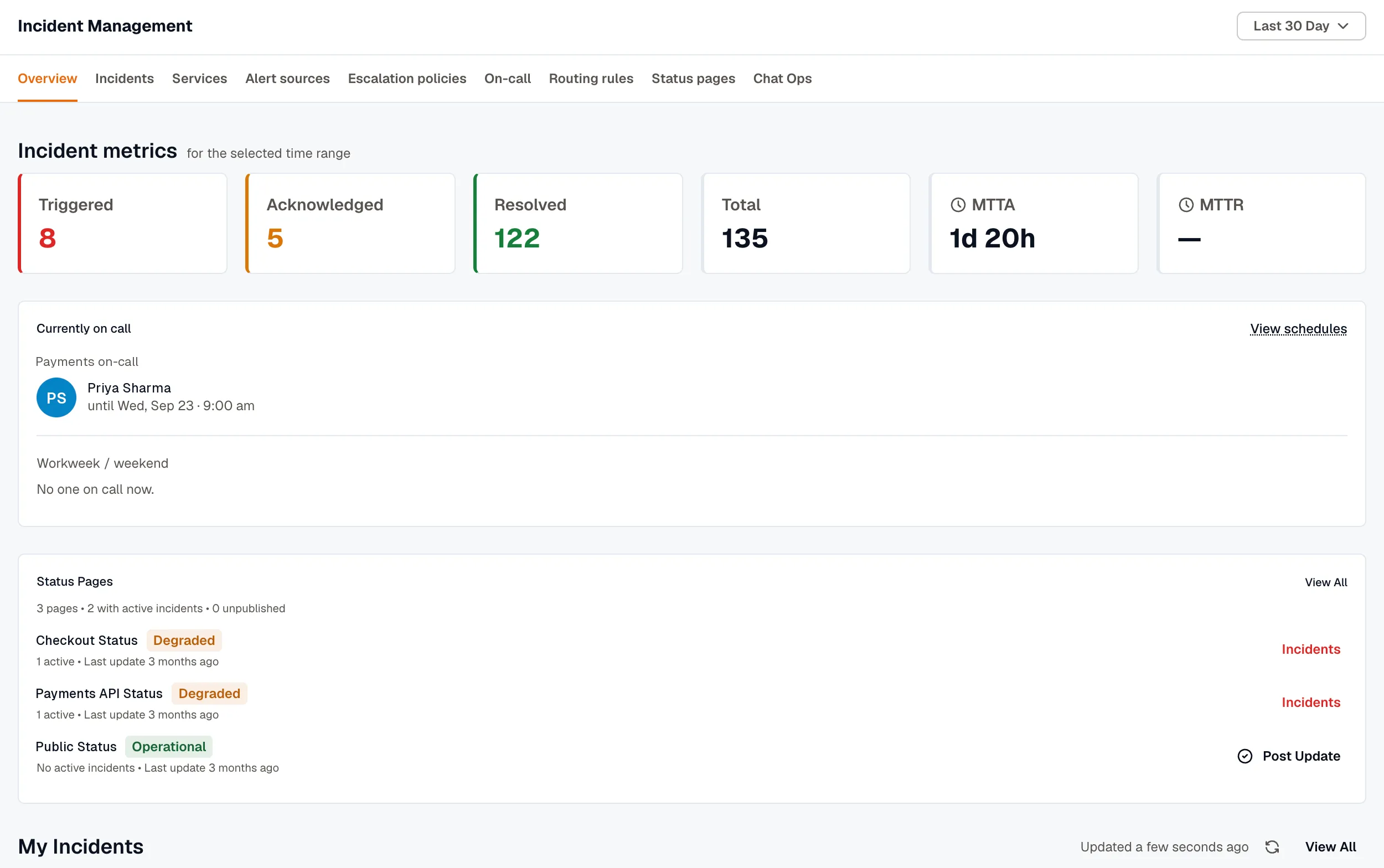
Overview
Section titled “Overview”A real-time snapshot of incident counts, statuses, MTTA, and MTTR.
Incidents
Section titled “Incidents”The core records your team acknowledges, investigates, and resolves. Each one carries an activity timeline of every status change and notification. See Incidents.
Services
Section titled “Services”Services group incidents by application area or ownership. Each carries an owner and a default escalation policy. See Services.
Alert Sources
Section titled “Alert Sources”Alert sources receive alerts from KloudMate, CloudWatch, and webhooks, then map each incoming payload to an incident. (Formerly called Integrations.) See Alert Sources.
Escalation Policies
Section titled “Escalation Policies”Escalation policies define who gets notified, how, and when an unacknowledged incident moves to the next step. Steps can target users, on-call schedules, and Slack channels. See Escalation Policies.
On-Call Schedules
Section titled “On-Call Schedules”Additive rotations that decide who’s on call at any moment, with coverage windows and one-off overrides. A schedule can resolve to several people at once. Escalation policies and routing rules resolve a schedule to whoever is on call at notification time. See On-Call Schedules.
Routing Rules
Section titled “Routing Rules”Rules that decide, when an alert reaches IM, which service and escalation policy an incident gets, its severity, and whether to suppress it. See Routing Rules.
Status Pages
Section titled “Status Pages”Branded public pages that show component health, active incidents, and uptime history, so customers can self-serve during an outage. See Status Pages.