

Kubernetes setup
On Kubernetes, application performance monitoring (APM) works the same opt-in, per-workload way as on other platforms: for each workload you choose Off, eBPF, or SDK. eBPF tracing runs in the DaemonSet collector and needs no code change and no restart. SDK tracing uses the OpenTelemetry (OTel) Operator: the agent adds an annotation, the Operator injects the matching language agent, and that workload’s pods restart with tracing on. Off is the default, so nothing is traced until you turn it on. For the shared flow, consent, and status behavior, see the Application APM overview.
Prerequisites
Section titled “Prerequisites”Auto-instrumentation on Kubernetes uses the OpenTelemetry Operator, which the KloudMate agent installs. Enable APM at install time, or turn it on afterward. See the Kubernetes installation guide, including the prerequisite Cert Manager and the featuresEnabled.apm value.
Enable APM
Section titled “Enable APM”Instrument workloads from the dashboard, or add the annotation yourself.
From the dashboard
Section titled “From the dashboard”After the agent is installed, open the cluster’s APM configuration. The agent lists the workloads it discovered, grouped by namespace, with each workload’s detected language. For each one, choose Off, eBPF, or SDK, then apply. In a large cluster, use the namespace filter or the search box to find a workload.
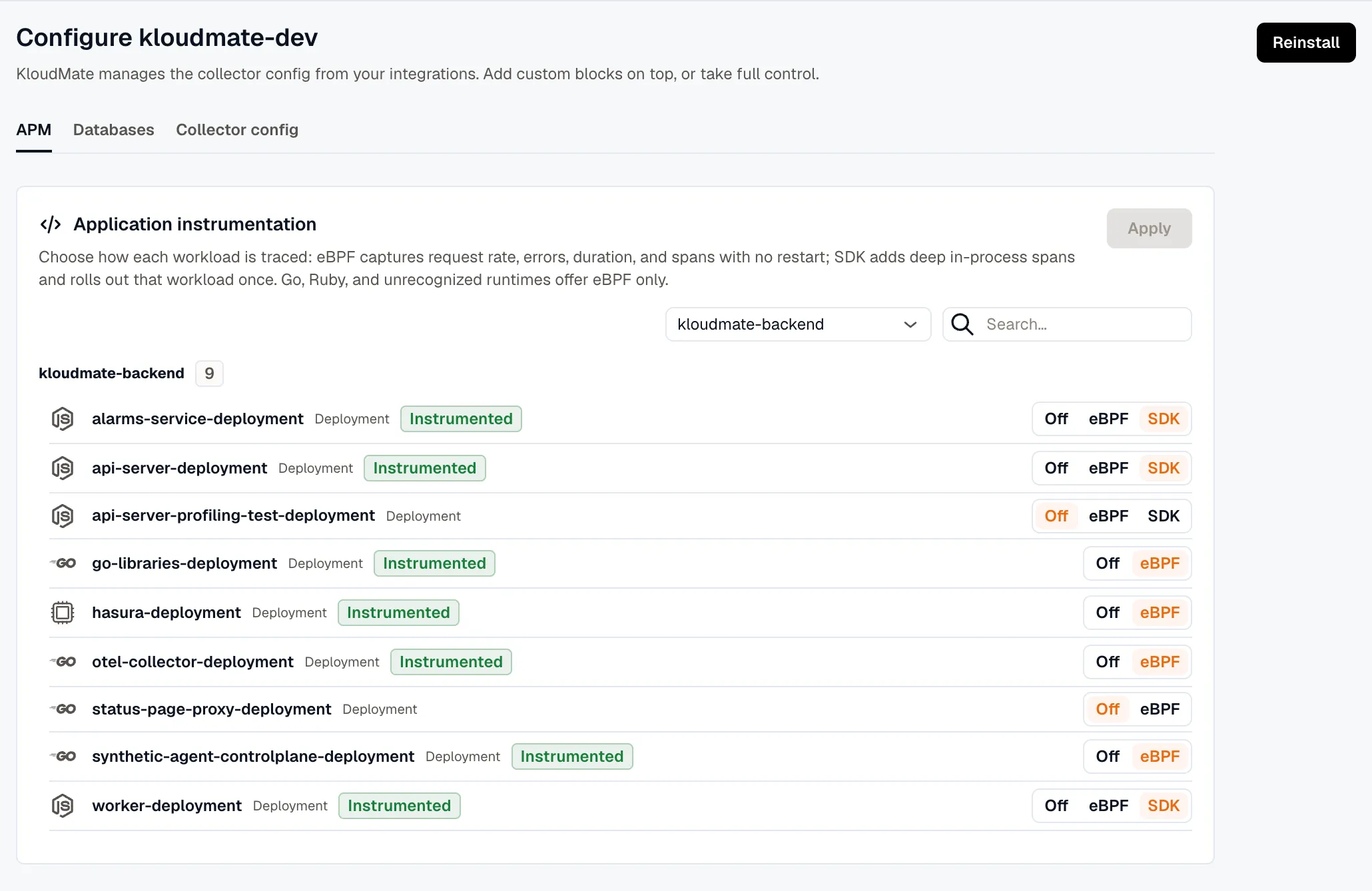
With deployment annotations
Section titled “With deployment annotations”If a workload isn’t detected automatically, you can turn on SDK tracing by hand: add the OpenTelemetry Operator annotation for its language and restart the workload. This is the same annotation the SDK control applies. eBPF tracing has no annotation; the DaemonSet drives it, so you select it from the dashboard.
After adding the annotation, restart the deployment so the Operator injects the agent into new pods.
How each mode applies
Section titled “How each mode applies”The opt-in flow is the same as on any platform: discover a workload, pick Off, eBPF, or SDK, and let traces flow. What differs is how Kubernetes applies each mode:
- eBPF changes take effect on the next agent check-in with no pod restart. The DaemonSet reloads its configuration in place and starts tracing the workloads you selected, so switching a workload on or off doesn’t roll any pods.
- SDK changes go through the OTel Operator’s annotation, so only that workload’s pods roll to pick up the injected agent. Linux, by contrast, applies SDK through systemd config files and a service restart.
Monitored namespaces
Section titled “Monitored namespaces”APM discovery applies to the namespaces you monitor, which you set at install time with monitoredNamespaces. Leave it empty to discover workloads in every namespace except the system ones: kube-system, kube-public, kube-node-lease, cert-manager, and anything starting with kube- are excluded by default. To also skip your own cluster-infrastructure namespaces (ingress controllers, vpa, external-secrets, and the like), list them in the excludedNamespaces Helm value. See the Kubernetes installation guide.