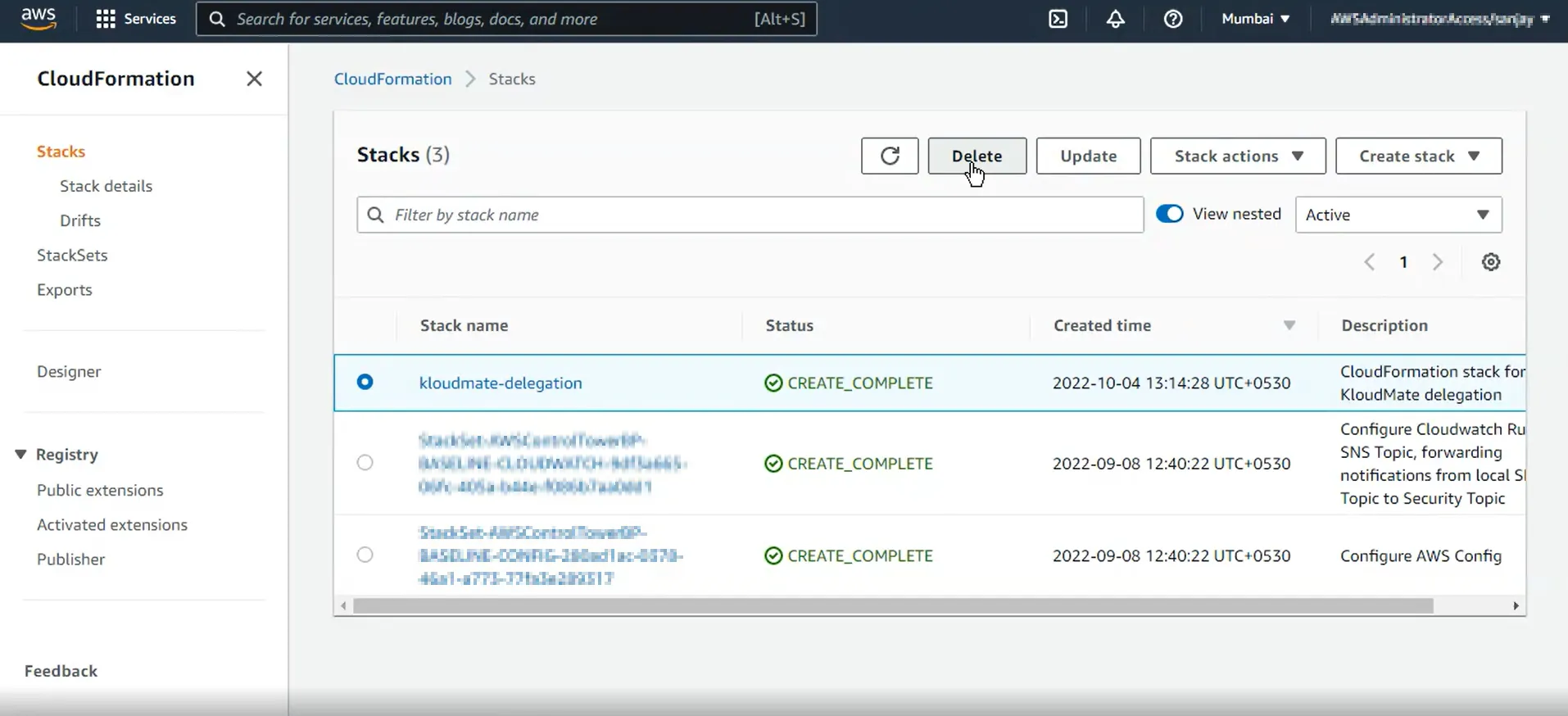
Remove an AWS Account
Use this workflow when you want to disconnect an AWS account from KloudMate and clean up the integration resources in AWS.
- Only users with Owner permissions can remove connected AWS accounts.
- AWS accounts can always be removed cleanly, even after permissions change on the AWS side.
Remove the AWS Account from KloudMate
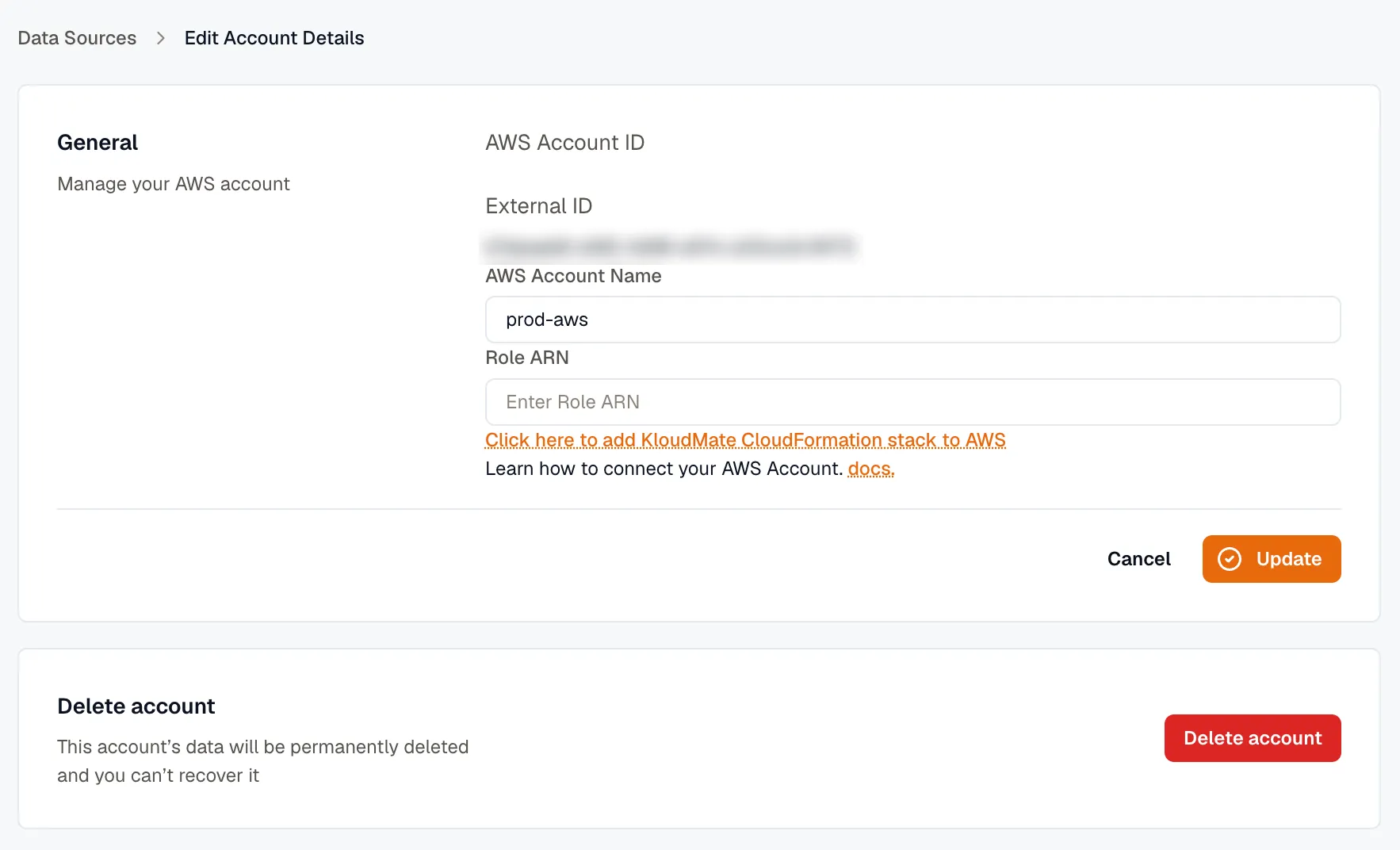
Section titled “Remove the AWS Account from KloudMate”- Open Settings → Data Sources and select the connected AWS account you want to remove. See Manage connected accounts if you need help finding it.
- Click Edit to open the account details screen.
- Click Delete account.
Remove the CloudFormation Stack in AWS
Section titled “Remove the CloudFormation Stack in AWS”- Sign in to the AWS Console.
- Open the same region where the KloudMate stack was created.
- Go to CloudFormation -> Stacks.
- Select the stack named
kloudmate-delegation. - Click Delete.