

SLO Compliance report
The SLO Compliance report lists every enabled SLO in the workspace with its latest compliance, remaining error budget, and burn-rate alert state. Schedule it to send your team a regular reliability summary as a PDF or XLSX file.
The report always includes every enabled SLO, with no filters or per-SLO settings. For a narrower view, send it as XLSX and filter the spreadsheet.
Create an SLO Compliance report
Section titled “Create an SLO Compliance report”- Open Reports and click Create Report.
- Select SLO Compliance as the source.
- Choose Previous period or Fixed range, a format, a schedule, and recipients. Create Report explains each setting.
- Click Save or Save & Close.
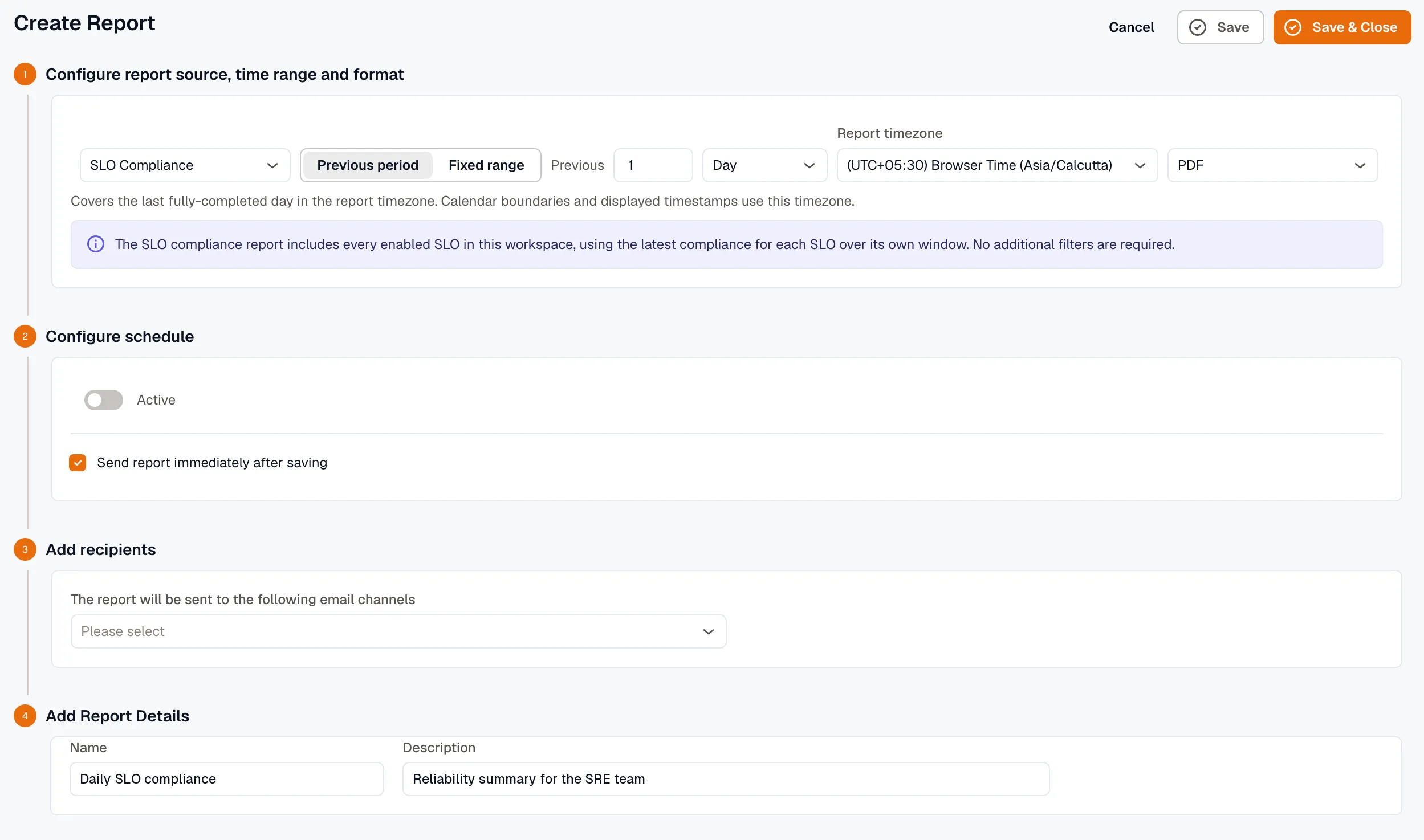
You can also start from Reliability → Overview. The Build a compliance report card opens the report builder with Incidents selected, so change the source to SLO Compliance before you continue.
What the report contains
Section titled “What the report contains”Compliance and error budget come from each SLO’s most recent evaluation for its default window, not from the report period. For example, reports set to 1 Week and 1 Month that run at the same time show the same compliance for each SLO.
Each enabled SLO gets one row with:
- Service: set only for Incident availability SLOs. It’s blank for the other SLI kinds.
- SLO: the SLO’s name.
- SLI kind: the kind of indicator the SLO measures.
- Window: the SLO’s default window.
- Target: the SLO’s target percentage.
- Compliance: the compliance percentage from the latest evaluation.
- Error budget: the budget remaining at that evaluation, in the SLI’s unit (a duration or an event count). A negative value means the SLO is breached.
- Burn-rate alert: how long the SLO’s longest-firing burn-rate alert has been firing, such as
Firing for 2.0h. It showsconfiguredwhen the SLO has burn-rate alerts but none is firing, and a dash when it has none. - Status:
OK,BREACHED, orno snapshot yetfor a new SLO that hasn’t been evaluated.
Related
Section titled “Related”- Create Report: every report setting, including schedules and recipients.
- SLO detail: view a single SLO in detail.
- Reliability Overview: the Overview tab with the Build a compliance report card.